

Key Takeaways
- Turvo stands out for freight brokers and 3PLs that need collaboration connected directly to freight execution, bringing customers, carriers, partners, transportation workflows, and the broader technology stack into a connected ecosystem where shared visibility can lead to coordinated action.
- e2open and Blue Yonder Network suit larger, multi-enterprise supply chains, with e2open focused on multi-tier supplier collaboration and Blue Yonder connecting planning, supply, inventory, and execution across extensive trading-partner networks.
- Infor Nexus, SAP Business Network, and Oracle Fusion Cloud SCM fit broader enterprise collaboration needs, spanning global supplier and logistics coordination, procurement collaboration, supplier commitments, and workflows connected to established ERP and SCM environments.
- project44, FourKites, and Shipwell take more execution-focused approaches, covering transportation exception management, shipment-to-facility coordination, and inbound supplier collaboration tied closely to freight planning and movement.
- The rankings consider more than feature breadth, evaluating each platform on customer and use-case fit, ecosystem connectivity, collaboration and automation, workflow coverage, partner experience, deployment requirements, and the ability to scale as networks become more complex.
A load can look profitable when it is booked and become less so as the work adds up. Repeated status calls, missed handoffs, and time spent chasing documents all increase the cost of serving a customer.
For brokers and 3PLs, the business case for supply chain collaboration software starts with protecting that margin. Better coordination can reduce the labor required to manage freight and help teams address problems before they become expensive service failures.
This guide reviews nine platforms, focusing on the operational strengths and trade-offs that matter when you want to grow without letting the cost of coordination grow with you.
1. Turvo: Best for Connected Supply Chain Collaboration and Freight Execution
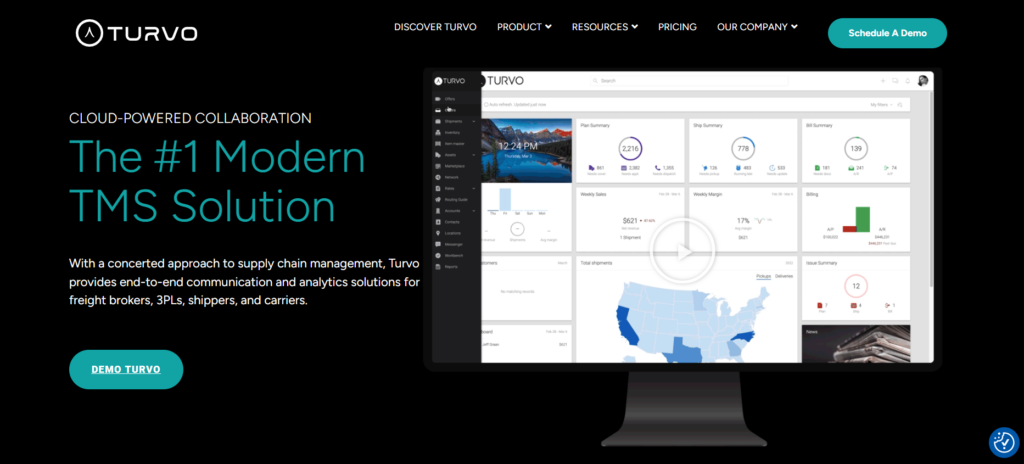
Turvo is a modern, cloud-based TMS and collaboration platform built primarily for freight brokers and 3PLs that need to coordinate customers, carriers, and logistics partners around shared transportation workflows.
For a growing logistics provider, it connects the people responsible for planning, moving, receiving, and settling freight, helping teams manage more business without creating more manual handoffs.
For an established brokerage or 3PL working across separate customer, carrier, warehouse, and accounting systems, Turvo brings relevant operational information into one environment. Teams can connect orders, inventory availability, shipment progress, documents, and communication to understand what needs to happen next.
The result is a connected ecosystem designed to reduce repetitive coordination, improve the customer experience, and support growth without adding unnecessary operational complexity.
Key Capabilities and Benefits
1. Handle More Customer Shipments With Fewer Manual Handoffs
Adding customers and shipment volume also increases the number of updates, documents, and decisions that need to move between organizations. When each handoff requires someone to copy information or chase a response, growth puts more pressure on the same team.
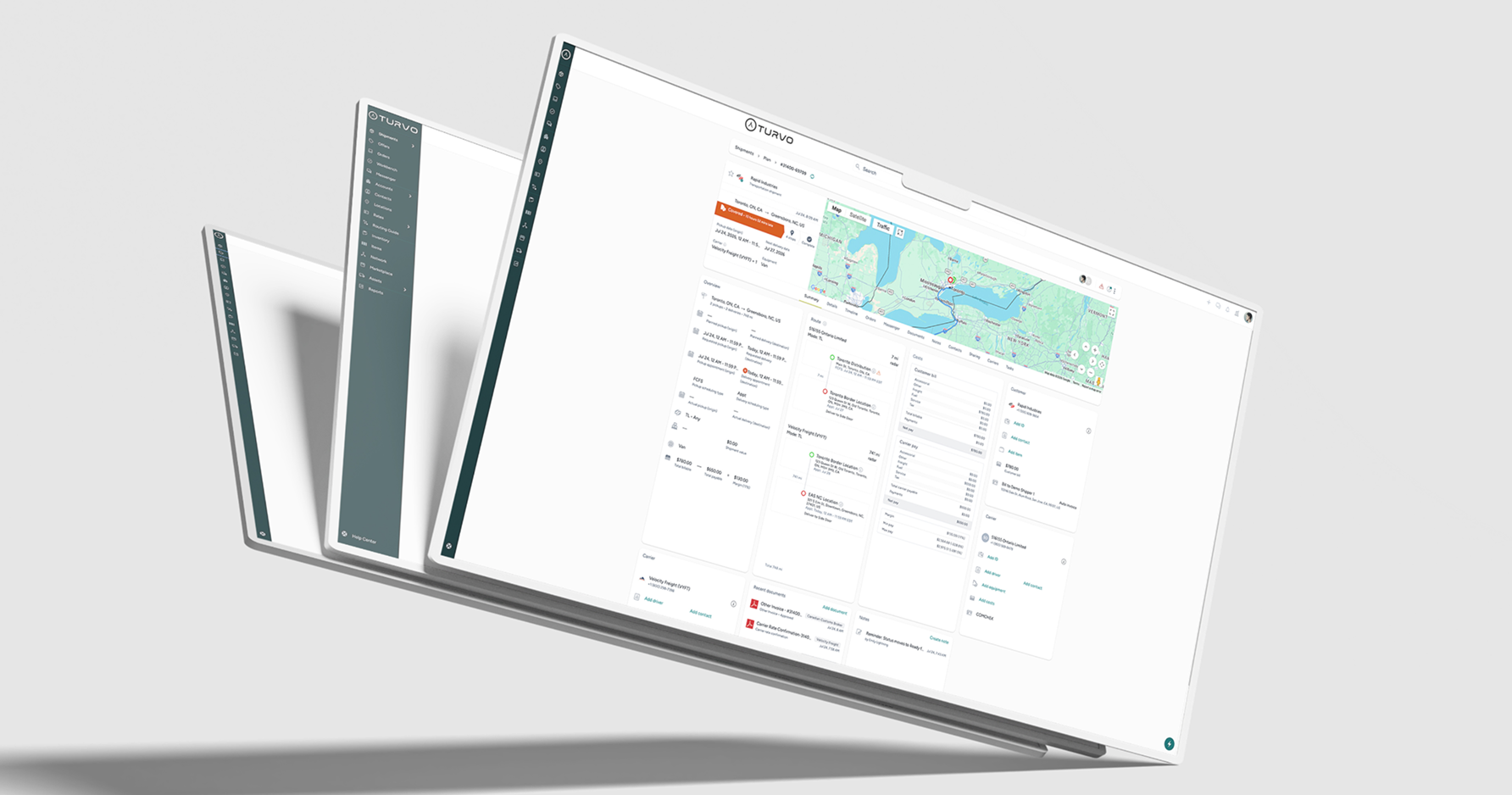
Turvo connects planning, execution, and settlement in one operating environment. Order-to-shipment planning allows teams to build shipments from customer orders, while shared records keep communication and documentation connected as the freight moves.
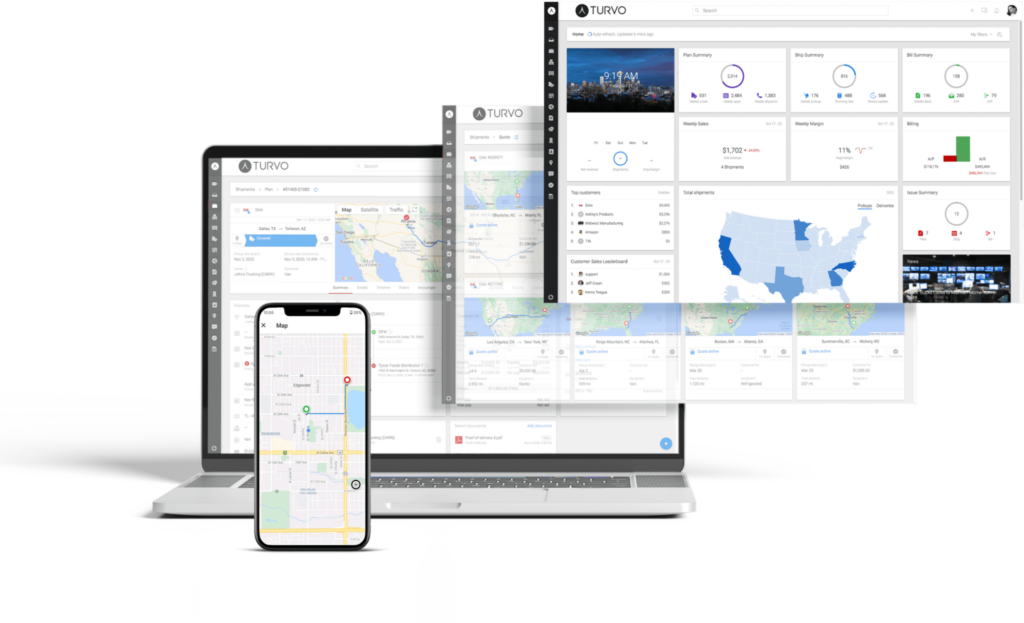
For brokers and 3PLs, this reduces the repetitive work between receiving an order, coordinating its movement, and preparing it for settlement. Employees can spend more time resolving exceptions and serving customers as shipment volume grows.
The business benefit is greater operating capacity without having to increase administrative work at the same rate.
2. Keep Customers and Carriers Aligned Around the Same Shipment
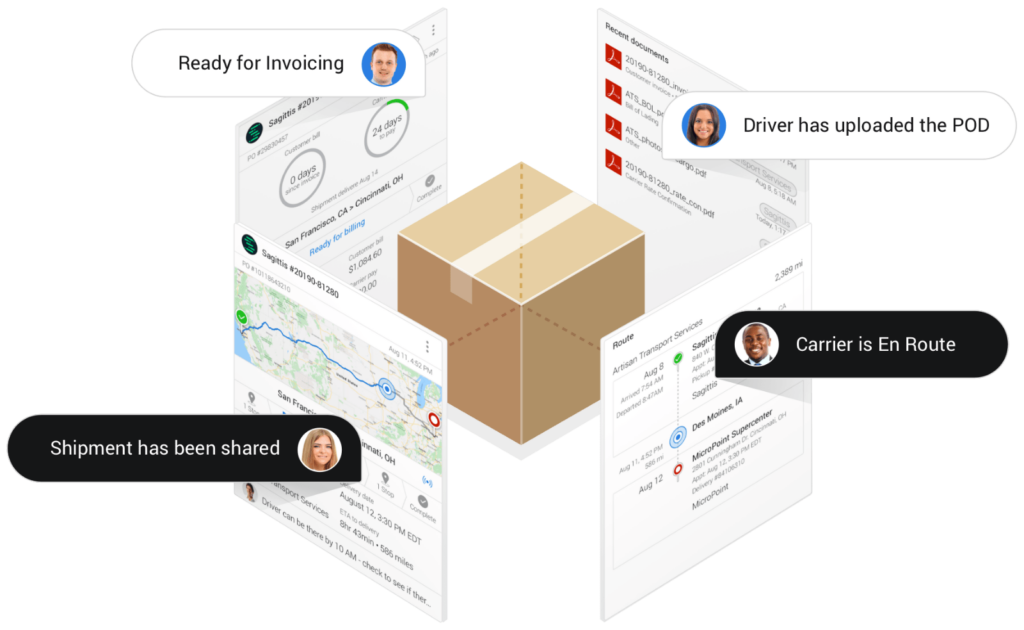
Supply chain collaboration becomes difficult when the customer, carrier, and logistics provider each work from a different version of the shipment’s status. Even a straightforward delivery change can trigger several calls and forwarded emails before everyone understands the new plan.
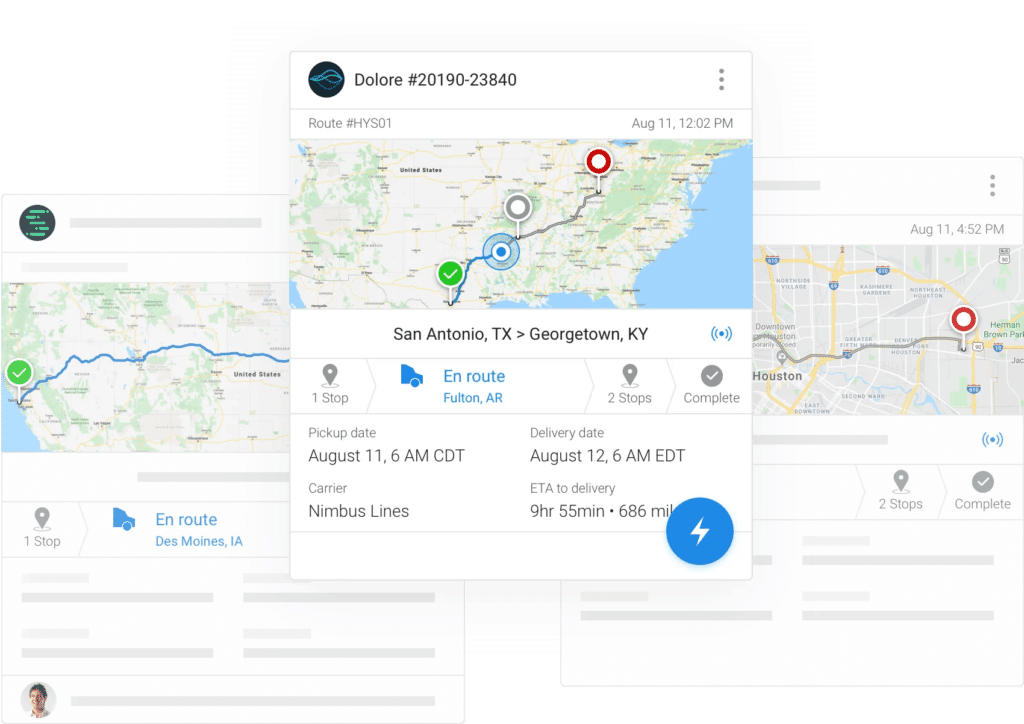
Turvo’s Collaboration Cloud connects participants around shared shipment information. Contextual messaging, document sharing, notifications, and shareable links let teams communicate about the shipment within the workflow itself.
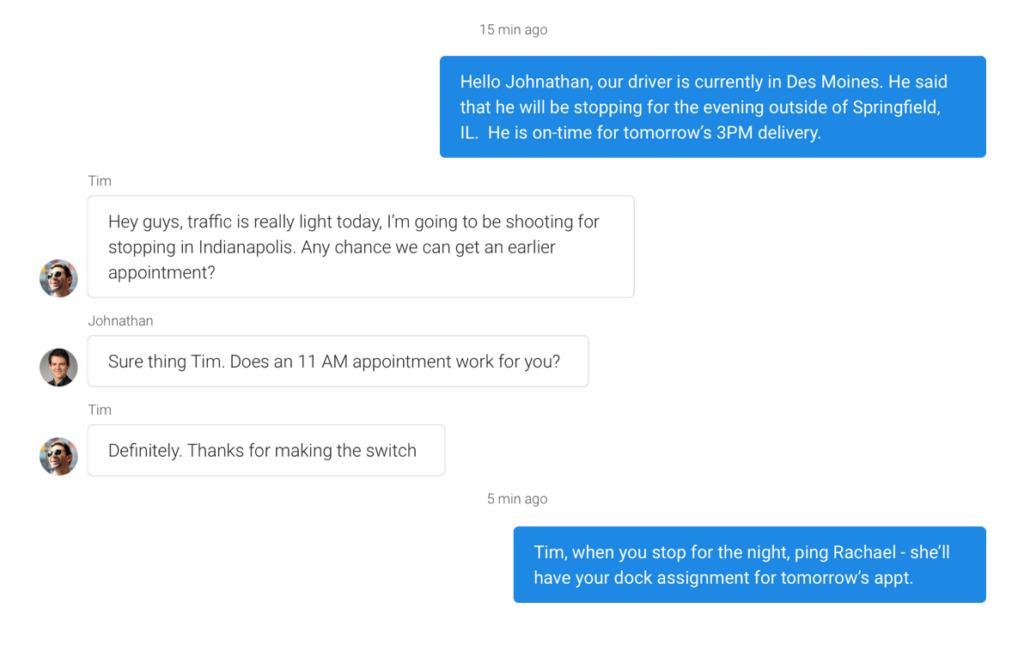
Customers and carriers can be invited into the relevant shipment context, with controls over which information is shared. This helps partners work together while keeping access appropriate to their role in the operation.
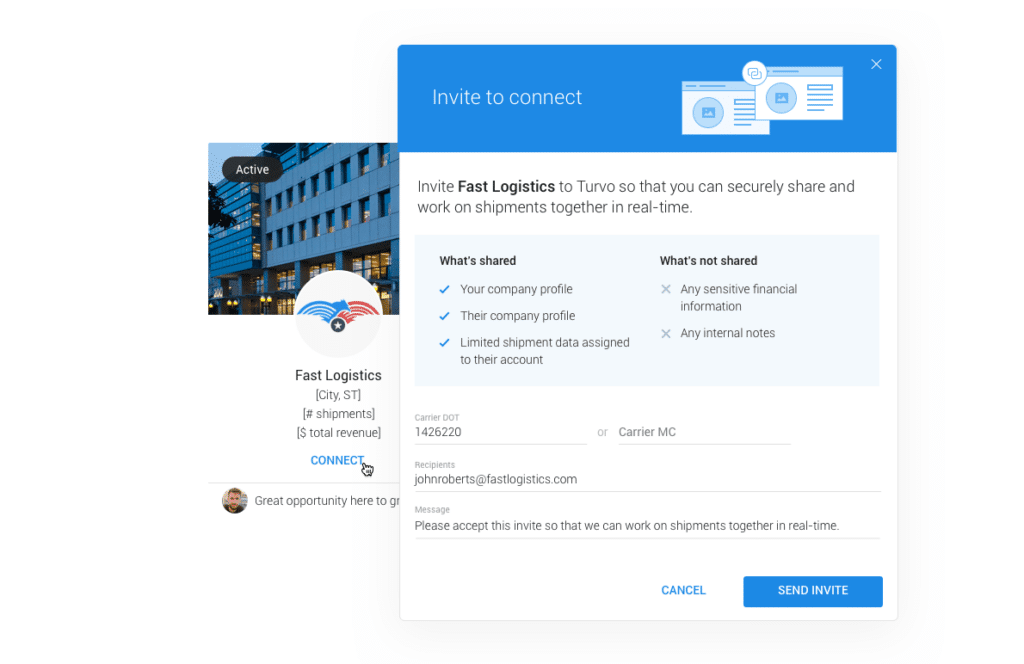
For the broker or 3PL, fewer updates need to pass manually through an account manager. Customers gain a clearer view of their freight, and the people responsible for execution have the context needed to coordinate their next steps.
3. Reduce Duplicate Work Across Connected Supply Chain Systems
A new customer or logistics partner can introduce another system, another data format, and another process for exchanging information. Without reliable connections, teams end up re-entering orders and reconciling updates across applications.
The Turvo Integration Hub connects transportation workflows with systems such as warehouse management, ERP, accounting, tracking, and carrier-management tools. Public APIs, pre-built integrations, webhooks, and data-import tools support information exchange across the broader technology stack.
For example, connecting order and warehouse systems can make relevant data available for shipment planning, while accounting integrations support the handoff from transportation operations to finance.
This gives brokers and 3PLs room to add specialized tools as their requirements change. The connected ecosystem helps reduce duplicate entry and keeps new technology from becoming another isolated source of operational information.

4. Coordinate Faster Responses to Delays Across Your Network
A delayed shipment affects more than the person tracking the truck. The customer may need to adjust expectations, the receiving facility may need to change an appointment, and the operations team needs to coordinate the response.
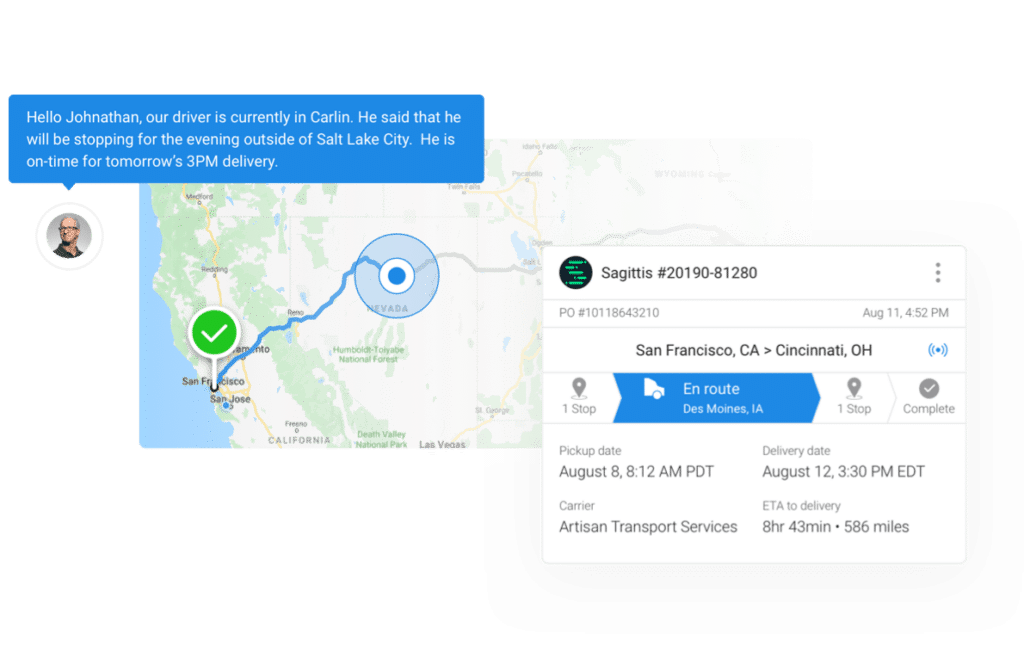
Turvo connects shipment visibility with messages, documents, alerts, and workflow information. Teams can review an exception alongside the shipment details and communicate with the participants involved.
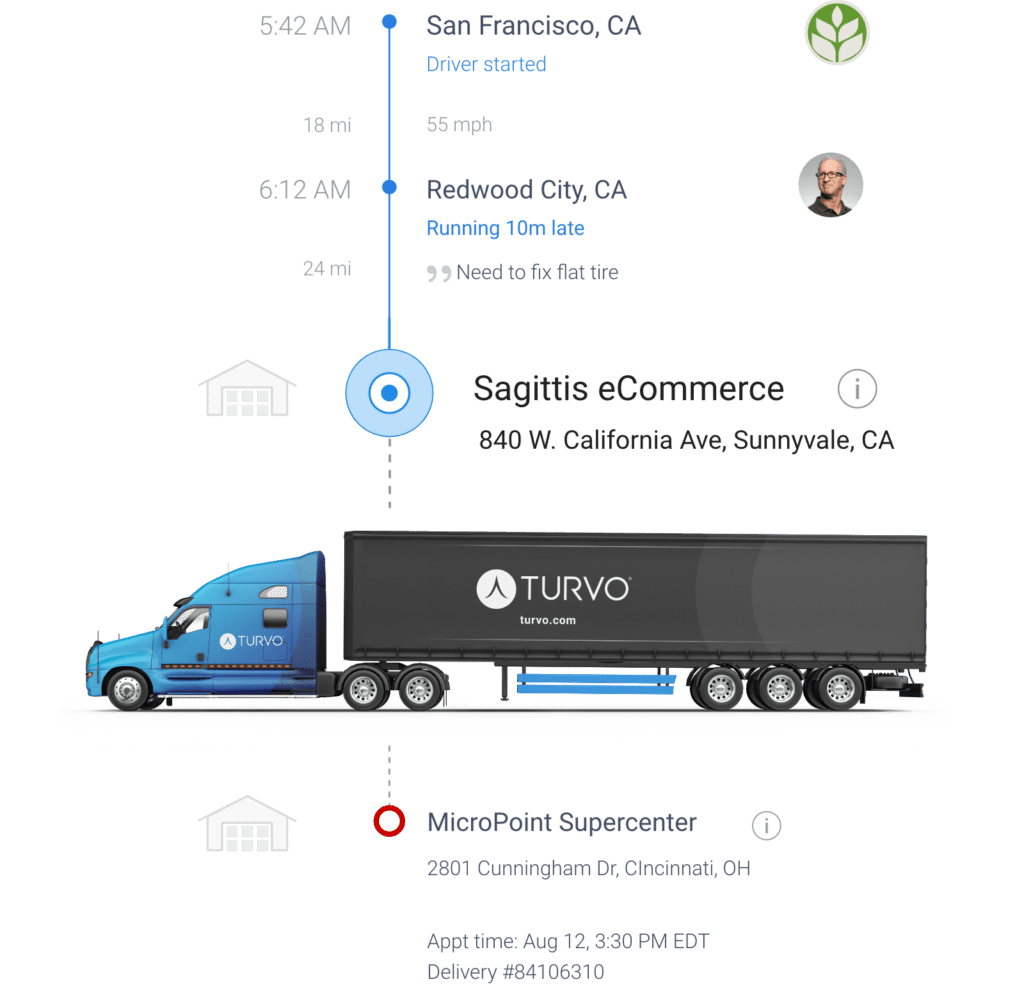
Location and status information from the Turvo Driver App, alongside telematics and ELD integrations, helps teams follow shipment progress with less manual tracking effort.
For example, when an inbound load is running late, the logistics provider can use the shipment context to coordinate with the carrier and receiving facility and keep the customer informed.
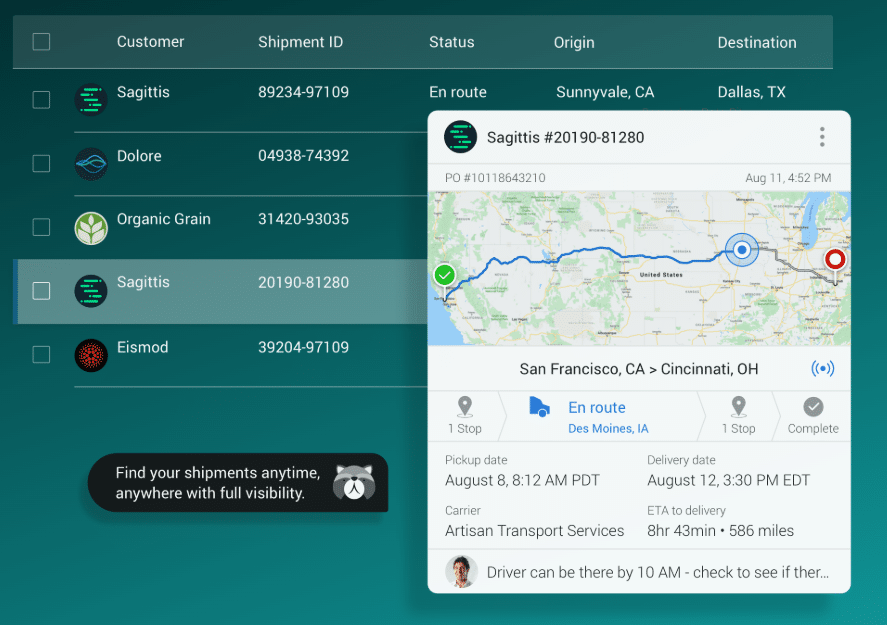
This helps teams identify issues earlier and organize a response with fewer handoffs, improving operational visibility across the parties responsible for delivery.
5. Improve Customer and Carrier Performance With Connected Insights
Brokers and 3PLs need to understand which customer relationships, carriers, and lanes support reliable, profitable service. When performance information sits in separate reports, those conversations can become an exercise in assembling data.
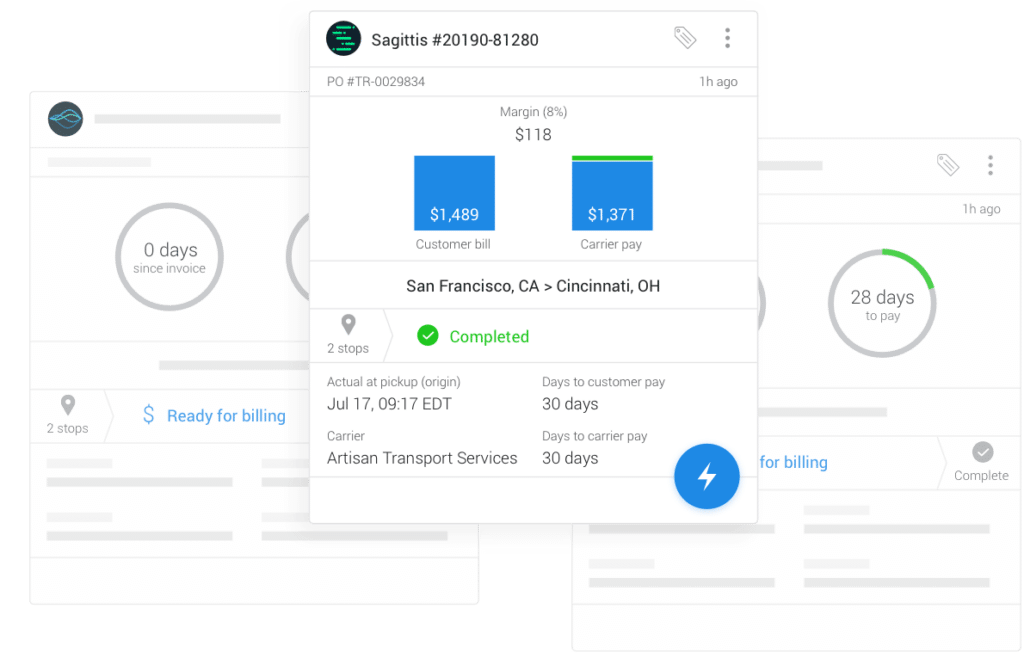
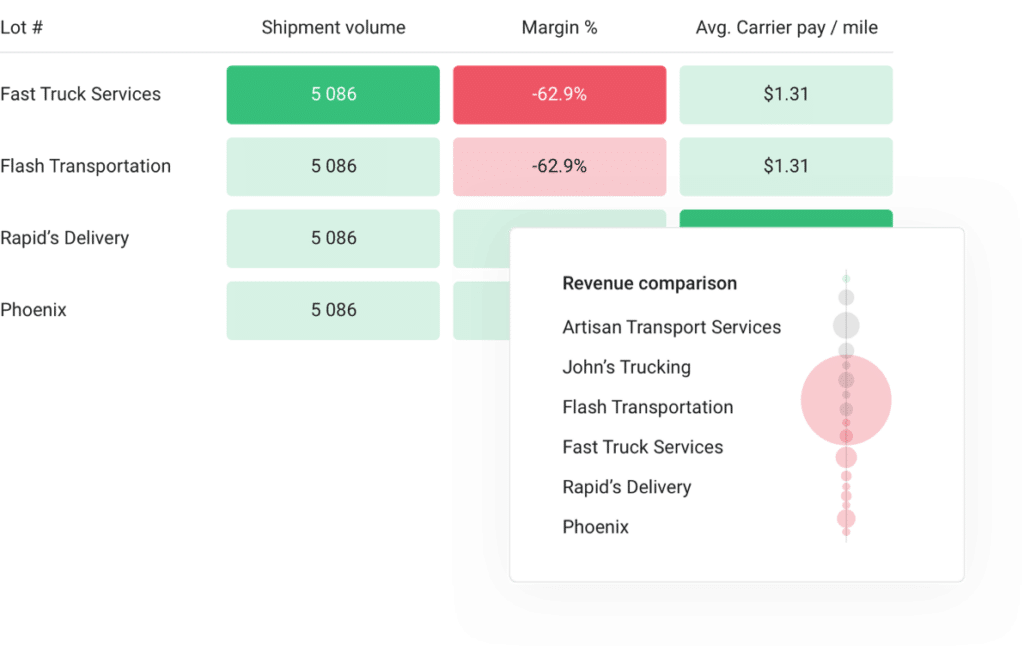
Turvo Analytics brings operational and financial information into customizable dashboards and reports. Teams can examine customer, carrier, and lane performance, identify trends, and use scorecards to support business reviews.
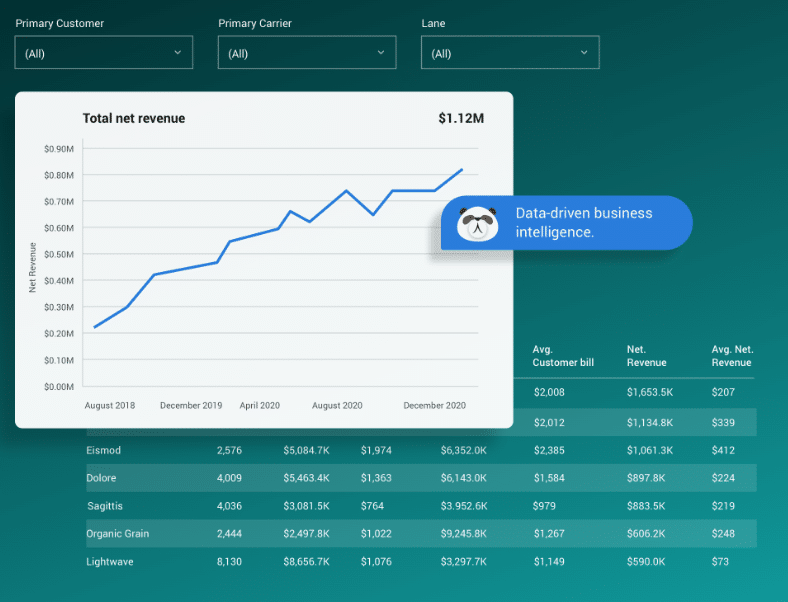
This gives account managers and operations leaders a clearer basis for discussing recurring service problems, evaluating partners, and deciding where processes need to change.
For a logistics provider managing multiple customer relationships, connected reporting also helps turn day-to-day shipment activity into more useful performance conversations. Teams can explain where service is improving and where corrective action is needed.
6. Align Inventory, Transport, and Dock Schedules to Reduce Delays
A shipment can be ready to move while the receiving facility is working from an outdated appointment. For 3PLs coordinating warehouse and transportation activity, gaps between inventory, shipment, and facility information can create avoidable delays.
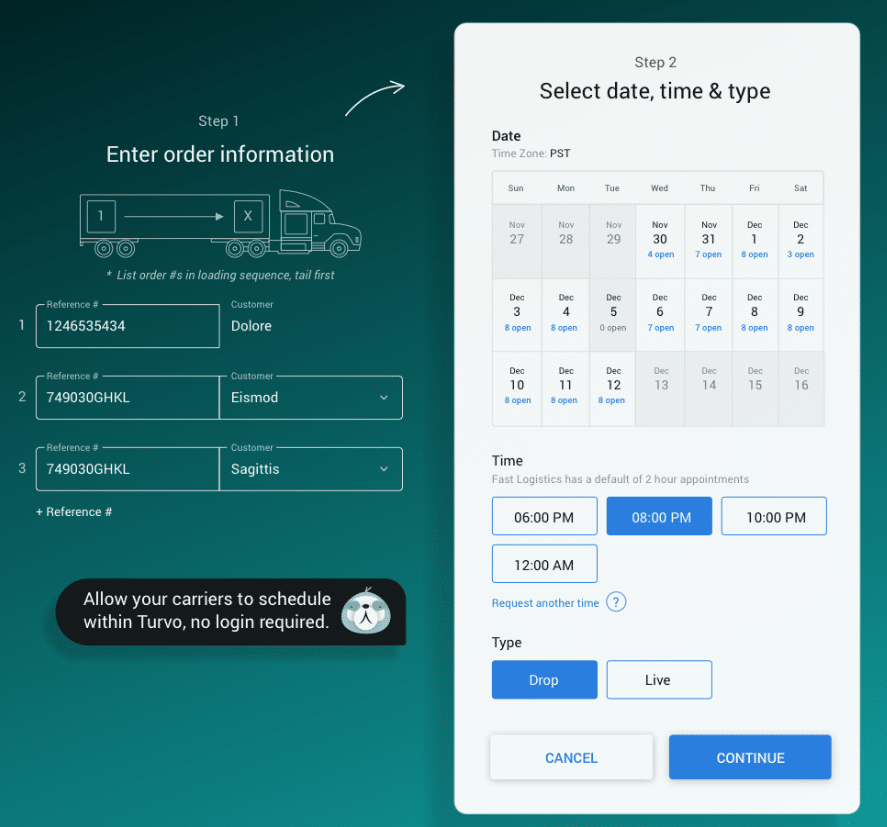
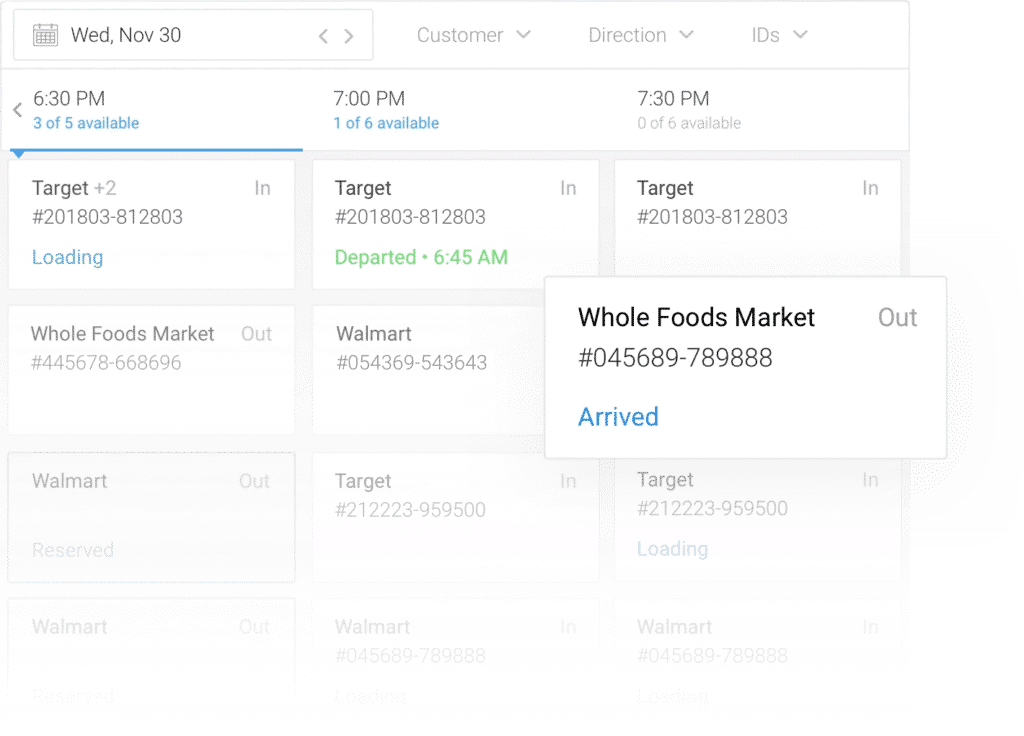
Turvo connects appointment scheduling with order, shipment, customer, carrier, and truck-status information. Self-service booking and arrival and departure updates help partners coordinate inbound and outbound movements with more context.
Its inventory and warehouse visibility capabilities also bring relevant stock information into the operation.
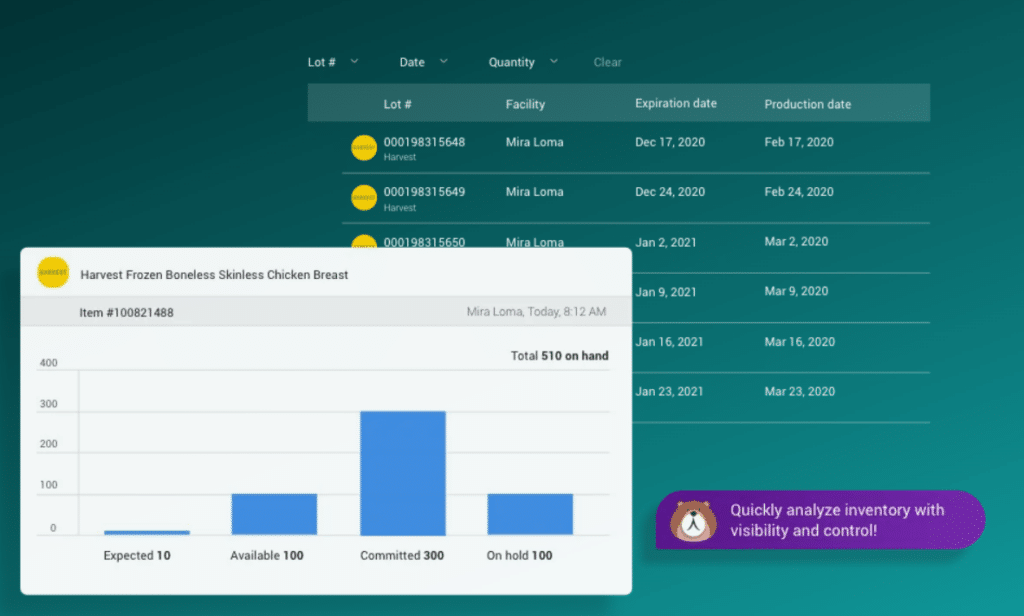
Teams can review inventory by facility, lot, and SKU and plan shipments against available stock, supported by connections to warehouse systems.
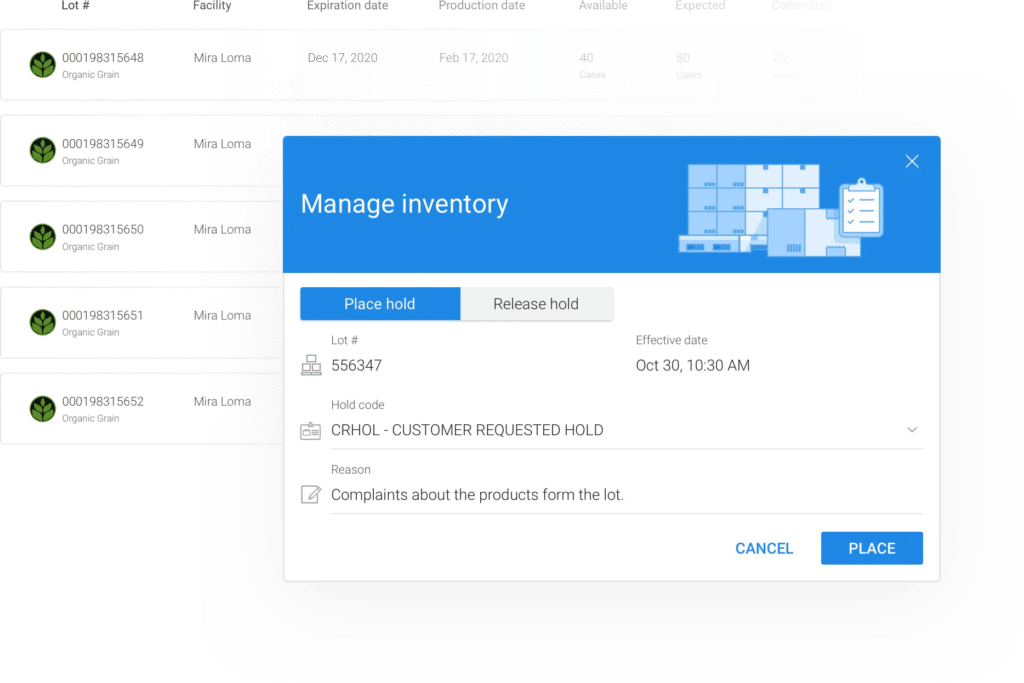
Together, these capabilities help 3PLs align what is available to ship, when transportation is scheduled, and what facilities need to prepare for. When plans change, teams have more of the information required to coordinate an adjustment.
7. Keep Teams and Partners Working to Consistent Processes
As a logistics network grows, different teams and partners can develop their own ways of handling similar shipments. That variation makes responsibilities harder to follow and creates more opportunities for work to stall between departments.
Turvo supports configurable roles for operations, carrier sales, finance, customer service, and tracking teams. Routing guides let businesses define rules for offering shipments to carriers, carrier groups, and bid boards.
These controls help brokers and 3PLs establish a more consistent approach to carrier coordination and internal responsibilities. Shared shipment information then gives each team the context needed to carry out its part of the process.
The result is a more repeatable operating model that can support additional customers and partners without relying as heavily on individual employees to explain each handoff.
8. Speed Up Delivery-to-Settlement Handoffs With Shared Documents
A completed delivery can still leave several teams waiting. Customer service needs confirmation, operations needs the delivery record, and finance may need proof of delivery before invoicing can proceed.
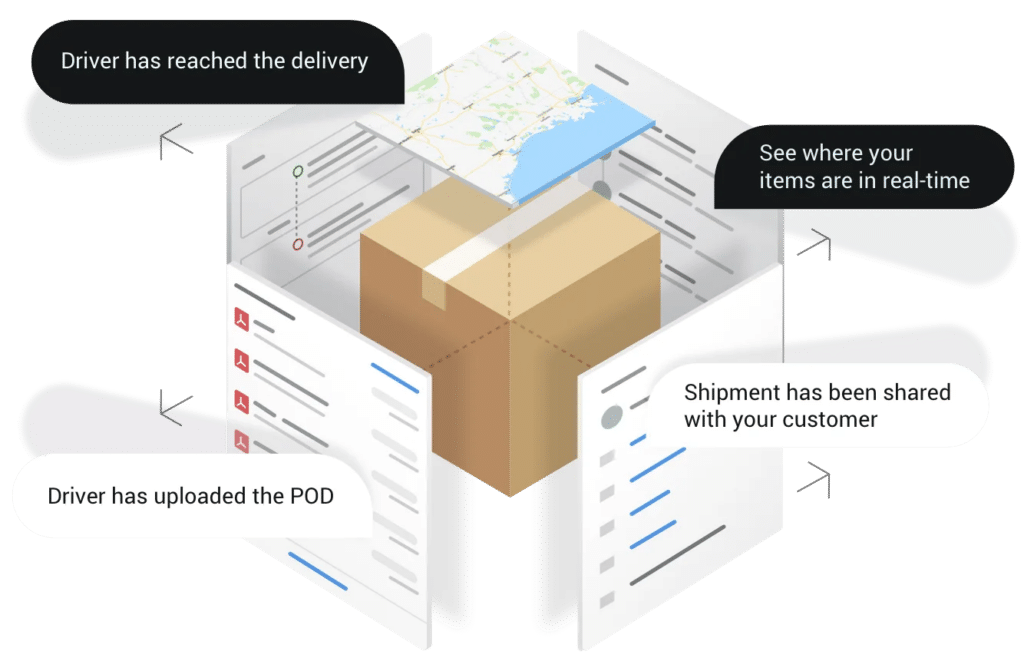
The Turvo Driver App connects drivers to the shipment workflow through status updates, messaging, and document capture. Drivers can upload documents such as bills of lading and proof of delivery, making that information available within the connected transportation process.
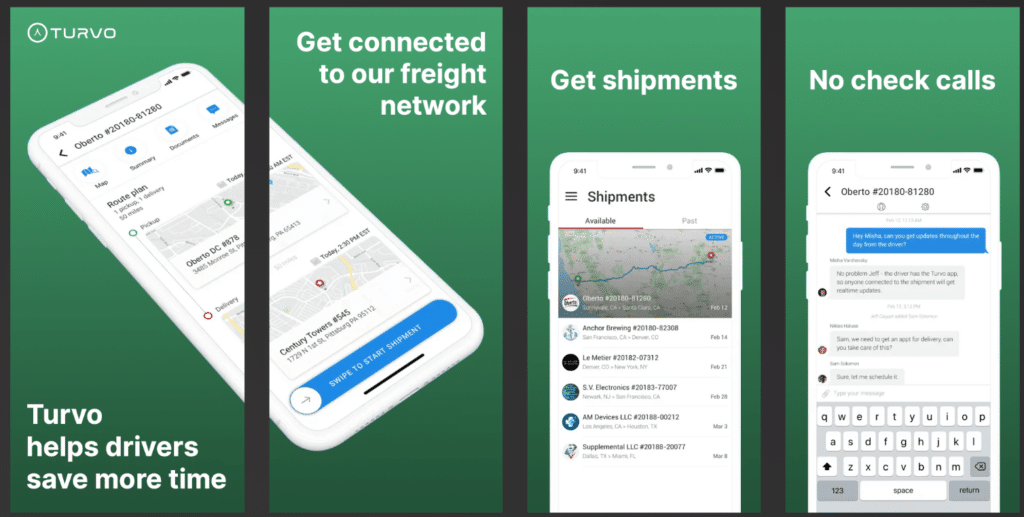
This reduces the need for a driver to send a document to a dispatcher who then forwards it to operations and finance. Relevant teams can access the shipment information they need with fewer manual exchanges.
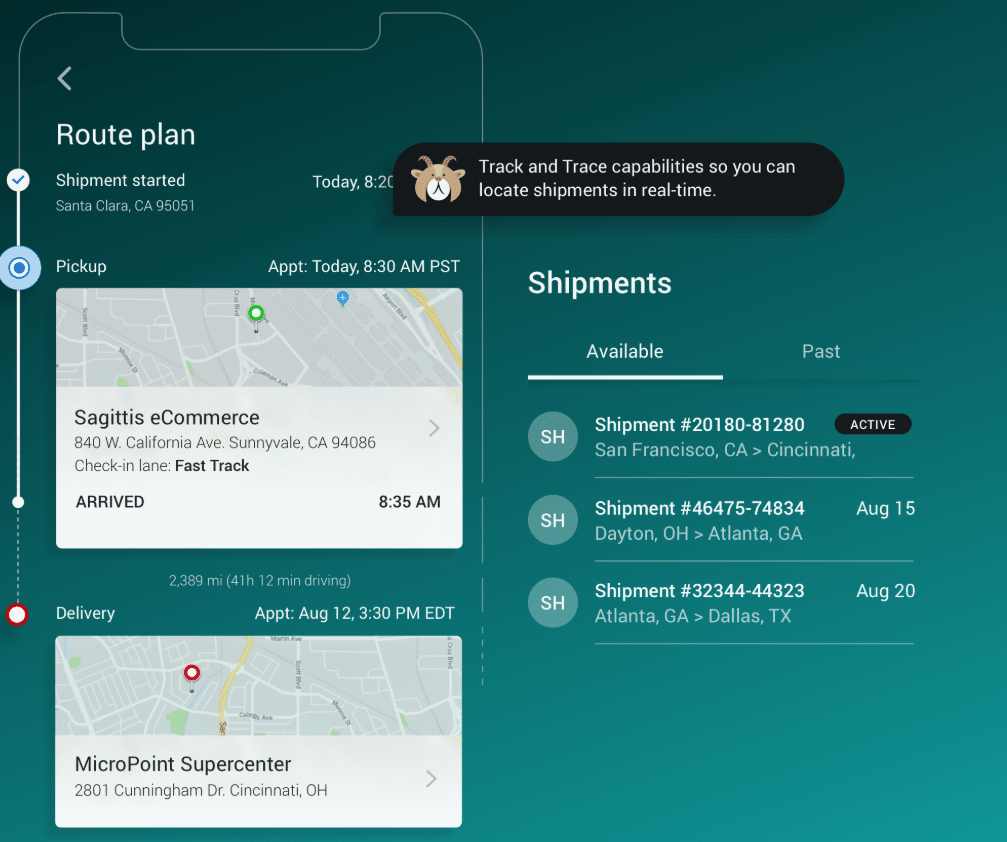
For brokers and 3PLs, that means better coordination from the road to the back office, with less document chasing and fewer information gaps holding up customer updates or settlement.
Turvo Pricing
Turvo offers two pricing tiers, with the standard TMS plan starting at $5,000 per month and Enterprise pricing available upon request.
| Plan | Best for/focus | Pricing | Included support & services |
| Turvo TMS | Plan, execute, and settle freight | Starts at $5,000/month | Dedicated onboarding manager, virtual training, data migration, Support Center, Turvo Community & Academy |
| Turvo Enterprise | Collaboration and visibility across the supply chain | Available upon request | Dedicated onboarding manager, virtual training, data migration, Support Center, Turvo Community & Academy, dedicated customer success manager, quarterly business reviews |
Where Turvo Shines
- Collaboration tied to daily execution: Turvo brings messages, documents, updates, and partner participation into transportation workflows. Brokers and 3PLs can coordinate work around the shipment, reducing the need to reconstruct events across separate conversations.
- A connected customer and partner experience: Shared visibility gives customers and carriers access to relevant information, helping logistics providers offer more transparent service while reducing routine status requests.
- Connections across orders, inventory, and transportation: For 3PLs coordinating these activities, Turvo brings more operational context into shipment planning and execution, supported by integrations with warehouse and enterprise systems.
- Flexibility as the technology stack grows: APIs, integrations, and webhooks help businesses connect specialist tools and exchange operational data, reducing the manual work that can accumulate between separate systems.
- Support for adoption and ongoing operations: Onboarding, migration support, training, post-go-live hypercare, and ongoing resources help teams establish the workflows needed to put the platform into everyday use.
Where Turvo Falls Short
- Highly complex global operations: Businesses with extensive ocean and air freight, international trade processes, multiple business units, or heavily customized billing and integration requirements should assess fit carefully. A broader enterprise or global logistics platform may better match those needs.
- Dedicated warehouse and fleet operations: Turvo connects warehouse information and driver workflows to transportation activity, but companies requiring detailed warehouse execution, vehicle maintenance, or fleet compliance capabilities may still need dedicated systems alongside it.
Turvo Customer Reviews
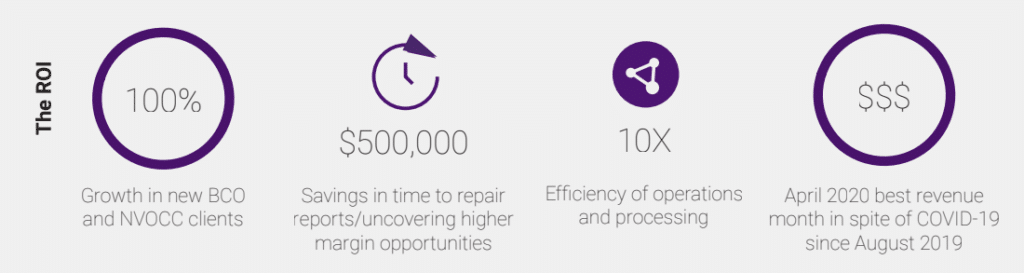
Ojasvi A., Logistics Coordinator, said, “Easy to use for load tracking. It offers a number of features, such as managing company revenue, and helps me provide good customer service to my clients. It’s a quick way to create loads and implement them. My frequency of using this app was continuously for eight hours a week. Ease of integration.”
Verified User in Logistics and Supply Chain said, “Thanks to Turvo, we can work faster and more efficiently to increase the number of shipments one person can handle. Turvo provides contextual messaging, task organization, built-in tracking, and one-click integrations that have allowed us to grow at a rapid pace without adding many people. The best part is that Turvo is still improving and adding key features every quarter to build its system around its customers’ requests.”
Chris Somerville, Senior Vice President of Customer Experience at Port City Logistics, said, “We were looking for the most modern stack with the best user experience that had integration capability and customer and carrier collaboration and visibility built into the platform and overall architecture. Turvo was the only platform that met all those qualifications.”
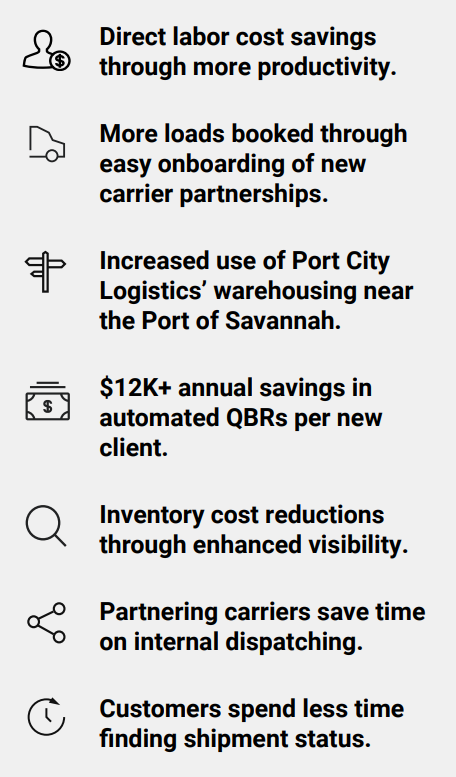
Tom Zeis, Partner at Port X Logistics, said, “Turvo helped us transition all our employees and a majority of our customers to working remotely in one day with zero disruption to our business. There was no downtime, no bandwidth issues, and no connection problems. We can work anytime, anywhere, and from any device.”
Who Turvo Is Best For
- 3PLs coordinating customers, carriers, and facilities: Teams managing transportation for multiple customers can bring shipment execution, appointments, partner communication, and relevant warehouse information into a connected workflow.
- Growing freight brokerages with fragmented communication: Businesses relying heavily on calls, emails, and separate tracking tools can use shared shipment context to reduce status chasing and improve coordination.
- Logistics providers improving the customer experience: Brokers and 3PLs can give customers more direct access to shipment information, documents, and communication as part of their service.
- Established teams connecting an existing technology stack: Organizations using warehouse, ERP, accounting, tracking, and carrier tools can evaluate Turvo as the transportation and collaboration platform connecting those systems.
- New brokerages and independent agent businesses: Teams establishing their own operations can build shared workflows and customer visibility early, reducing dependence on spreadsheets and manual handoffs as they grow.
See how Turvo connects your customers, carriers, systems, and shipment workflows to reduce manual coordination and support growth. Book a demo now.
2. e2open: Best for Multi-Tier Supplier Collaboration
e2open connects supply-chain partners across forecasting, procurement, inventory, and logistics. Its supply applications help manufacturers and other large organizations coordinate with suppliers and contract manufacturers beyond their immediate, first-tier relationships.
For businesses managing outsourced production, it provides a way to share demand signals, confirm supply, and address shortages before they disrupt operations. WiseTech Global completed its acquisition of e2open in August 2025. The e2open brand and supply-chain applications remain active within the group.
Key Capabilities and Benefits
- Align demand with available supply: Share forecasts and coordinate supplier responses to identify capacity or material gaps.
- Reduce purchase-order follow-up: Exchange order information and manage changes with suppliers through connected workflows.
- Improve inventory coordination: Give partners visibility into material availability, shortages, and excess stock across locations.
- Connect procurement with execution: Coordinate purchase orders, shipments, receipts, and invoices across trading partners.
Pricing
Request a quote for the applications and network scope your business needs.
| Offering | Starting Price | Scope to Confirm |
| Supply collaboration applications | Custom quote | Applications, partner connections, integrations, and implementation |
Where e2open Shines
- Multi-tier supplier relationships: Relevant when coordination extends beyond direct suppliers.
- Outsourced manufacturing: Helps align material availability and production requirements with external partners.
- Connected procurement workflows: Links supply commitments with downstream order and inventory activity.
Where e2open Falls Short
- Implementation effort: A Gartner reviewer reported onboarding challenges; buyers should validate partner rollout requirements.
- Application selection: Its breadth requires careful scoping of which applications support the intended collaboration processes.
- Smaller brokerage fit: Teams primarily seeking load management and customer updates may find this enterprise supply focus broader than necessary.
Customer Reviews
Tabish A., Procurement Specialist – Supply Chain, said, “Inventory planning and invoicing has never been simpler. Data collection does take a little more time than desired.”
Robert K., Dispatcher, said, “E2 Open makes it easy to communicate with customers on freight shipments. It helps us communicate with customers, add accessorial charges, and organize shipdates.”
Who e2open Is Best For
- Manufacturers with complex supplier networks: Organizations coordinating multiple supplier tiers and contract manufacturers.
- Procurement and supply-planning teams: Businesses needing shared forecasts, commitments, and order updates.
- Large supply-chain organizations: Companies prepared to implement several connected collaboration workflows.
3. Blue Yonder Network: Best for Connecting Supply-Chain Planning and Execution

Blue Yonder Network connects trading partners around shared order, inventory, and shipment information. It supports coordination across demand, supply, and execution, helping companies respond together when conditions change. It is particularly relevant to manufacturers, retailers, and logistics organizations whose operational decisions depend on information from multiple external partners.
Panasonic acquired Blue Yonder in 2021. Blue Yonder subsequently completed its acquisition of One Network Enterprises in August 2024, expanding its multi-enterprise network capabilities.
Key Capabilities and Benefits
- Coordinate decisions across partners: Share operational information so suppliers, customers, and carriers can work from a common picture.
- Connect planning with execution: Align demand and supply decisions with order fulfillment and transportation activity.
- Manage delivery exceptions: Use appointment information, alerts, and shipment updates to identify issues requiring action.
- Improve supplier performance visibility: Monitor delivery performance, expedites, and related measures across sites and carriers.
Pricing
Contact Blue Yonder for pricing based on the proposed network solution and services.
| Offering | Starting Price | Scope to Confirm |
| Blue Yonder Network | Custom quote | Applications, partner onboarding, integrations, and services |
Where Blue Yonder Network Shines
- Connected planning and operations: Useful when supply decisions must translate into coordinated execution.
- Large trading-partner communities: Supports collaboration involving several organizations and operating roles.
- Retail and manufacturing supply chains: Relevant to businesses balancing inventory, replenishment, and delivery requirements.
Where Blue Yonder Network Falls Short
- Partner onboarding: An older Gartner review reported onboarding difficulties; current rollout timelines deserve close evaluation.
- Scope for smaller teams: A network-wide deployment may exceed the needs of companies seeking a straightforward supplier portal.
- User adoption: Test role-specific workflows during evaluation, particularly because historical feedback includes interface concerns.
Customer Reviews
An IT Associate in Banking said, “My experience with this tool has been positive. Its smart capabilities are robust.”
A National Sales Group Leader in Transportation said, “The partner onboarding timeline needs improvement. The user interface and readability/usability also need improvement.”
Who Blue Yonder Network Is Best For
- Large manufacturers and retailers: Companies coordinating interdependent supply and fulfillment processes.
- Organizations with extensive partner networks: Businesses needing shared information across multiple companies.
- Planning and operations leaders: Teams seeking closer coordination between decisions and their execution.
4. Infor Nexus: Best for Global Supplier, Logistics, and Financial Collaboration

Infor Nexus connects suppliers, manufacturers, logistics providers, brokers, and financial institutions on a shared supply-chain network. Its capabilities span order collaboration, shipment visibility, supplier management, and financial processes.
For businesses sourcing internationally, that combination can help connect the movement of goods with the documents and payments supporting them. Previously known as GT Nexus, the platform was acquired by Infor in 2015 and rebranded as Infor Nexus in 2019.
Key Capabilities and Benefits
- Connect global trading partners: Coordinate supplier, manufacturer, and logistics activity through shared network workflows.
- Improve order and shipment visibility: Bring together information about goods in production, transit, and inventory.
- Respond to supply-chain exceptions: Use control-tower capabilities to identify disruptions and coordinate responses.
- Connect physical and financial processes: Support document exchange, procure-to-pay workflows, and supply-chain finance.
Pricing
Infor Nexus requires a tailored commercial proposal.
| Offering | Starting Price | Scope to Confirm |
| Infor Nexus | Custom quote | Network applications, integrations, onboarding, and services |
Where Infor Nexus Shines
- Global sourcing operations: Connects companies managing geographically dispersed suppliers and logistics partners.
- Order-to-delivery visibility: Helps teams follow goods across organizational and geographic boundaries.
- Financial collaboration: Extends coordination to commercial documents and supplier finance.
Where Infor Nexus Falls Short
- Interface expectations: G2 feedback includes criticism of the interface and the usefulness of some analytics.
- Project overhead: A reviewer reported substantial project-management overhead, making implementation scope an important evaluation point.
- Narrow freight requirements: Its global network and financial scope may be excessive for a team needing only day-to-day load coordination.
Customer Reviews
A Quality professional in Manufacturing said, “The platform is valuable because it improves visibility across those movements. Data integration is one of the most important strengths.”
Amit K., Supply Chain Manager, said, “It covers end-to-end factory management and supply chain visibility. It provides a seamless experience to track the movement and location of goods.”
Who Infor Nexus Is Best For
- Global manufacturers and brands: Businesses coordinating international sourcing and production.
- Companies managing complex inbound flows: Teams needing visibility across suppliers, logistics partners, and inventory locations.
- Procurement and finance stakeholders: Organizations seeking closer coordination between supply operations and payment processes.
5. SAP Business Network: Best for Supplier Collaboration in SAP Environments
SAP Business Network connects buyers and suppliers across procurement and supply-chain processes. Its Supply Chain Collaboration solution supports forecast sharing, supplier commitments, inventory coordination, and quality workflows.
It is a relevant option for organizations seeking to extend established SAP purchasing and planning processes to external partners. SAP Business Network is the broader network umbrella; the former Ariba Network name has transitioned to SAP Business Network.
Key Capabilities and Benefits
- Validate supply against demand: Share forecasts and collect supplier commitments to identify potential gaps.
- Reduce order-status chasing: Exchange purchase orders, confirmations, and shipment information through connected workflows.
- Coordinate replenishment: Support supplier-managed inventory and collaboration around stock availability.
- Resolve quality issues collaboratively: Exchange information about inspections and quality problems with suppliers.
Pricing
SAP directs buyers to its sales team for Supply Chain Collaboration pricing. Confirm the buyer solution, supplier participation requirements, and integration services when requesting a quote.
| Offering | Starting Price | Scope to Confirm |
| SAP Business Network Supply Chain Collaboration | Contact sales | Buyer solution, supplier participation, and integrations |
Where SAP Business Network Shines
- SAP-centered operations: Relevant to organizations extending SAP processes across company boundaries.
- Structured supplier coordination: Connects forecasts, orders, inventory, and quality activities.
- Procurement collaboration: Brings purchasing teams and external suppliers into shared transaction workflows.
Where SAP Business Network Falls Short
- Supplier onboarding: Reviewers describe an initial learning curve, particularly for less technical users.
- Non-SAP integration: G2 feedback includes concerns about latency when exchanging data with third-party ERP systems.
- Freight execution priorities: Buyers primarily needing dispatch and brokerage operations should evaluate those requirements separately from supplier collaboration.
Customer Reviews
Jamoya O., Regional Operations Supervisor, said, “The level of transparency is also worth noting as it helps with reporting. The onboarding of new users is a bit overwhelming.”
A SAP Consultant in Healthcare and Biotech said, “SAP ARIBA has become a very important module and is highly recommendable. You can keep track of human interventions in the business.”
Who SAP Business Network Is Best For
- Existing SAP customers: Organizations extending procurement and planning processes to suppliers.
- Manufacturers coordinating direct materials: Teams managing forecasts, commitments, inventory, and quality requirements.
- Large purchasing organizations: Companies standardizing collaboration across substantial supplier communities.
6. Oracle Fusion Cloud SCM: Best for Collaboration Across Integrated Supply-Chain Applications

Oracle Fusion Cloud Supply Chain and Manufacturing combines applications for planning, procurement, manufacturing, order management, and logistics. Within that portfolio, Supply Chain Collaboration connects internal plans with information and commitments from external partners.
It is particularly relevant to companies that want supplier collaboration to sit alongside their broader Oracle operational processes, with shared data and connected workflows.
7. project44: Best for Collaborative Transportation Exception Management
project44’s Movement platform brings together shipment visibility, predictive arrival information, and order context. Its collaboration capabilities help teams move from identifying freight exceptions to assigning and coordinating a response.
It is particularly relevant when logistics teams need to keep customers and partners aligned around delays, changing arrival times, and delivery risks.
In July 2026, project44 announced a separation into two businesses: project44 for enterprise shippers and LSP44 for logistics service providers. Brokers and forwarders should account for that distinction when evaluating the appropriate offering.
8. FourKites: Best for Coordinating Shipments, Facilities, and Operational Responses
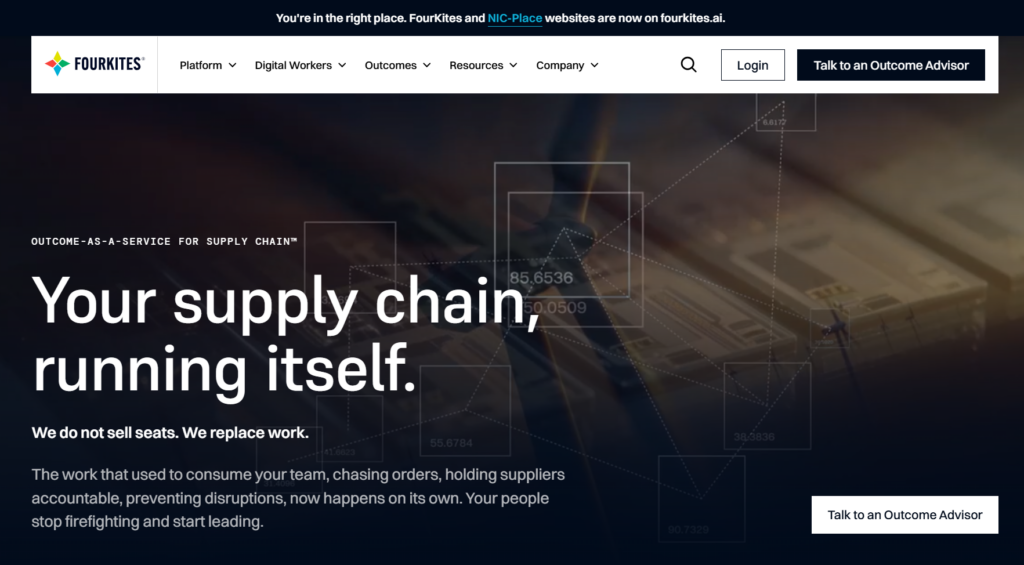
FourKites combines transportation visibility with capabilities for coordinating supply-chain operations. Its current offering extends into facility activity, supplier coordination, digital twins, and automated operational responses.
For companies managing busy distribution networks, it can help connect what is happening in transit with decisions at facilities and across customer-service teams. Its digital twins model relationships among orders, shipments, and operational assets to provide context for disruptions.
9. Shipwell: Best for Inbound Supplier Collaboration and Freight Execution
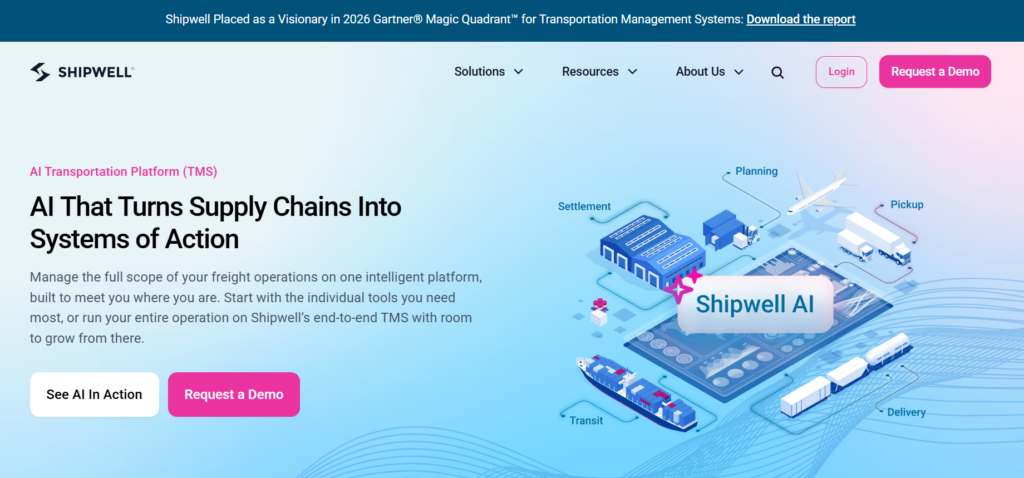
Shipwell is a cloud TMS that connects transportation planning, carrier coordination, shipment execution, and tracking. Its Supplier Collaboration Portal extends that workflow to inbound purchase orders and supplier communication. It is relevant to shippers that want suppliers and transportation teams to coordinate inbound freight through a connected operational process.
In February 2024, Shipwell announced the sale of its brokerage arm to CloudTrucks to focus on its software business. That transaction involved the brokerage operation, not the sale or discontinuation of the Shipwell software platform.
How We Ranked the Best Supply Chain Collaboration Software
We evaluated each platform based on the factors that matter when organizations need to coordinate work across suppliers, customers, carriers, logistics providers, facilities, and internal teams. Particular attention was given to how effectively each platform turns shared information into coordinated action while fitting into the broader supply chain technology environment.
- Ideal customer and use-case fit: How well the platform aligns with different collaboration needs, including supplier coordination, freight execution, transportation visibility, inventory and order management, global sourcing, and multi-enterprise supply chains.
- Deployment model: The platform architecture, implementation approach, and level of configuration or organizational change required to adopt and expand the software.
- Ecosystem and connectivity: The breadth and flexibility of connections with ERP, TMS, WMS, procurement, planning, accounting, tracking, carrier, supplier, and other supply chain systems through integrations, APIs, EDI, or similar methods.
- Collaboration and automation: How effectively the platform reduces repetitive follow-up and coordinates activities such as status updates, document exchange, approvals, alerts, tasks, partner communication, and exception management.
- Workflow coverage: How well the platform supports the collaboration processes it is designed for, from forecasts, purchase orders, and inventory through transportation, appointments, deliveries, and related financial workflows.
- Partner-facing experience: How effectively suppliers, customers, carriers, and other external participants can access relevant information, communicate, share documents, and take action without creating another disconnected process.
- Scalability and operational fit: How well the platform can support increasing transaction volumes, users, partners, locations, integrations, and workflow complexity as the supply chain grows.
How to Choose Supply Chain Collaboration Software
The right supply chain collaboration software depends less on which platform has the longest feature list and more on who needs to work together, what information they need to share, and what they need to do with that information. Use these five checks to narrow the shortlist and understand where each platform fits.
1. Define Who Needs to Collaborate and Around Which Workflows
Start with the relationships creating the most coordination work.
A manufacturer working with hundreds of suppliers may need forecast sharing, purchase-order collaboration, capacity commitments, and inventory coordination.
A freight broker or 3PL may care more about keeping customers, carriers, warehouses, and operations teams aligned around shipments.
A global sourcing organization may need supplier, transportation, documentation, and financial processes connected across several countries.
Map the participants involved, the information they exchange, and where work currently slows down. This prevents you from buying a broad “collaboration platform” whose strongest workflows sit outside the problem you actually need to solve.
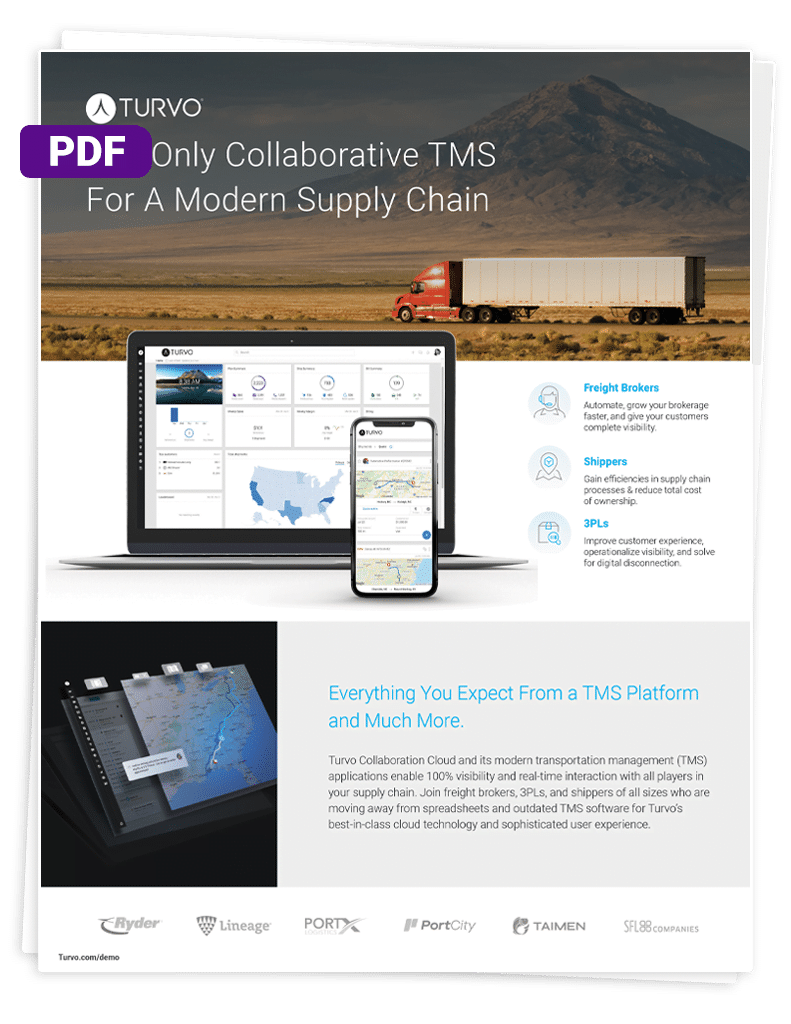
For freight brokers and 3PLs evaluating how collaboration can extend across transportation workflows, the Turvo Overview Brief shows how orders, inventory, shipments, and appointment scheduling can be managed within a connected operating environment.
2. Test Whether Shared Visibility Leads to Coordinated Action
Visibility is useful, but collaboration software should help teams decide what happens next.
During demonstrations, use real exceptions rather than ideal workflows. Ask the vendor to show what happens when a supplier cannot meet a commitment, an inbound shipment will miss its appointment, a delivery ETA changes, or an important document is missing.
Check who receives the information, whether responsibility can be assigned, how communication is captured, and whether the people involved can resolve the issue without rebuilding the context through phone calls and email.
The important distinction is between seeing that something changed and giving the network a practical way to respond to it.
Turvo’s Logistics Success Playbook explores how 3PLs, freight brokers, and shippers use workflow automation, real-time collaboration, and shared supply chain visibility to keep partners, carriers, customers, and internal teams better connected.
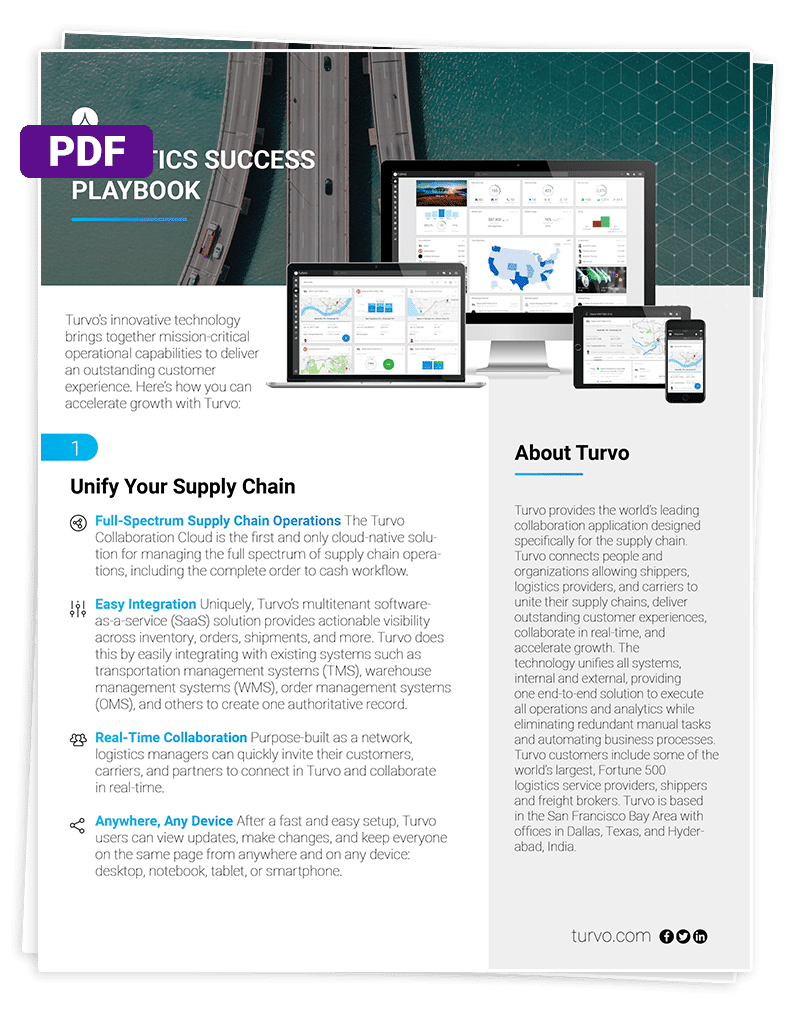
Get the Logistics Success Playbook
3. Check How the Platform Fits Your Existing Supply Chain Tech Stack
Supply chain collaboration rarely happens inside one application. Information may already live across ERP, WMS, TMS, planning, procurement, accounting, telematics, visibility, and carrier or supplier systems.
Go beyond asking whether an integration exists. Find out what information moves between systems, whether updates flow in both directions where needed, how frequently data is synchronized, what requires custom development, and what happens when another system or partner is added later.
For freight brokers and 3PLs, Turvo supports pre-built integrations, public APIs, webhooks, and data-import tools, allowing its TMS and collaboration layer to connect with the broader technology stack.
Its Integration Hub supports connections with systems including WMS, ERP, accounting, tracking, carrier-management, and other logistics technology.
Explore the Integration Hub brief for a closer look at how Turvo connects transportation workflows with the systems around them.
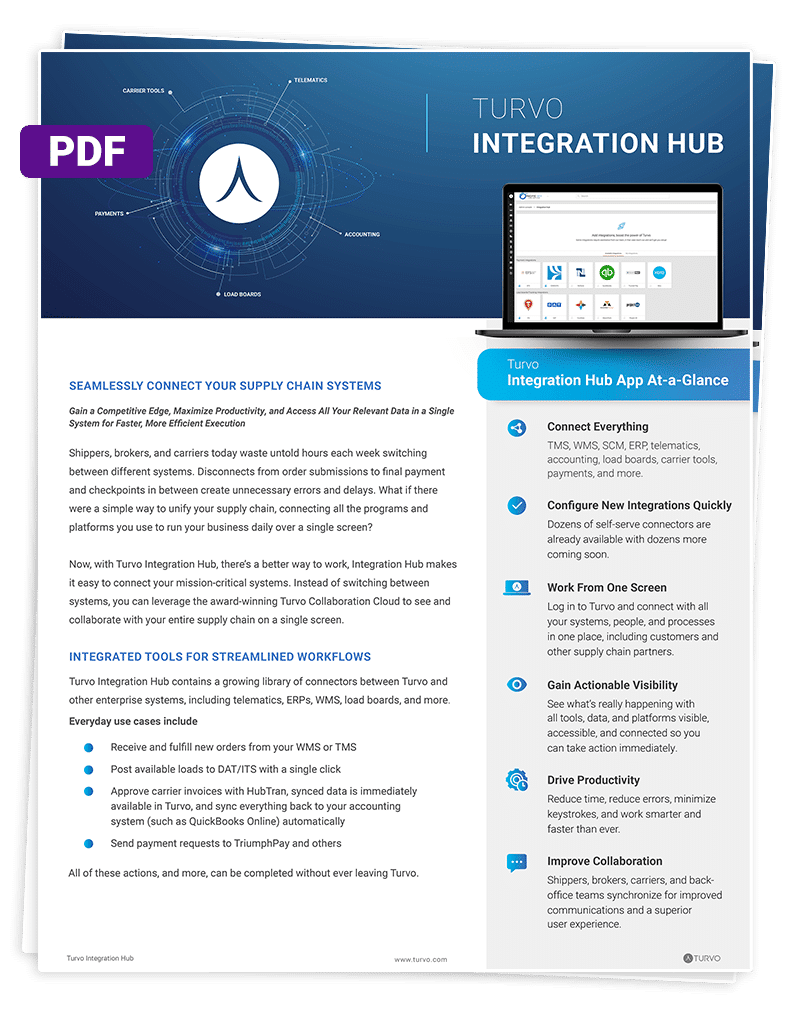
Download the Integration Hub Brief
4. Evaluate the Experience for External Partners, Not Just Internal Users
A collaboration platform only works when the people outside your organization can participate effectively.
During evaluation, test the experience from the perspective of a supplier, customer, carrier, or other external partner. Look at how users receive access, what information they can see, how permissions are controlled, how documents and messages are exchanged, and whether they can complete the actions expected of them without unnecessary steps.
Also consider how much partner onboarding is required. A technically powerful platform can still create friction if every new participant requires significant configuration, training, or support before the network becomes useful.
For brokers and 3PLs specifically, this matters because the technology experience can become part of the service they provide their own customers, rather than simply an internal operations tool.
5. Evaluate Implementation, Migration, and How the Network Will Scale
Collaboration software touches processes that cross organizational boundaries, so implementation involves more than configuring internal users.
Ask how existing partner records, operational data, integrations, roles, permissions, and workflows will be transferred or rebuilt. Determine who is responsible for onboarding external participants, how the rollout can be phased, and what training and post-launch support are available.
Also test what happens as the network expands. Adding customers, suppliers, carriers, facilities, workflows, and integrations should not recreate the manual coordination the software was intended to remove.
For established brokers and 3PLs moving to Turvo, Turvo Data Import (TDI) can be used to bring over data such as customer accounts, carrier accounts, historical shipments, and shipments already in execution.
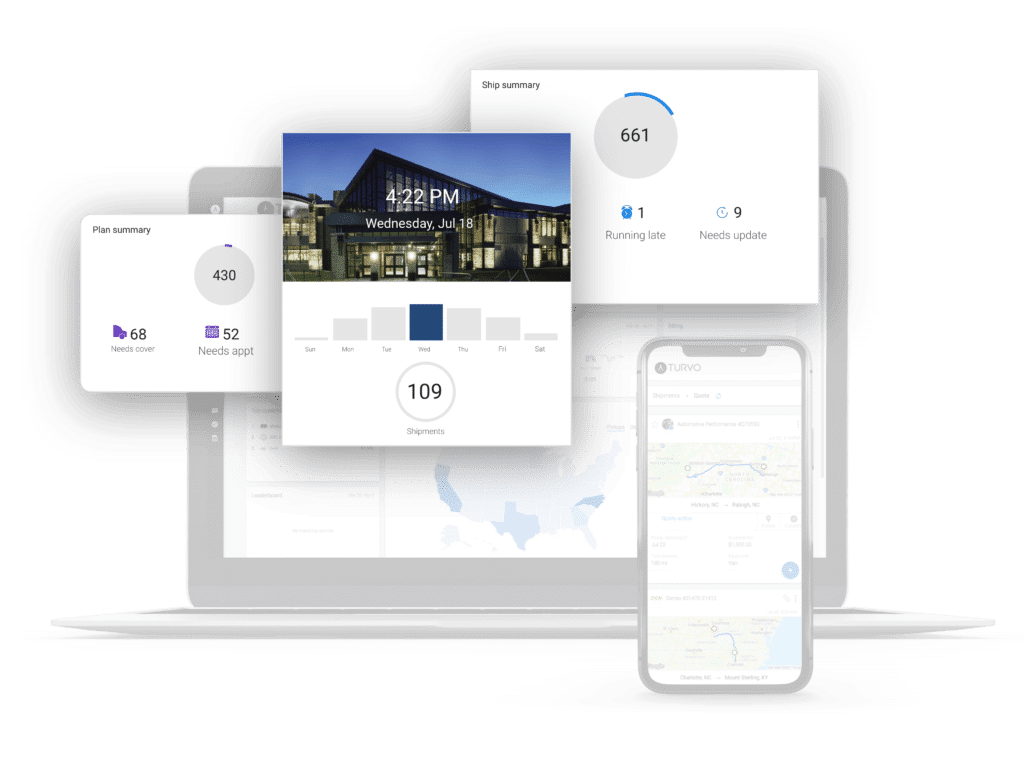
Turvo’s support model then continues through onboarding, hypercare, training resources, and ongoing support as the new operating environment stabilizes.
Turn Supply Chain Collaboration Into Coordinated Execution
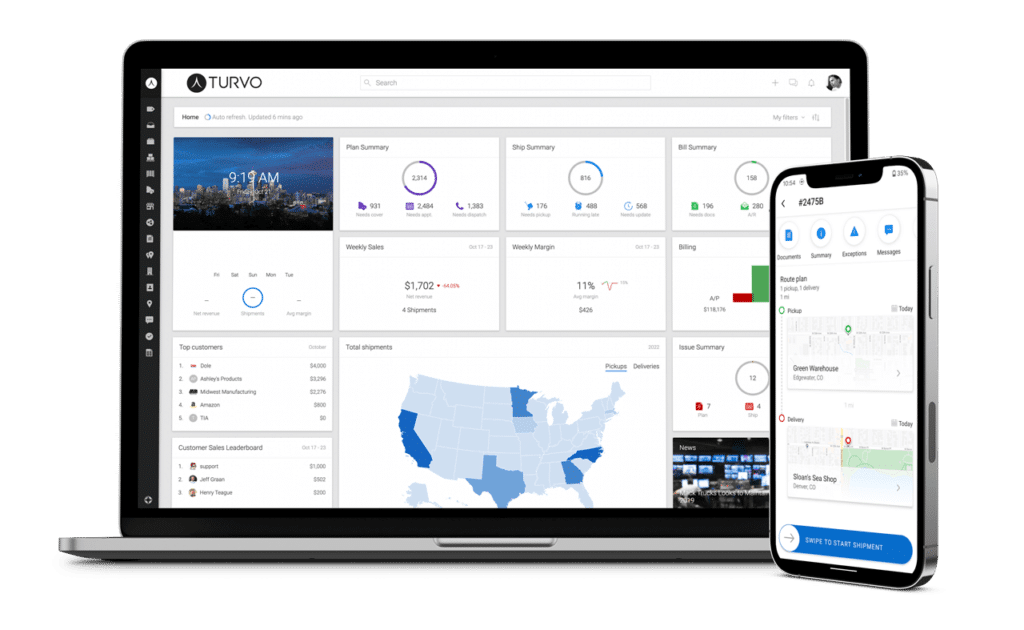
Supply chain collaboration creates value when shared information actually reduces the work required to keep customers, carriers, partners, and internal teams aligned.
For freight brokers and 3PLs, Turvo connects collaboration directly to transportation execution. Shipment information, communication, documents, visibility, and partner participation can stay connected to the workflows teams already use to move freight, while integrations extend that environment into the rest of the technology stack.
If your goal is to reduce disconnected handoffs while giving customers and partners a more connected way to work with your team, request a Turvo demo to see how Turvo fits your operation.
FAQs
1. What Is Supply Chain Collaboration Software?
Supply chain collaboration software connects internal teams and external partners around shared data, workflows, communication, and decisions across orders, inventory, transportation, and supplier coordination.
2. What Are the Benefits of Supply Chain Collaboration Software?
It can reduce manual follow-up, improve visibility and data sharing, speed exception resolution, align partners, and support faster, better-informed supply chain decisions.
3. What Is the Difference Between Supply Chain Collaboration and Supply Chain Visibility Software?
Visibility software shows what is happening across shipments, inventory, or orders. Collaboration software adds shared workflows, communication, documents, and actions so partners can respond together.
4. How Much Does Supply Chain Collaboration Software Typically Cost?
Pricing varies widely. Enterprise platforms often use custom quotes based on modules, users, transaction volume, integrations, implementation requirements, and overall deployment scope.
5. Who Should Use Supply Chain Collaboration Software?
Organizations coordinating frequently with suppliers, carriers, customers, 3PLs, or other partners should consider it, especially when spreadsheets, email, and disconnected systems cause delays.