

Legacy transportation management systems were never designed with the broker’s actual workflow in mind; they were designed around database structure. The result is a generation of software that treats every shipment like a form to fill out, one field at a time, across a dozen screens. Some legacy platforms can take upwards of 100 clicks to build and manage a single shipment from tender to delivery.
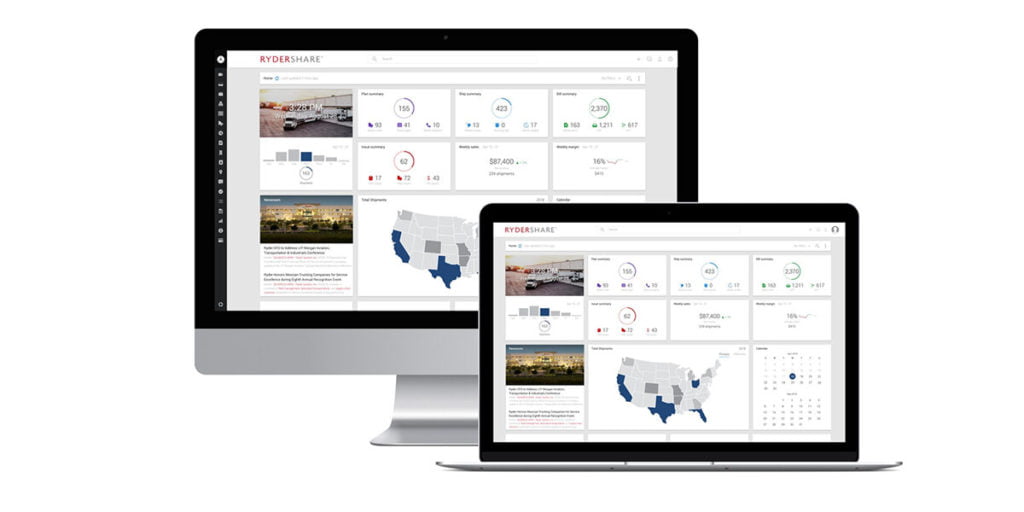
Modern TMS platforms are proving that number doesn’t have to be real. With a redesigned, consumer-grade UX, the same shipment lifecycle can be handled in as few as three clicks. That’s not a cosmetic difference — it’s a fundamentally different amount of time, focus, and headcount required to run a brokerage.
Where the other 97 clicks go
It helps to see where all that clicking actually happens in a legacy system:
- Re-entering the same data across screens. Carrier info, rate details, and load specs often live in separate modules that don’t talk to each other, so brokers retype information that’s already in the system.
- Toggling between systems entirely. Visibility, communication, and documentation frequently live outside the TMS — meaning check calls, emails, and texts happen in parallel to the “system of record,” not inside it.
- Manual status updates. Without automated tracking, someone has to call the carrier, get a location, and manually log it — then repeat that every few hours.
- Digging for information. Old interfaces bury shipment details across nested tabs and menus instead of surfacing what matters on one screen.
Individually, none of these clicks feels expensive. Multiplied across dozens of shipments a day, hundreds of brokers, and years of operation, they add up to a massive hidden labor cost — one that shows up as burnout, turnover, and a hard ceiling on how many shipments a broker can realistically manage.
What “3 clicks” actually looks like
Modern TMS design collapses that sprawl using a few core principles:
Fast-action buttons. Instead of navigating through menus to perform common tasks, the action is surfaced directly on the shipment — book, dispatch, update status, or notify a customer, right from where the broker is already looking.
One unified data set. When tracking, documents, messaging, and shipment details live in a single record instead of five disconnected ones, there’s nothing to reconcile and nothing to re-enter.
Automated visibility. Real-time location and status updates pulled directly from carriers and telematics remove the need for manual check calls altogether — the click a broker used to spend “getting an update” simply disappears.
Exception-based management. Rather than requiring a broker to check every shipment manually, the system surfaces only the ones that need attention — delays, missing documents, unconfirmed appointments — so time goes where it’s actually needed.
Why this matters more than it sounds like
It’s tempting to file “fewer clicks” under minor UX polish. But in a brokerage, clicks are a direct proxy for capacity.
A broker who can build and manage a shipment in three clicks instead of a hundred isn’t just having a smoother day — they can handle meaningfully more freight in the same shift, respond to customers faster, and spend their attention on relationship-building and problem-solving instead of data entry. That shows up in the numbers that actually matter to a brokerage’s P&L: revenue per broker, shipments per client, and how quickly new hires ramp to full productivity.
It also changes who can succeed at the job. Clunky, click-heavy systems have steep learning curves — new brokers often need months to become fully productive simply because they’re learning the software, not the business. A modern, intuitive interface flattens that curve, which matters enormously in an industry with high turnover and constant hiring.
The takeaway
The gap between 3 clicks and 100 isn’t a UX preference — it’s the difference between a system that supports a broker’s workflow and one that fights it. As freight brokerages face pressure on margins and headcount alike, the platforms that win will be the ones that get out of the broker’s way and let them do the part of the job that actually requires a human: building relationships, solving problems, and keeping freight moving.
If your team is still counting clicks instead of shipments, it might be time to ask what your TMS is actually costing you.