

Key Takeaways
- Turvo stands out for freight brokers and 3PLs that want transportation management built around a connected ecosystem, combining TMS workflows with collaboration, shared visibility, and integrations across customers, carriers, partners, and surrounding freight technology.
- McLeod PowerBroker is a strong fit for established brokerages that need deeper back-office functionality, transportation-specific accounting, EDI, carrier management, and extensive integrations.
- Infios Transportation Management is better suited to larger or more complex transportation operations that need multimodal capabilities, configurable workflows, optimization, and support for broader transportation networks.
- The rankings consider more than feature breadth, assessing brokerage and 3PL fit, workflow coverage, integrations, automation, visibility and collaboration, usability, implementation requirements, and how well each platform can support growth without adding unnecessary operational complexity.
The difference between your customer rate and carrier rate is only the starting point for a load’s profitability. Every hour spent booking coverage, correcting shipment details, chasing paperwork, and resolving billing issues adds to the cost of handling that freight.
For a brokerage, the right TMS should help control that workload from quote through settlement. That gives your team more capacity to move freight while protecting the earnings each load contributes to the business.
This guide compares 3 TMS platforms for freight brokers, highlighting their operational strengths, limitations, and fit for different stages of brokerage growth.
1. Turvo: Best for Growing Brokerages That Need Connected Load Execution
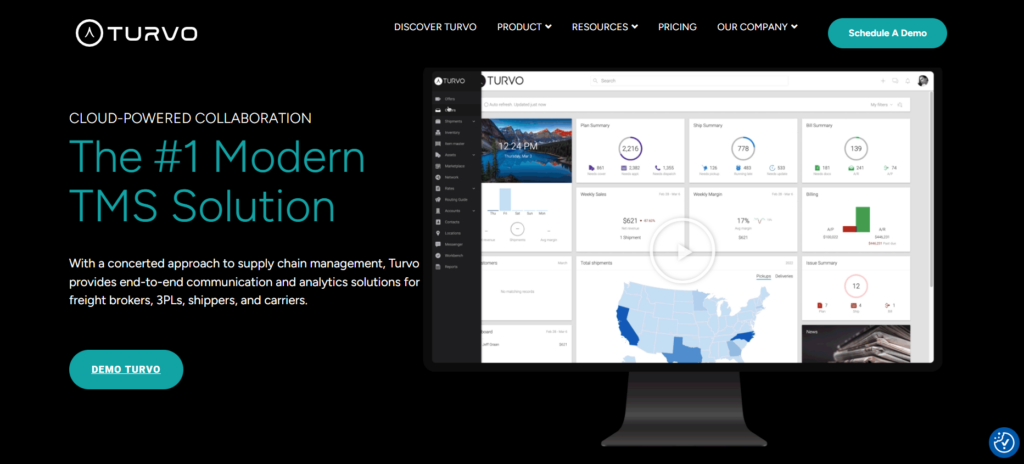
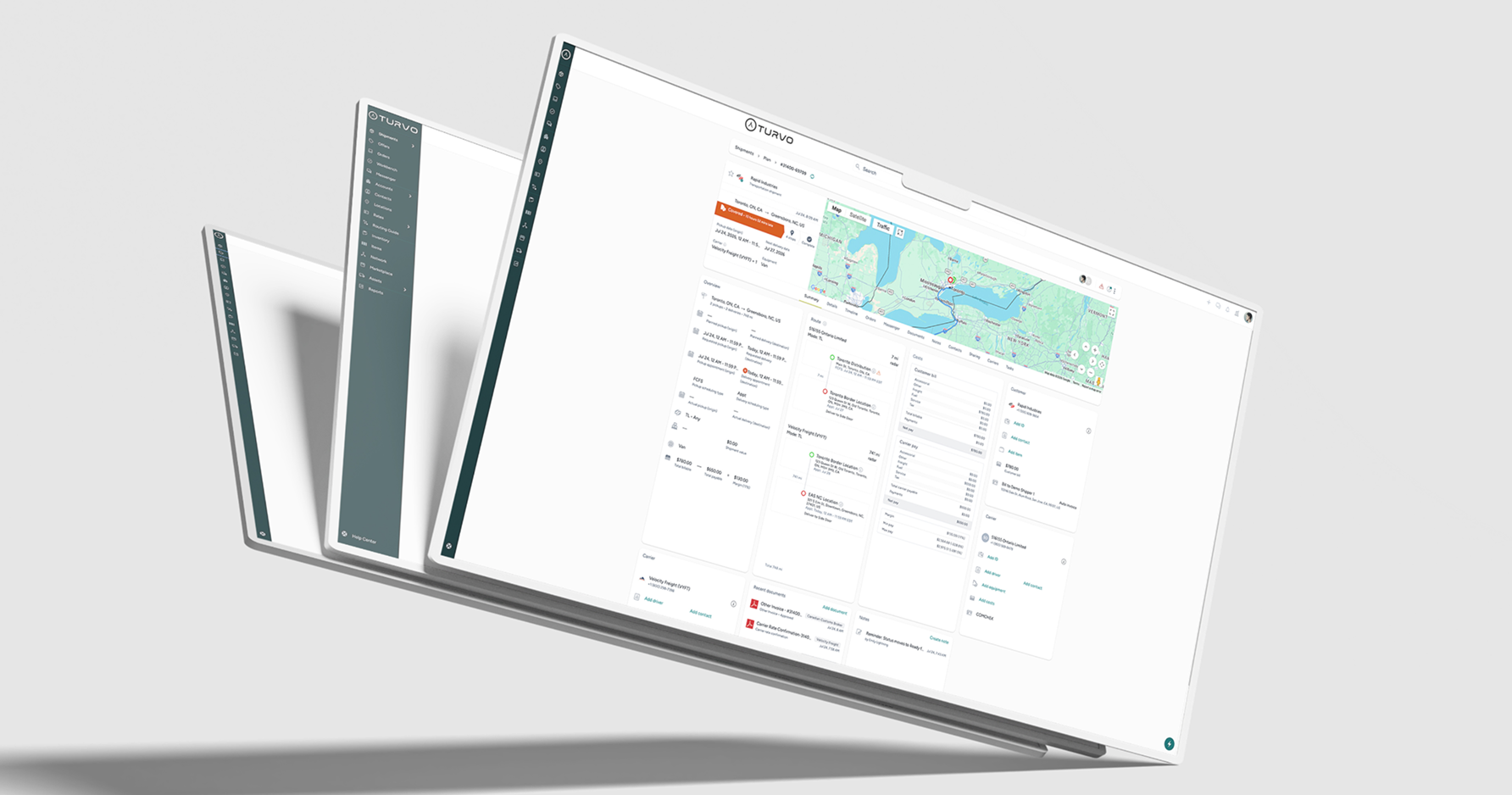
Turvo helps freight brokerages grow their load volume while keeping the work behind each shipment manageable. It brings carrier coordination, shipment execution, customer communication, and settlement into a connected TMS, giving teams a clearer path from accepting freight to closing out the load.
That connection matters during a busy brokerage day. Carrier sales, operations, account managers, and finance need access to the same shipment context so work can move forward without someone repeatedly explaining the latest status or forwarding documents.
Turvo’s Key Capabilities and Benefits
1. Increase Loads Managed per Broker With Fewer Manual Touches
A broker’s capacity depends on how much work each load requires. Re-entering shipment details, searching for carrier updates, and forwarding documents all consume time that could go toward covering freight or managing customer relationships.
Turvo connects those activities within the shipment lifecycle, keeping operational information, conversations, and documents available around the same load. Teams can pick up the next task without repeatedly asking another department to reconstruct what has already happened.
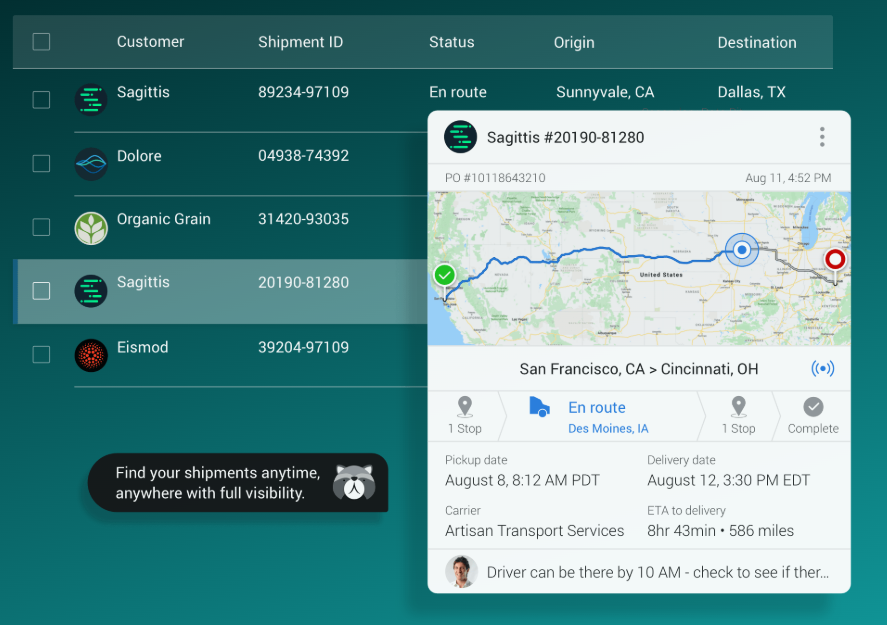
For example, a customer service representative can review the latest shipment activity while the operations team handles execution. When the load is delivered, the documentation remains connected for the team preparing settlement.
Reducing those repeated touches helps the brokerage increase the amount of freight its team can manage. Growth becomes less dependent on adding people simply to keep information moving between existing employees.
2. Cover Loads With a More Consistent Carrier Selection Process
Carrier sales teams need a clear path from the customer’s shipment requirements to securing capacity. If load details and carrier-offering processes live in separate tools or individual employees’ routines, coverage becomes harder to coordinate.
Turvo’s order-to-shipment planning helps brokers build shipments with the relevant routes, dimensions, capacity requirements, and cost allocations.
Routing guides then allow the brokerage to define rules for offering freight to carriers, carrier groups, and bid boards.
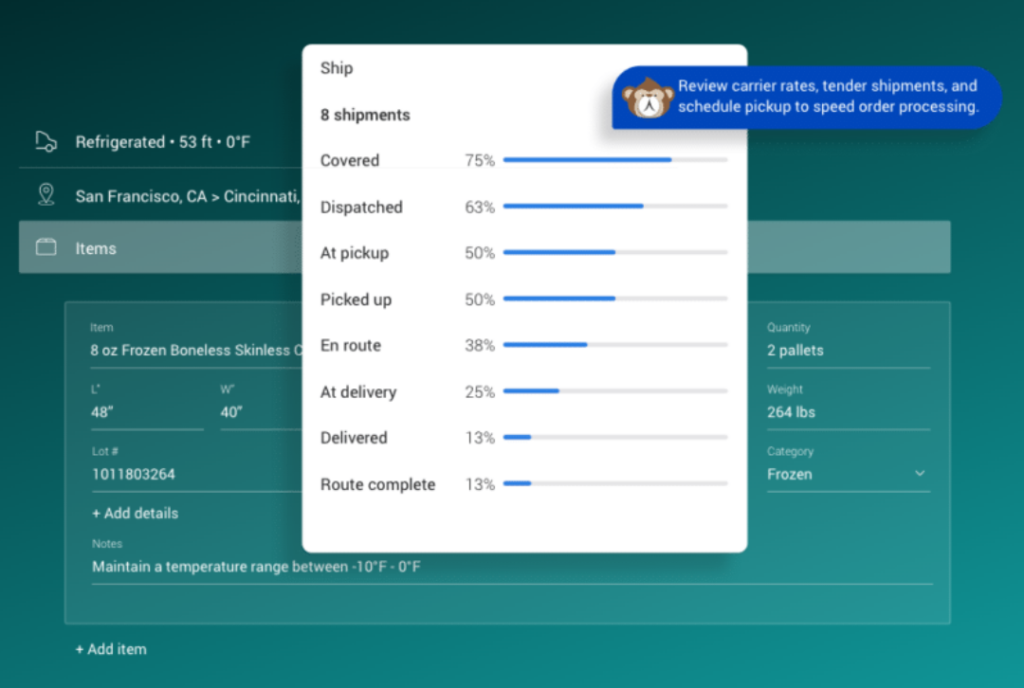
This gives the team a repeatable process for presenting loads to its carrier network. Sharing tenders and rate confirmation information within the transportation workflow helps keep the agreed shipment details connected to execution.
The value is less repetitive coordination around routine freight and a clearer process for working through coverage. Carrier sales staff can focus more attention on loads that need negotiation, additional sourcing, or a different operating approach.
3. Give Shippers Clear Answers Without Pulling Brokers Away From Loads
Every routine status request can interrupt someone who is covering a load, speaking with a carrier, or resolving a service issue. As the customer base grows, those interruptions can consume a substantial part of the brokerage’s day.
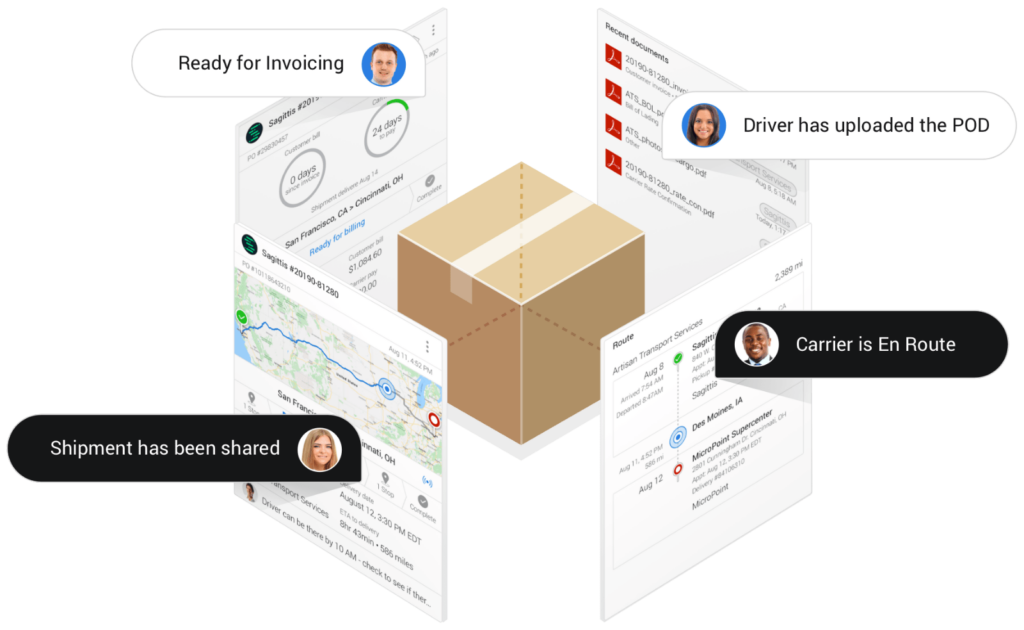
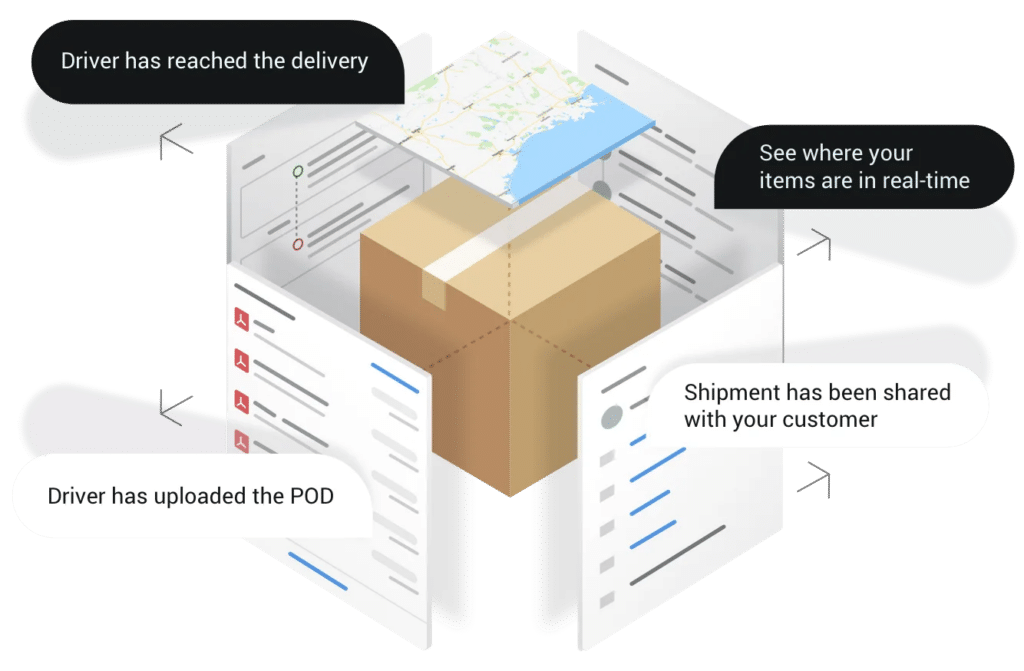
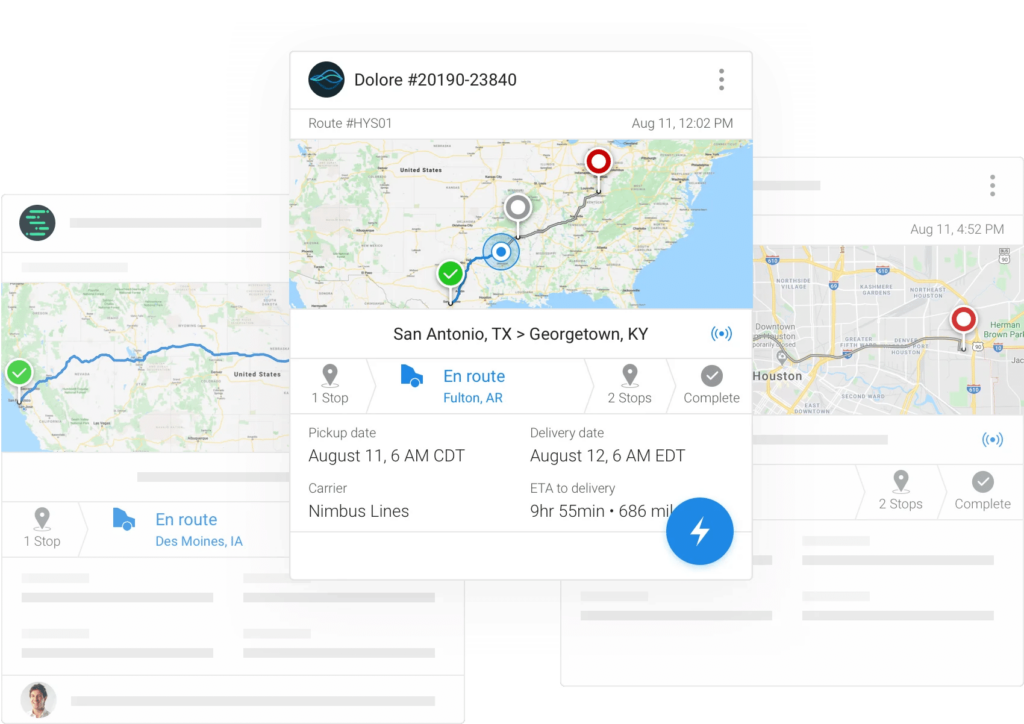
Turvo’s Collaboration Cloud lets brokers share relevant shipment information with shipper customers and carriers. Shipment links, contextual messaging, and shared documents make it easier for participants to follow progress and communicate about the load.

Customers can access the information shared with them, while account managers have the surrounding shipment context when a question needs a more detailed response. Updates stay connected to the load instead of becoming another separate conversation to track down.
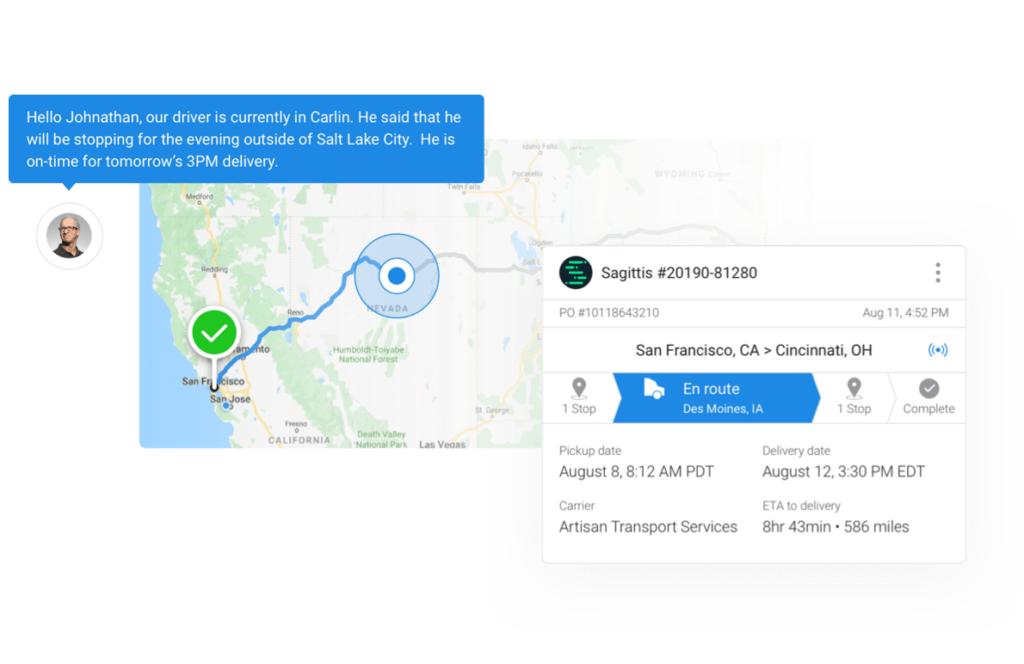
For the brokerage, this turns customer visibility into part of its service offering. Shippers get a more transparent experience, and brokers spend less time acting as the messenger for every routine update.
4. Keep At-Risk Loads From Becoming Uncoordinated Service Problems
A late truck can affect the delivery appointment, the shipper’s expectations, and the broker’s next conversation with the carrier. Responding effectively requires more than noticing that the shipment is behind schedule.
Turvo connects shipment visibility with alerts, messages, documents, and execution information. Tracking from the Driver App and telematics or ELD integrations helps the team follow load progress and identify shipments requiring attention.
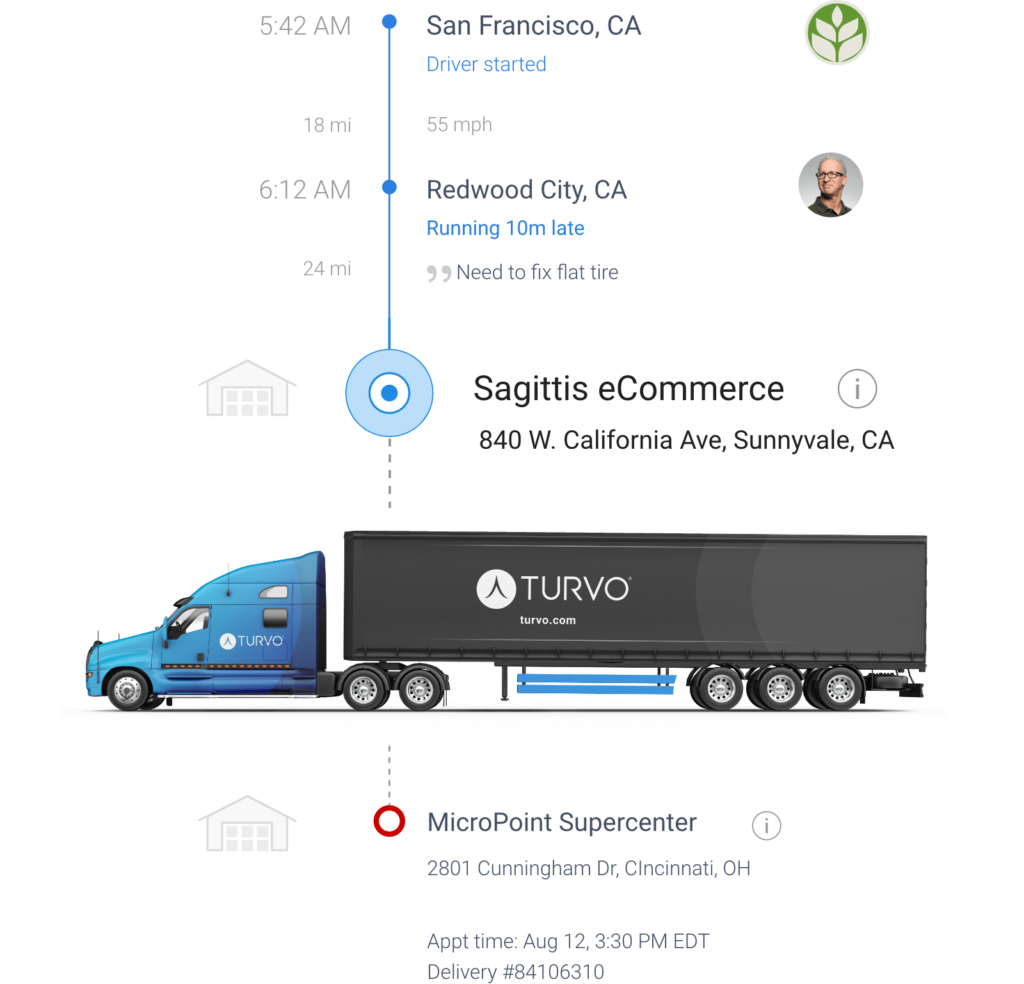
Operators can use that context to coordinate a response with the carrier and keep the customer informed. Where appointment scheduling is part of the workflow, Turvo links the schedule to shipment and truck-status information, helping teams assess and communicate changes.
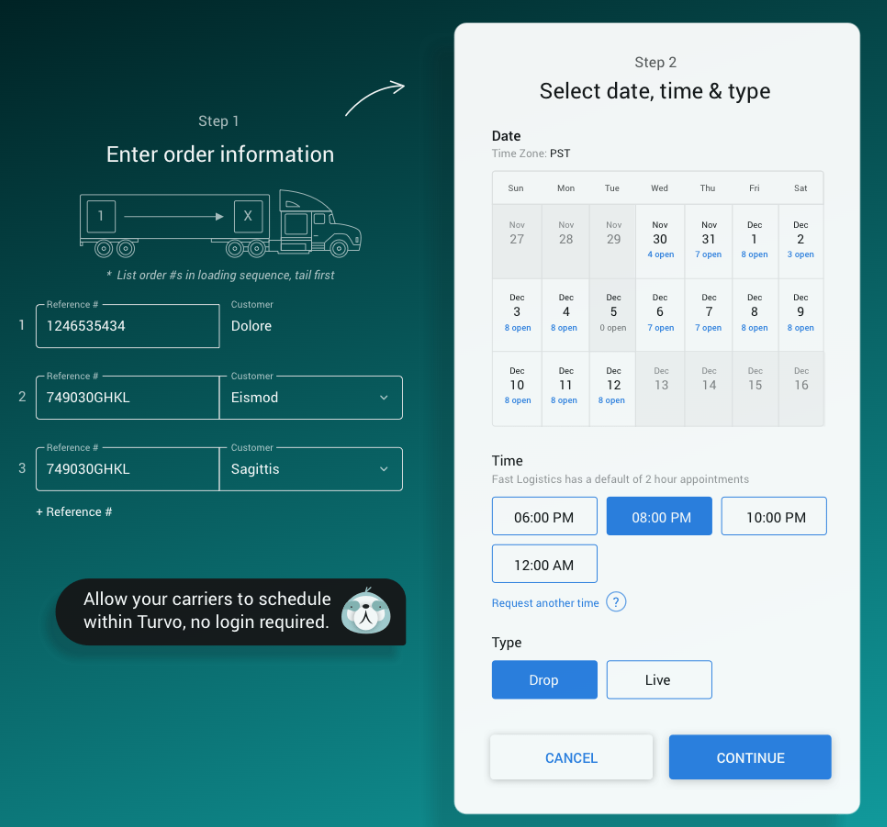
This keeps exception management closer to the work of executing the load. Brokers can spend less time piecing together separate updates and more time deciding what needs to happen to protect service.
5. Move Delivered Loads Toward Billing Without Repeated POD Requests
A load may be delivered while the brokerage is still chasing the paperwork needed to close it out. When proof of delivery sits on a driver’s phone or in a dispatcher’s inbox, finance has to wait or ask operations to follow up again.
The Turvo Driver App supports document capture and sharing, including bills of lading and proof of delivery. Documents can remain associated with the shipment, giving the relevant teams access to the evidence needed for downstream processing.

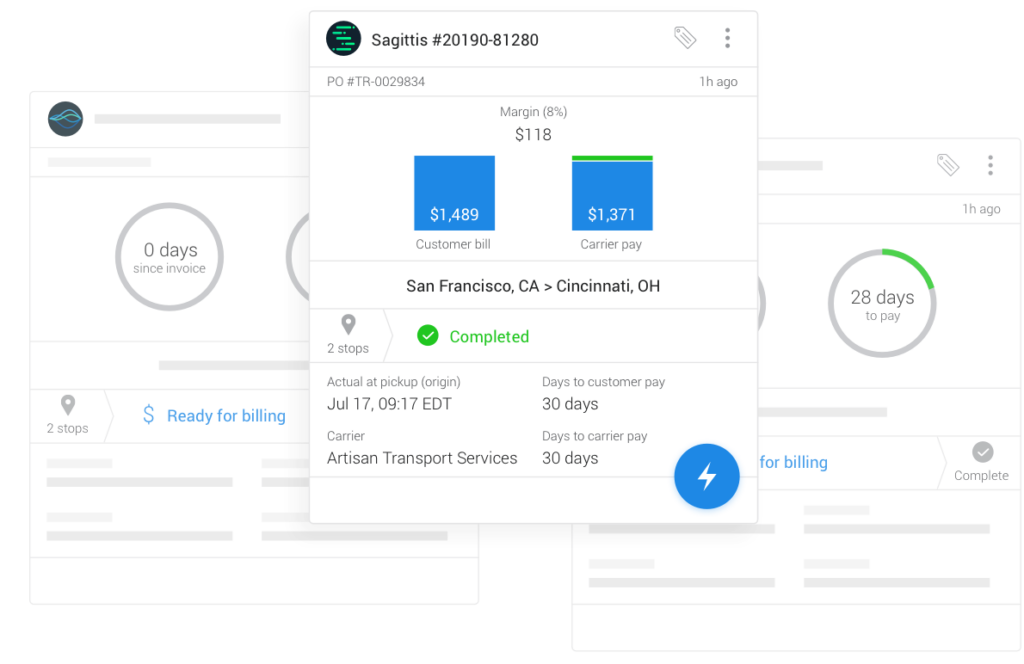
Turvo connects shipment execution with settlement workflows and accounting integrations, helping preserve the operational record as the load moves toward customer billing and carrier payment processes.
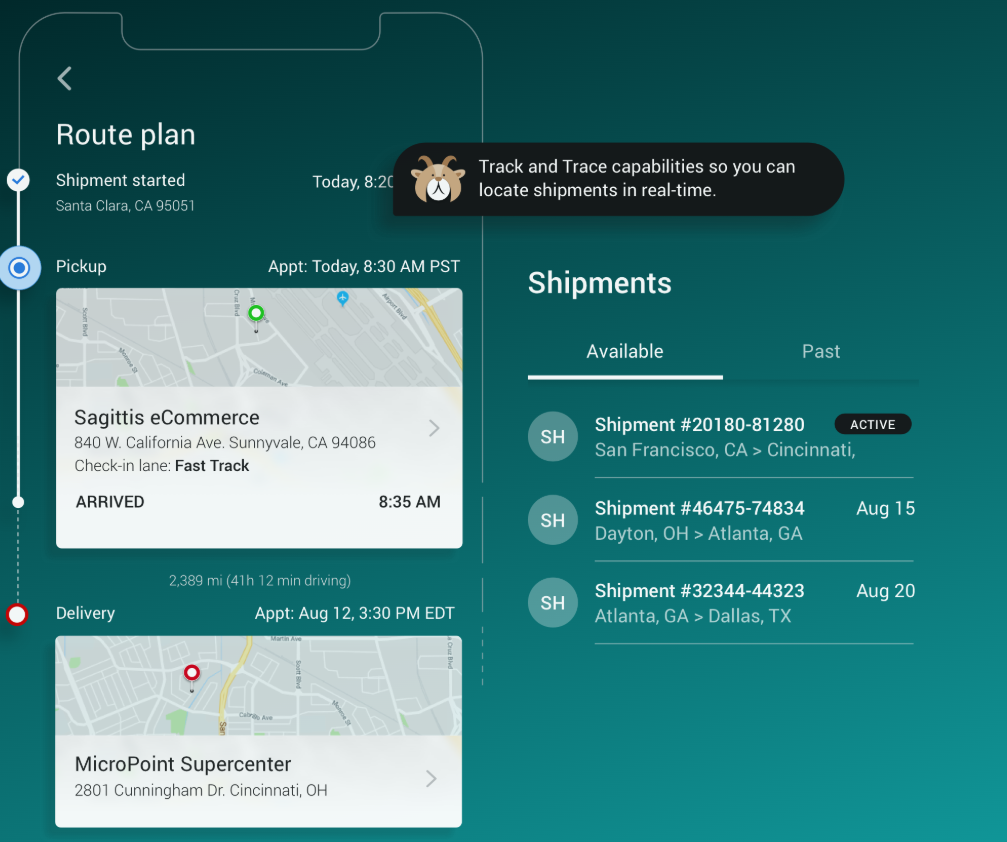
For brokers, this reduces the manual handoffs between drivers, carrier contacts, operations, and finance. The team can prepare delivered loads for settlement with less document chasing and fewer gaps in the information passed to the back office.
6. Keep Your Preferred Brokerage Tools Connected to Daily Execution
A brokerage may depend on different providers for load boards, carrier vetting, tracking, capacity management, and accounting. The TMS needs to keep those tools connected to the load workflow so employees are not continually copying information between applications.
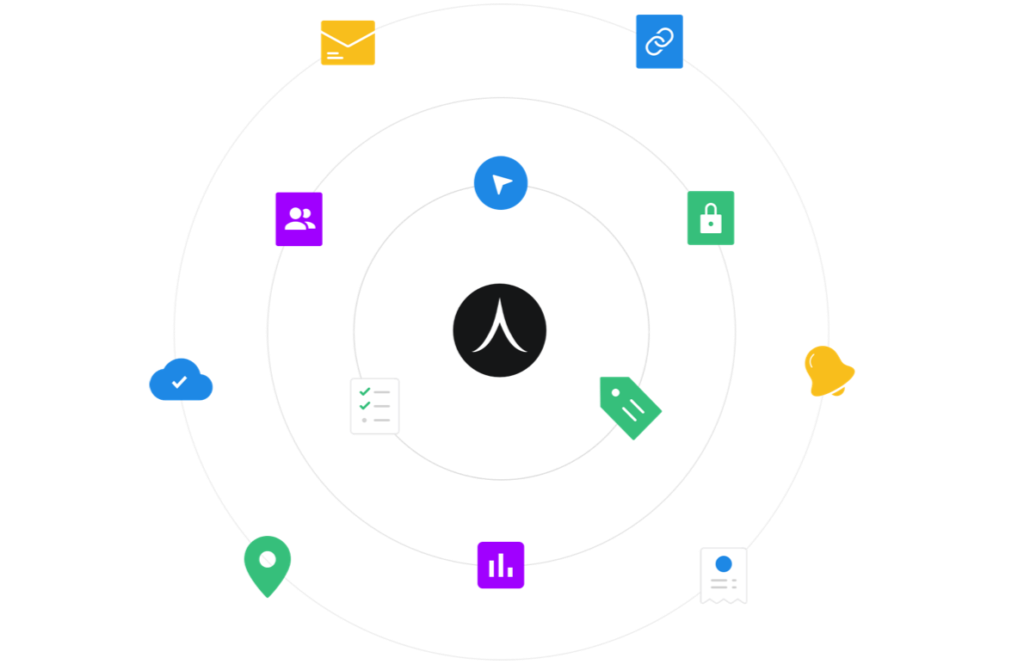
The Turvo Integration Hub supports connections across those categories through pre-built integrations, public APIs, webhooks, and data-import tools. Brokers can build their wider technology stack around Turvo’s transportation system of record.
For a brokerage switching TMS, this makes integration fit an important part of the transition: which systems will remain, what information needs to move, and how those connections support everyday work.
For a growing operation, the benefit continues after implementation. The business can add specialist tools as requirements change while reducing duplicate entry and the operational complexity of maintaining disconnected systems.
7. Make Better Decisions About Which Freight and Relationships to Grow
A busy load board does not tell a brokerage owner whether the business is becoming more profitable. Leaders also need to understand customer and lane margins, carrier performance, and the service issues that deserve closer investigation.
Turvo Analytics brings operational and financial information into customizable dashboards, reports, and scorecards. Teams can examine performance across customers, carriers, and lanes and use those findings in business reviews.
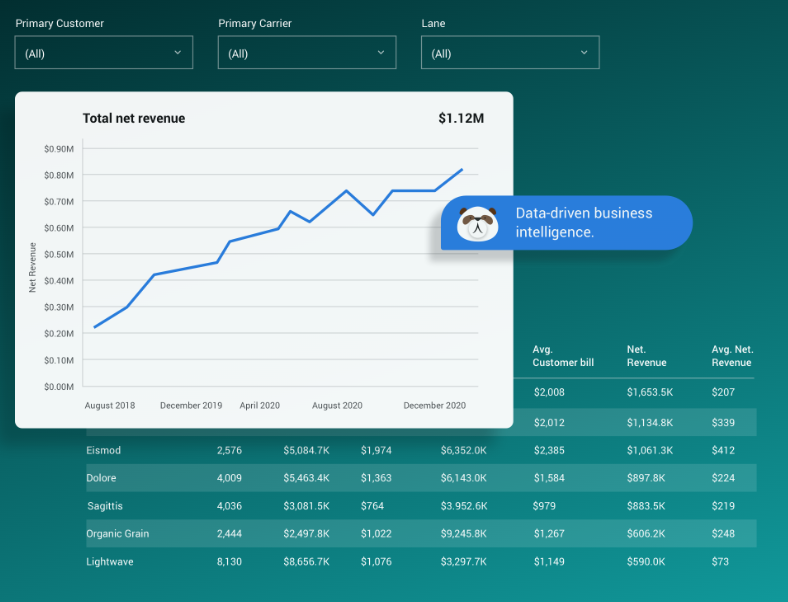
That gives the brokerage a clearer basis for deciding which relationships to develop, where carrier performance needs attention, and which parts of the book of business need a closer financial review.
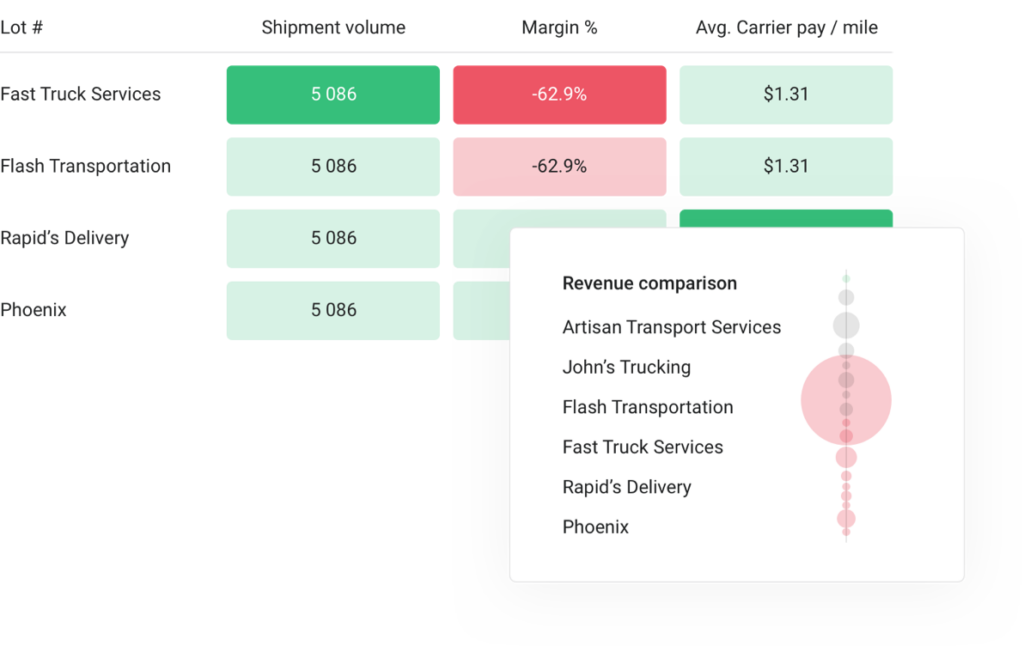
Account managers can also bring shipment performance into customer conversations, helping explain service trends and corrective actions. The result is a more informed approach to growth, grounded in how the brokerage’s freight is actually performing.
8. Maintain Consistent Load Handling as Your Brokerage Grows
As a brokerage adds employees, accounts, or operating teams, informal processes become harder to maintain. A workflow that depends on one experienced broker remembering every next step is difficult to repeat across a larger organization.
Turvo supports configurable roles for operators, carrier sales, customer service, tracking support, and finance administrators. Shared load information and configurable workflows help each function work within an established process.
Its onboarding, training, and learning resources also support teams adopting the platform. New hires and employees moving from another TMS can learn how the brokerage’s work is organized in the system.
Together, these capabilities help reduce dependence on individual workarounds. Managers can establish more consistent load handling while giving employees the information and support needed to carry out their responsibilities.
Turvo Pricing
Turvo offers two pricing tiers, with the standard TMS plan starting at $5,000 per month and Enterprise pricing available upon request.
| Plan | Best for/focus | Pricing | Included support & services |
| Turvo TMS | Plan, execute, and settle freight | Starts at $5,000/month | Dedicated onboarding manager, virtual training, data migration, Support Center, Turvo Community & Academy |
| Turvo Enterprise | Collaboration and visibility across the supply chain | Available upon request | Dedicated onboarding manager, virtual training, data migration, Support Center, Turvo Community & Academy, dedicated customer success manager, quarterly business reviews |
Where Turvo Shines
- A TMS centered on brokerage execution: Turvo connects the work of planning, covering, tracking, and settling loads, helping carrier sales, operations, customer service, and finance work from shared shipment information.
- Customer experience as part of the brokerage’s service: Shipper visibility and contextual communication let brokers offer a more transparent experience while reducing routine status requests and disconnected updates.
- Flexibility for a specialized brokerage technology stack: Integrations and APIs support connections to load boards, carrier tools, tracking providers, and accounting systems, allowing businesses to retain specialist applications around the TMS.
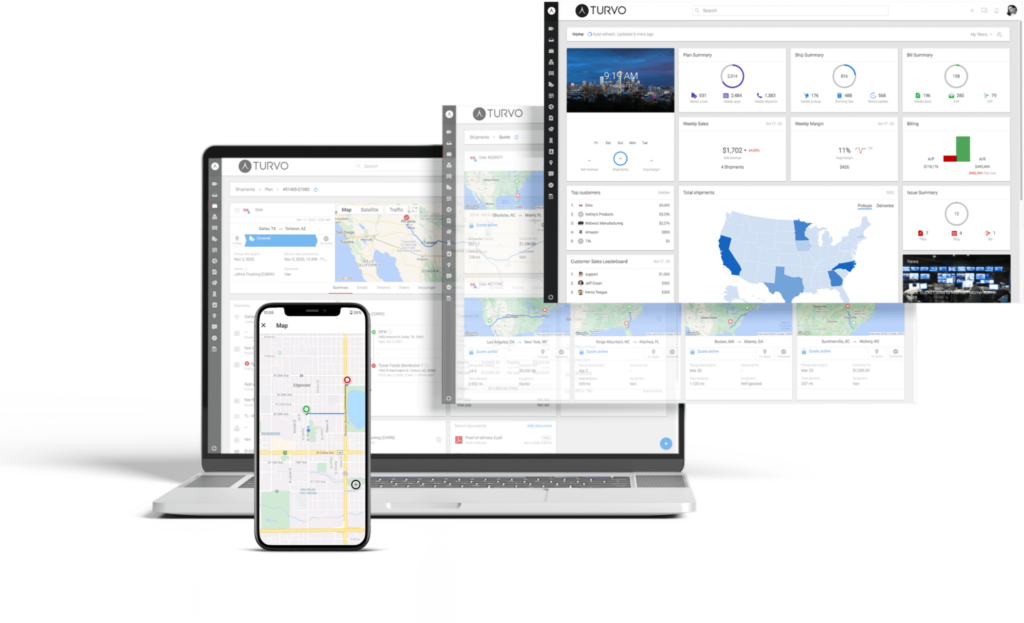
- A modern interface for work performed throughout the day: Search, filters, shared documents, and consolidated shipment context help employees find the load information they need without relying as heavily on separate spreadsheets and message threads.
- Support through a TMS transition: Migration support, onboarding, training, post-go-live hypercare, and ongoing resources help established brokerages prepare their teams and processes for the change.
Turvo Customer Reviews
Rick G., Chief Information Officer, said, “We are a tech-enabled vehicle transport and specialized freight broker that has been using Turvo since 2016. Turvo implemented a handful of features we requested, giving us the visibility we need into all our shipments, especially the 5% of shipments where we need to manage exceptions.”
Kimo Y., Director of Information Technology, said, “With a single click, we can invite anyone we want onto the platform, allowing all of us to collaborate and view shipments and documents. Turvo has made our supply chain visibility dreams come true.”
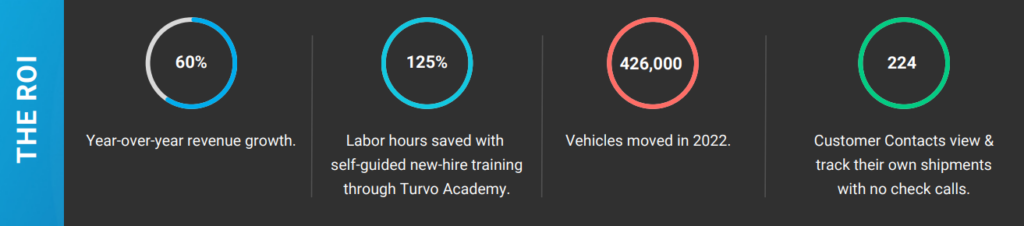
Brad Colvin, Director of Operations at Motus Freight, said, “With Turvo, we’re moving closer and closer to ‘the perfect shipment.’ We saw the impact of unifying our supply chain and using automation to simplify our business. We’ve cut 95% of the manual work out of each connected shipment. When we had to work from home because of COVID, nothing changed. We simply logged in from home without missing a beat. With the same headcount, we’ve been able to double our business.”

Bradley Janer, VP of Customer Operations at RPM, said, “We’re investing in tech, people, and operational execution to know where goods are at any point during the shipping process and exceed the end customer’s expectations. Turvo is central to our transportation management process.”
Who Turvo Is Best For
- Established growth brokerages replacing a dated TMS: Teams seeking better integrations, usability, customer visibility, and operational capacity can evaluate Turvo as the foundation for their next stage of growth.
- Brokerages handling more loads with a lean operations team: Businesses spending too much time on status checks, document chasing, and internal handoffs can connect those activities around the shipment lifecycle.
- New brokerages building a connected operating foundation: Teams with the budget and requirements for a full TMS can establish structured planning, execution, settlement, and customer communication early.
- Experienced agents becoming independent: Operators leaving a parent brokerage can build their own transportation system and supporting technology stack while bringing established brokerage knowledge and customer relationships.
- 3PLs with brokerage-style transportation operations: Teams covering and managing freight for shipper customers can connect carrier coordination, execution, visibility, documents, and financial workflows in one environment.
See how Turvo fits your brokerage’s daily load workflow, from carrier coverage and customer updates to delivery and settlement. Book a demo now.
2. McLeod PowerBroker: Best for Established Brokerages With Deep Back-Office and Integration Needs
McLeod PowerBroker is a freight brokerage and 3PL transportation management system built for organizations that need substantial operational and back-office depth. PowerBroker handles the brokerage side of McLeod’s platform, while LoadMaster serves asset-based carriers; organizations operating both businesses can deploy the products separately or together.
PowerBroker combines brokerage execution with integrated accounting, native EDI, workflow automation, reporting, carrier management, and a large integration ecosystem, making it particularly relevant to established brokerages with more complex technology and financial requirements.
Key Capabilities and Benefits
- Integrated accounting: Includes general ledger, accounts receivable, and accounts payable functionality designed specifically for transportation operations.
- Carrier management: Supports carrier search, onboarding, compliance checks, performance scoring, electronic rate confirmations, and load offers.
- Native EDI: McLeod’s configurable EDI engine connects PowerBroker with customers and trading partners without relying entirely on a separate bolt-on system.
- Workflow automation: FlowLogix lets teams build and maintain automated workflows that connect McLeod processes with external systems and data.
- Brokerage integrations: PowerBroker connects with tools for digital freight matching, load boards, shipment visibility, carrier monitoring, payments, rating, and other specialized brokerage workflows.
Pricing
McLeod does not publish standard PowerBroker pricing. Brokerages need to contact McLeod for a quote based on their deployment and operational requirements.
| Offering | Starting Price | Pricing Structure |
| McLeod PowerBroker | Not publicly listed | Custom quote |
Where McLeod PowerBroker Shines
- Back-office depth: Brokerage operations and transportation-specific financial management can sit within the same system rather than relying on a separate accounting workflow.
- Integration ecosystem: McLeod supports integrations with widely used freight technologies such as DAT, Truckstop, MacroPoint, project44, FourKites, Highway, RMIS, and QuickBooks Online.
- Hybrid operations: Companies operating both an asset-based carrier and a brokerage can use PowerBroker alongside LoadMaster and share information between the two sides of the business.
- Established vendor ecosystem: McLeod has served transportation companies for more than 40 years and currently lists more than 140 certified partners.
Where McLeod PowerBroker Falls Short
- Small-team fit: PowerBroker’s operational, accounting, EDI, reporting, and integration depth may be more than a small brokerage with relatively simple workflows needs.
- Deployment decisions: McLeod supports on-premises, customer-managed cloud, and McLeod-hosted deployments, so buyers may have more infrastructure choices to evaluate than with a cloud-only TMS.
Customer Reviews
Victor M., a Track and Trace Agent, said, “McLeod simplifies your work. You can do everything with it! It integrates your GPS tools so you can easily track all your loads.”
Jeniffer M. wrote, “I don’t find this system to be user friendly. I’ve used many programs over my ten years in logistics and this is by far the worst. It just doesn’t flow well.”
Who McLeod PowerBroker Is Best For
- Established brokerages: Teams that need more operational and back-office depth than a lightweight brokerage TMS provides.
- Hybrid carrier-broker operations: Transportation companies running both asset-based and brokerage businesses.
- Integration-heavy teams: Brokerages that rely on multiple load boards, carrier-vetting platforms, visibility tools, payment systems, and other freight technologies.
- Finance-focused operations: Organizations that want brokerage execution and transportation-specific accounting closely connected in one system.
3. Infios Transportation Management (Formerly MercuryGate) : Best for Complex Multimodal and Global 3PL Operations
MercuryGate TMS is now Infios Transportation Management (TM). Körber Supply Chain Software acquired MercuryGate in 2024, and the combined business rebranded as Infios in March 2025, placing the former MercuryGate technology within a broader supply chain execution portfolio.
Unlike broker-focused TMS platforms centered primarily on domestic FTL and LTL workflows, Infios TM is designed for transportation complexity across modes, geographies, currencies, and large networks. Its combination of multimodal optimization, automation, visibility, analytics, and AI makes it particularly relevant to larger 3PLs managing more complex transportation operations.
Key Capabilities and Benefits
- Multimodal planning and optimization: Unifies transportation modes in a single plan and supports advanced rating, routing, carrier selection, and optimization across regions and currencies.
- AI-powered transportation workflows: Uses predictive, generative, agentic, and conversational AI to identify risks, process documents, support order creation, and help resolve shipment exceptions.
- Automated freight execution: Supports carrier onboarding, load tendering, status updates, tracking, and other transportation workflows with less manual intervention.
- End-to-end visibility: Provides shipment visibility and transportation data across the lifecycle to support faster decisions and exception management.
- Transportation analytics: Tracks KPIs and operational data to help teams assess performance, costs, service levels, and transportation activity.
Pricing
Infios does not publish standard Transportation Management pricing on its public product pages, so organizations need to contact the company for pricing.
| Offering | Starting Price | Pricing Structure |
| Infios Transportation Management | Not publicly listed | Custom quote |
Where Infios Transportation Management Shines
- Global transportation scope: Supports complex domestic and international operations rather than focusing only on straightforward North American brokerage workflows.
- Enterprise scalability: High transaction capacity and support for complex rate structures make it suitable for larger transportation networks as requirements grow.
- Broader supply chain ecosystem: Infios TM sits within a modular suite covering transportation, order management, warehousing, and fulfillment, which can benefit 3PLs managing operations beyond transportation alone.
- Expandable architecture: Organizations can start with core transportation functionality and add capabilities as their operational requirements become more complex.
Where Infios Transportation Management Falls Short
- SMB broker fit: Smaller freight brokerages with relatively straightforward FTL or LTL workflows may not need the breadth of an enterprise multimodal platform.
- Broker-specific focus: Infios serves a wider supply chain market rather than being designed exclusively around freight brokerage, so brokers should confirm that its workflows match their day-to-day operating model.
- Implementation scope: Organizations adopting a platform across multiple modes, regions, integrations, and business processes may face a more involved implementation than they would with a narrower broker TMS.
Customer Reviews
Robert K. said, “It’s a great way to communicate with customers about shipments.”
A Procurement Manager at a transportation company wrote, “Very pleased with the support pre/during/post implementation.”
Who Infios Transportation Management Is Best For
- Large 3PLs: Organizations managing complex transportation networks across customers, modes, and regions.
- Multimodal operations: Teams coordinating combinations of truckload, LTL, parcel, ocean, air, rail, or other transportation modes.
- Global transportation teams: Businesses that need support for international operations, multiple currencies, and complex rate structures.
- Enterprise organizations: Companies that want transportation management to connect with a broader supply chain execution environment.
How to Choose the Right Transportation Management Platform
The right transportation management platform should fit how your business moves freight today while giving the operation room to evolve. Instead of comparing long feature lists, focus on how each platform supports your workflows, technology stack, users, and growth plans.
1. Set Measurable Business Outcomes Before Shortlisting Vendors
Decide what the investment needs to improve before reviewing platforms. Your priorities might include increasing shipments handled per employee, shortening the time between delivery and invoicing, reducing manual customer updates, or identifying unprofitable accounts sooner.
Establish a baseline for each priority using your current operation. If invoicing regularly stalls because delivery documents are missing, define the improvement you need and ask vendors to show how their platform would support it.
Keep the shortlist tied to those outcomes. A platform with sophisticated planning tools may offer limited value if your biggest constraint is the administrative work required to close each shipment.
These targets also give your team a practical way to judge whether the investment is delivering results after launch.
2. Test the Complete Transportation Workflow
Do not judge a TMS by individual features in isolation. Test how smoothly information moves through the entire transportation lifecycle.
Ask vendors to demonstrate realistic tasks such as receiving an order, planning a shipment, finding capacity, handling an exception, updating a customer, collecting delivery documents, and moving the shipment toward settlement.
Watch for points where users have to re-enter information, switch applications, manually chase updates, or reconstruct context.
For freight brokers and 3PLs, the core TMS job can be understood as planning, executing, and settling freight. The strongest platform should make those stages feel connected rather than like separate processes stitched together by employees.
3. Check How the TMS Connects With Your Existing Technology
A transportation management system may be the system of record, but it rarely operates alone.
Map the applications that need to exchange information with the TMS, including ERP, WMS, accounting, load boards, tracking providers, telematics, carrier-vetting systems, payment tools, and customer platforms.
Then look beyond whether an integration simply appears on a vendor list. Ask what information moves, whether updates work in both directions where needed, what requires custom development, and how easily new tools can be added later.
Integration capability is particularly important when replacing an existing TMS because finance, ERP, payment, and other systems may already be deeply embedded in the operation.
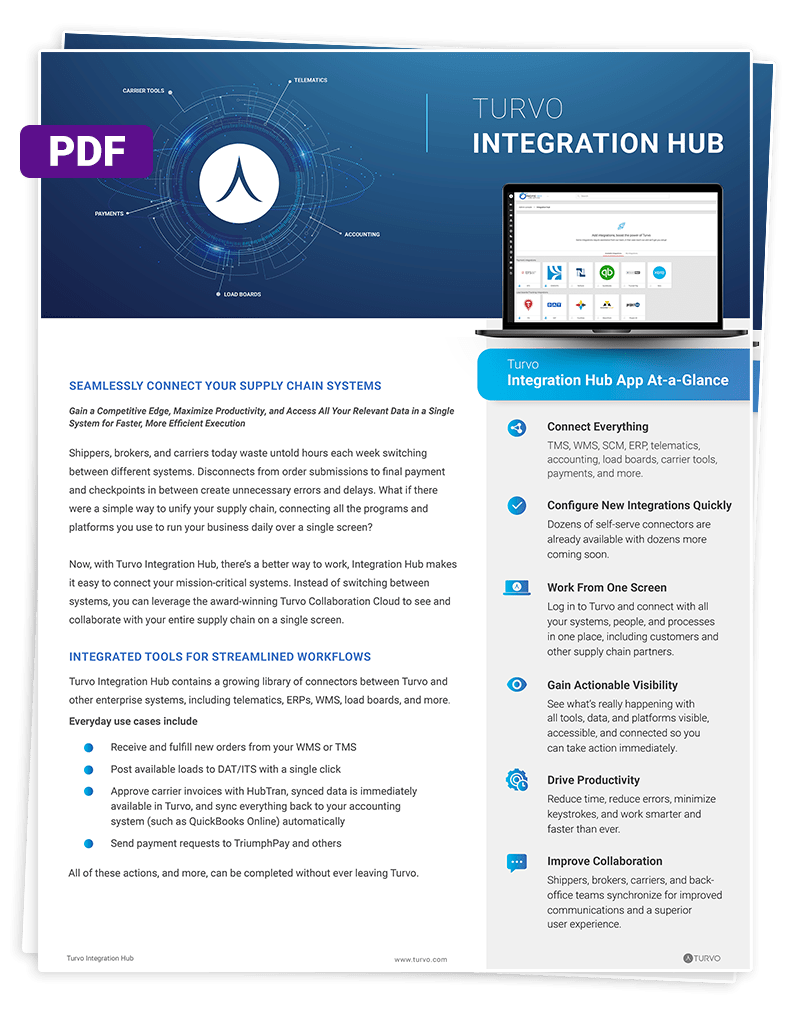
Download the Integration Hub Brief
4. Evaluate Collaboration and Visibility as Part of Execution
Knowing where freight is located is useful, but the greater operational value comes from helping the people involved decide what happens next.
During evaluation, test how the platform handles a delayed shipment, missing document, appointment change, or customer request. Determine who can see the relevant information, how communication is captured, and whether customers or carriers can participate without forcing an employee to relay every update.
For brokers and 3PLs, customer-facing visibility also becomes part of the service being sold. A modern TMS can help make customers and carriers participants in the transportation workflow rather than passive recipients of status emails.
Turvo connects brokers, shippers, carriers, and partners around shared shipment context rather than treating visibility as a standalone tracking function.
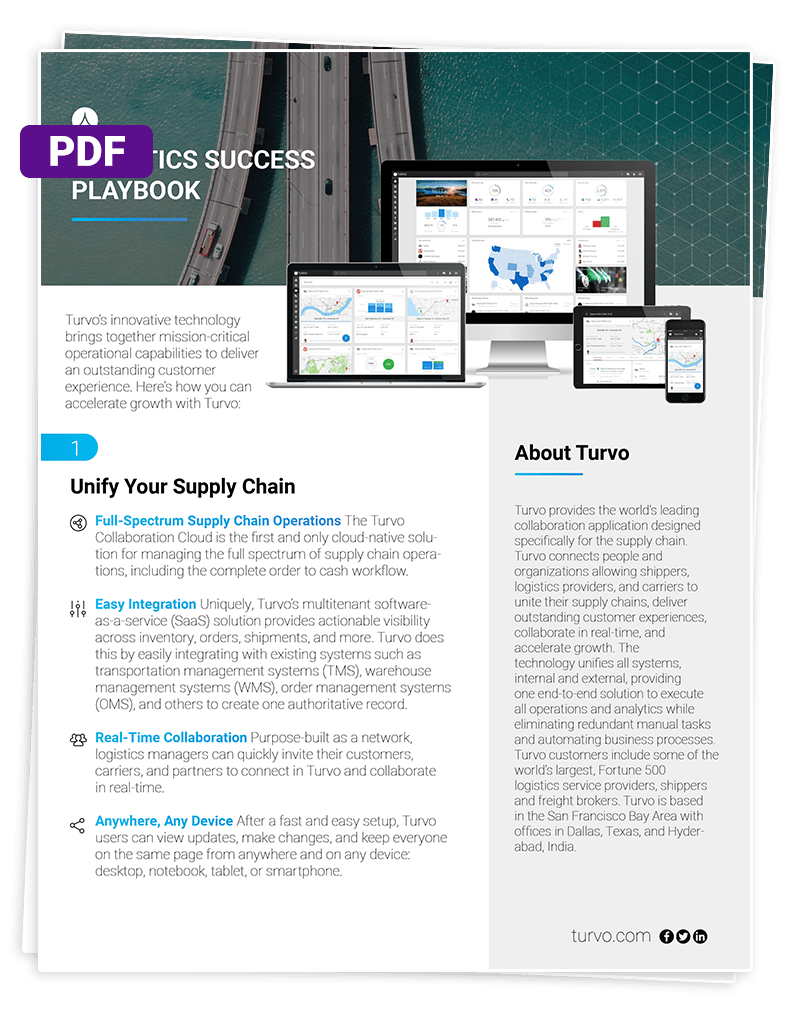
Get the Logistics Success Playbook
5. Understand the Full Cost and Commercial Commitment
The subscription quote is only one part of the investment. Request a breakdown of implementation, data migration, integrations, training, support, and any separately priced modules or services.
Ask what changes the bill. Charges may depend on users, shipment volume, locations, API usage, or third-party services. Model the cost of a typical operating month and a busy period using the same assumptions for every vendor.
Clarify who pays when an integration needs updating or a workflow requires additional configuration. Work that falls outside the agreement can create recurring costs your initial comparison misses.
Review renewal increases, minimum commitments, cancellation terms, and data-export rights before signing. Knowing how you can retrieve shipment histories, documents, and financial records helps you assess the long-term commitment.
Connect Transportation Management With the Rest of Your Operation
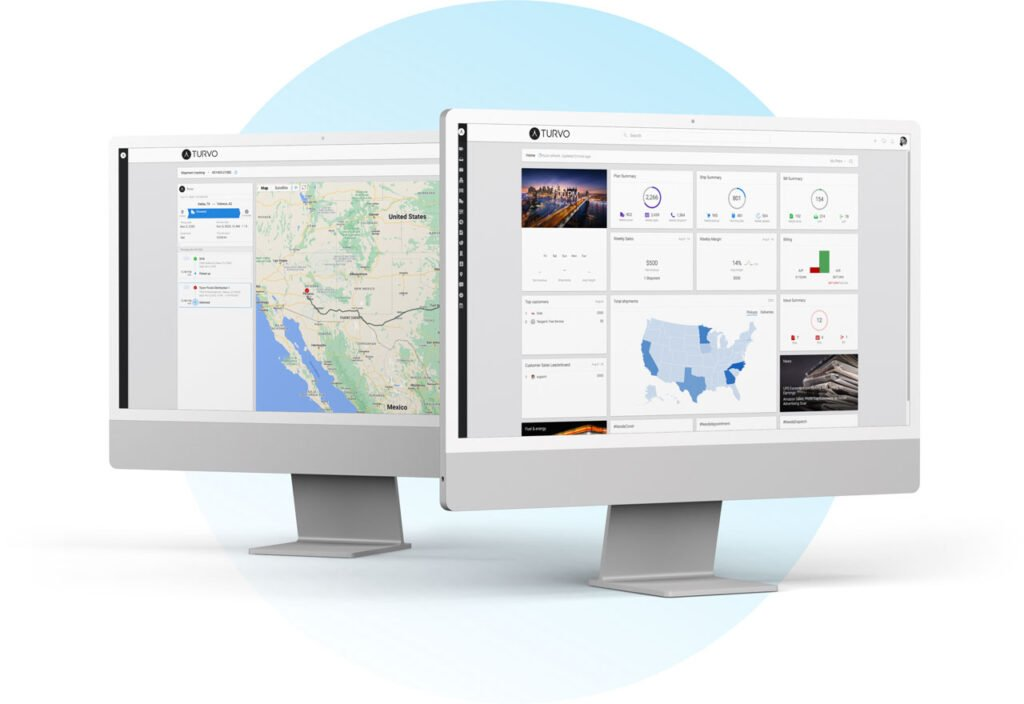
A transportation management system should do more than record what happens to a shipment. It should help the people and systems involved in moving freight work from connected information as transportation progresses from planning through execution and settlement.
Turvo combines transportation management with collaboration, visibility, and an integration-first architecture for freight brokers and 3PLs. Customers and carriers can participate in relevant shipment workflows while surrounding technologies remain connected to the transportation system of record.
For teams looking to modernize transportation operations without creating another disconnected layer in the technology stack, request a Turvo demo to see how the platform fits your workflows.
FAQs
1. What Is a Transportation Management System?
A transportation management system (TMS) is software that helps businesses plan, execute, track, and settle freight while coordinating transportation information, carriers, customers, and workflows.
2. What Does a Transportation Management System Do?
A TMS can support shipment planning, carrier selection, execution, tracking, exception management, documentation, customer communication, analytics, invoicing, settlement, and connections with other logistics systems.
3. How Much Does Transportation Management Software Cost?
Pricing varies by platform, users, shipment volume, modules, integrations, and implementation requirements. Some vendors publish monthly plans, while larger enterprise platforms generally provide customized quotes.
4. What Is the Difference Between a TMS and a Freight Management System?
The terms often overlap. TMS typically emphasizes transportation planning and execution, while freight management software may describe a broader set of carrier, document, customer, and financial workflows.
5. Who Should Use a Transportation Management System?
Freight brokers, 3PLs, carriers, shippers, and transportation teams can use a TMS when shipment volume or operational complexity makes spreadsheets and disconnected systems difficult to manage.