

Key Takeaways
- Turvo stands out for freight brokers and 3PLs that want a TMS at the center of a connected freight ecosystem, combining transportation management with collaboration, shared visibility, and integrations that connect customers, carriers, partners, and the technology used around each shipment.
- McLeod Software is well suited to carrier-heavy and hybrid transportation businesses that need transportation execution alongside accounting, EDI, automation, driver workflows, and a large integration ecosystem.
- Infios Transportation Management, formerly MercuryGate TMS, is designed for more complex enterprise transportation environments, with strengths in multimodal planning, optimization, visibility, analytics, and transportation execution across larger networks.
- The rankings consider customer and operating-model fit, transportation workflow coverage, ecosystem connectivity, automation, visibility and collaboration, usability and implementation, and the ability to scale across increasing shipment volumes, modes, locations, and operational complexity.
Keeping transportation costs down while meeting customer commitments is a daily balancing act. A lower rate offers limited value if the shipment requires hours of follow-up or leads to a missed delivery.
A transportation management system can help your business manage those trade-offs with a clearer view of shipment costs, execution, and carrier performance. The buying decision should reflect how your organization measures success, whether that means tighter spending control, more dependable service, or greater capacity to grow.
This guide compares three transportation management systems, explaining their strengths and limitations so you can identify the platforms best suited to your priorities.
1. Turvo: Best for Brokers and 3PLs Modernizing Transportation Operations
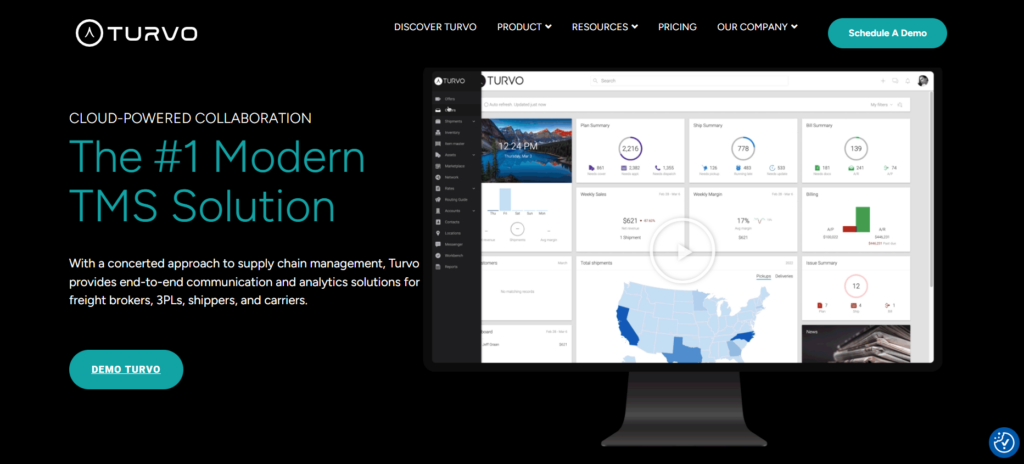
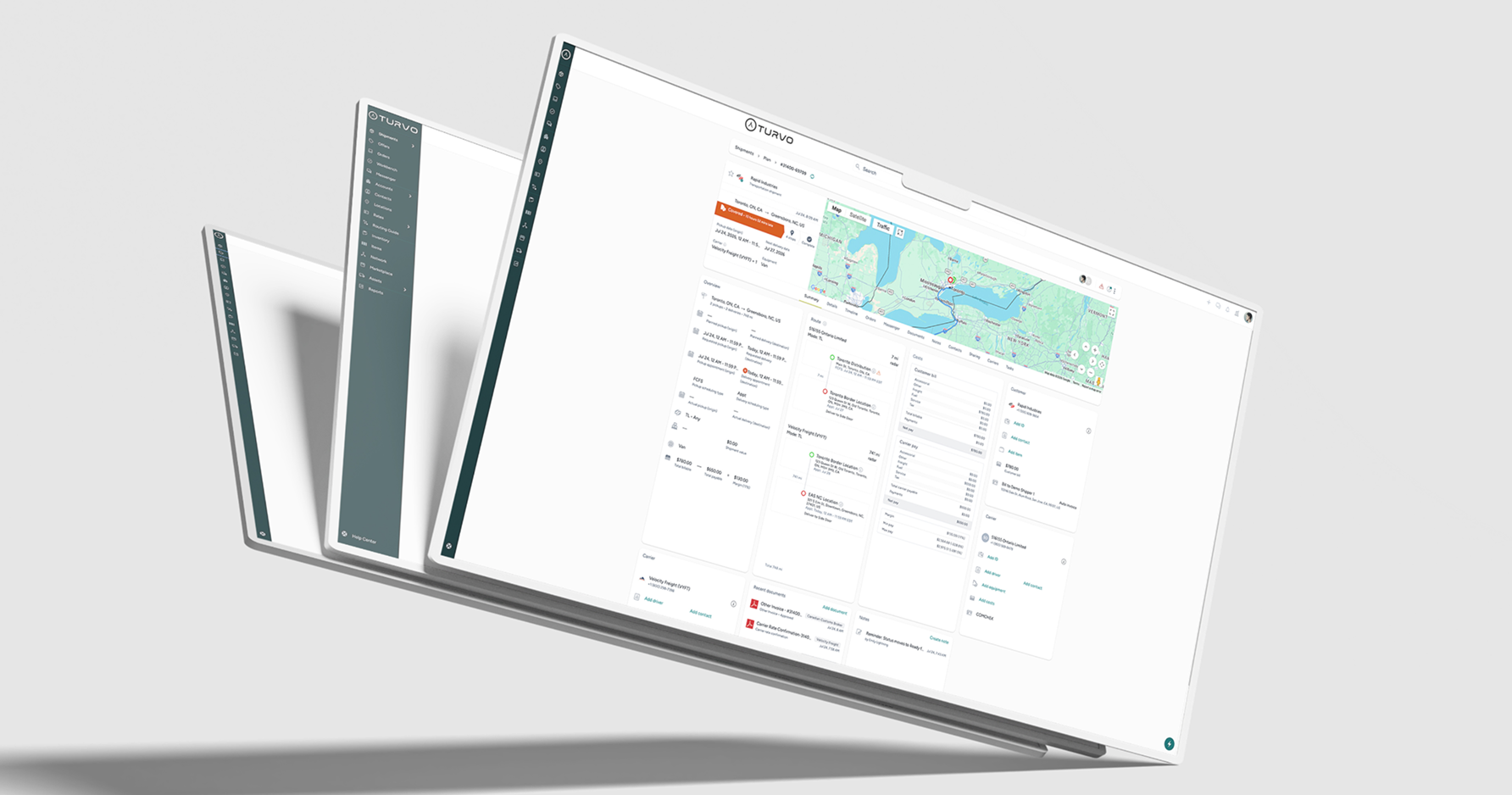
Turvo is a collaborative transportation management system for freight brokers and 3PLs that need their next TMS to improve how the whole operation works together.
Its value is especially apparent where work changes hands. A customer order becomes a shipment, a carrier provides an update, an operator handles a delay, and finance needs the delivery documents. Turvo keeps those activities connected so each team can continue the work with the relevant information available.
For businesses weighed down by separate portals, repeated data entry, and email-based coordination, Turvo provides a way to modernize transportation management around a connected ecosystem. The aim is fewer manual handoffs, better collaboration, and greater capacity to grow without making every shipment more complicated to manage.
Turvo’s Key Capabilities and Benefits
1. Keep Transportation Growth From Driving Up Routine Work
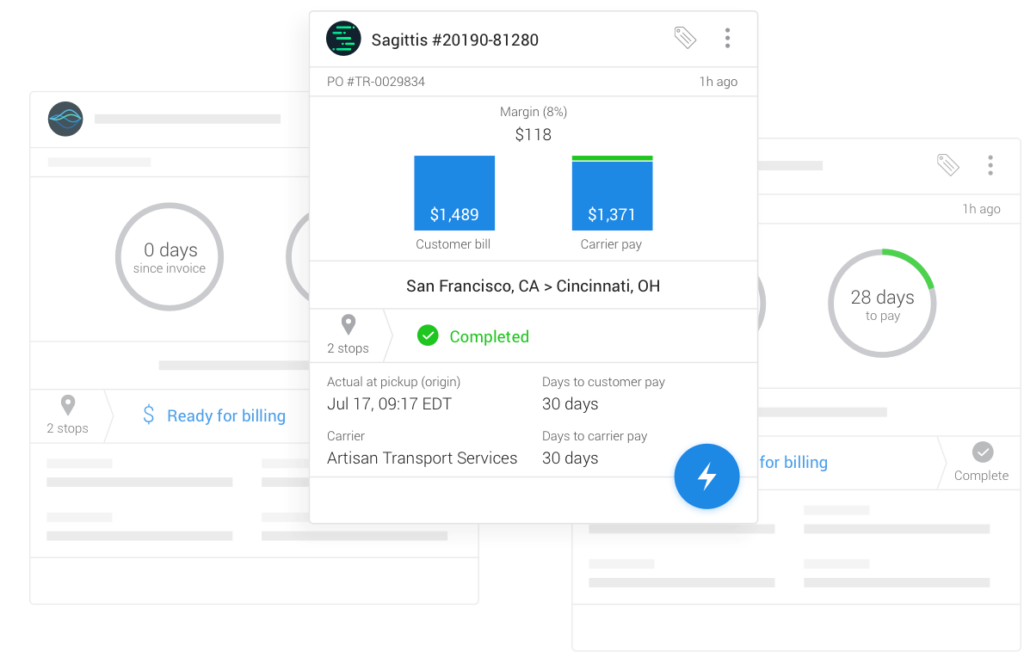
Turvo helps logistics providers manage rising shipment volumes by reducing the repeated work surrounding each movement. Planning, execution, communication, and settlement stay connected within the TMS, so an increase in freight does not have to bring the same increase in manual coordination.
For example, an employee preparing a shipment for billing can work from the documents and activity already associated with it. Operations does not have to assemble a separate account of the delivery simply because another department has taken over.
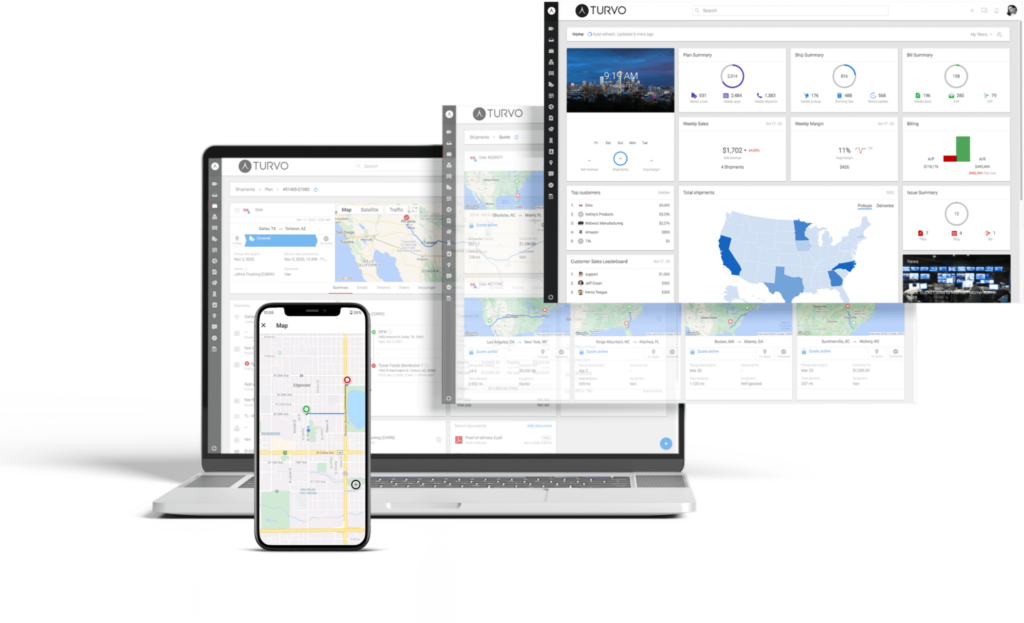
Shared records and configurable workflows help establish that continuity across day-to-day transportation activity. Teams spend less time transferring context and more time managing the movements, relationships, and exceptions that need their judgment.
This gives a growing brokerage or 3PL a practical way to expand operating capacity while keeping administrative overhead under control.
2. Give Customers Clearer Visibility With Fewer Updates to Relay
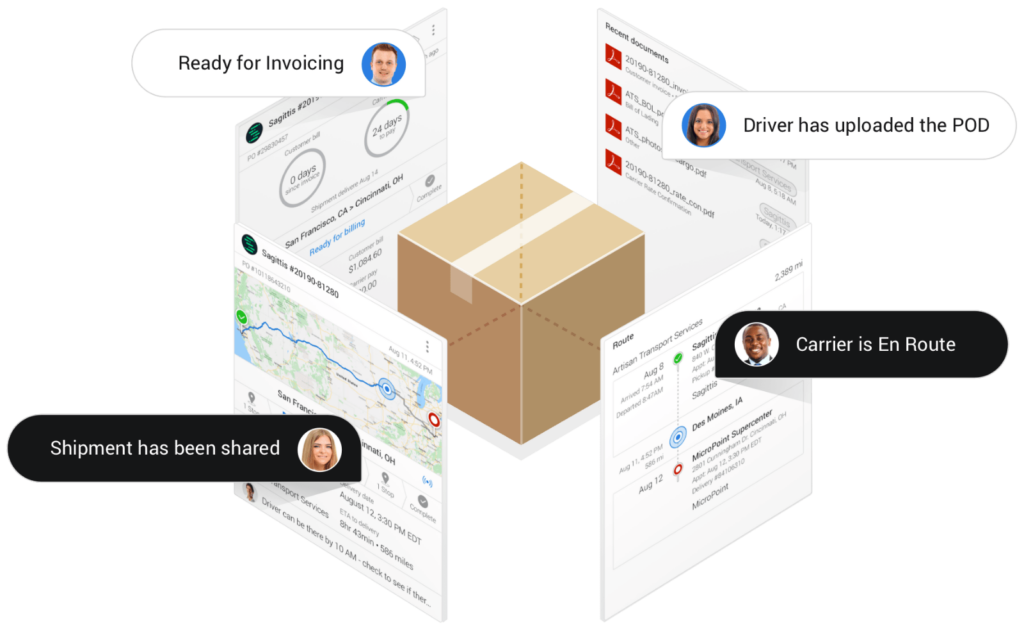
A logistics provider’s service includes how easily customers can find out what is happening to their freight. When the answer depends on reaching an account manager, even a routine update creates work for both sides.
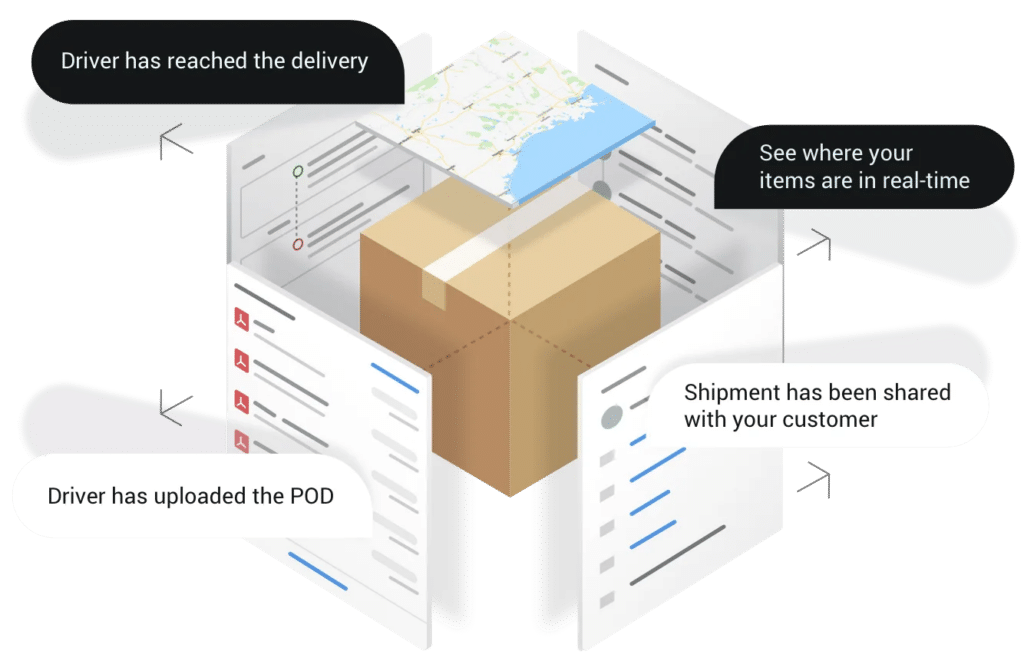
With Turvo Collaboration Cloud, customers and carriers can access relevant shipment information through shared links and workflows. Messages and documents remain associated with the shipment, giving participants a common reference when they need to discuss a change.
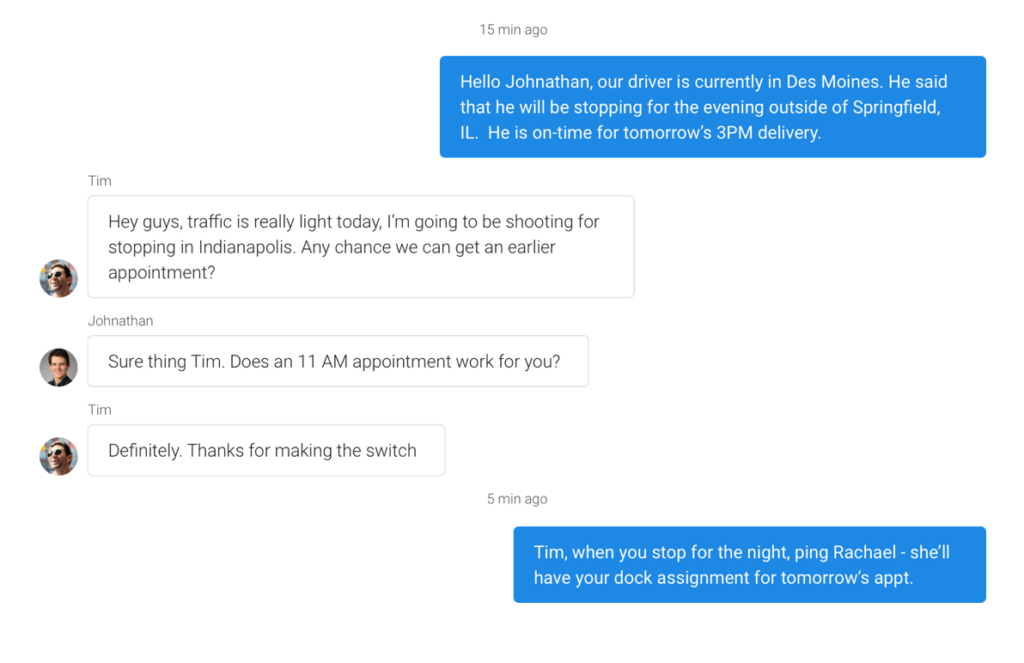
Sharing controls allow the business to decide which information participants can see. This supports collaborative transportation management across company boundaries while keeping access relevant to each party’s involvement.
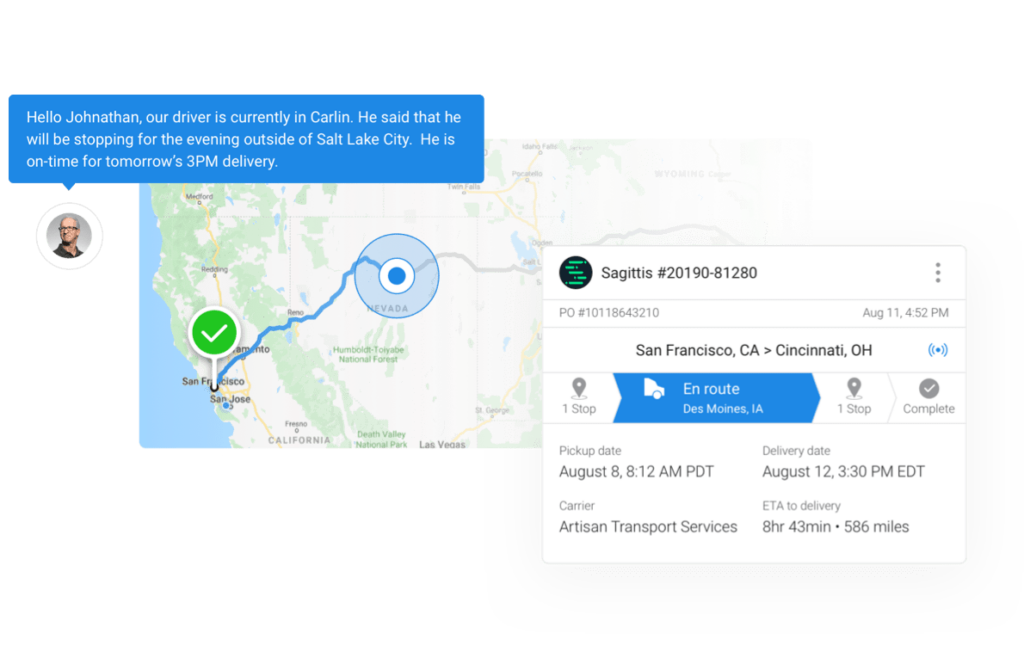
For brokers and 3PLs, the benefit is a customer experience with less dependence on manually relayed updates. Employees can concentrate on questions that require an explanation or decision, while customers have more direct access to the information they need.
3. Get More Value From the Systems You Already Use
Replacing a TMS does not necessarily mean replacing every application connected to transportation. Accounting, warehouse, carrier, and visibility tools may still serve the business well, provided their information can move into the operating workflow.
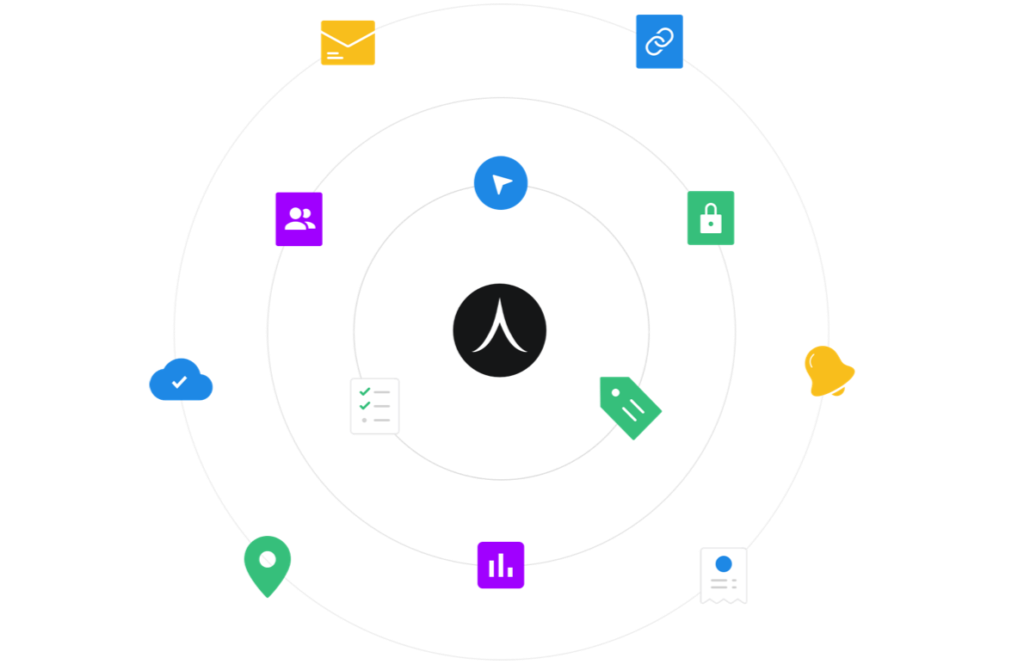
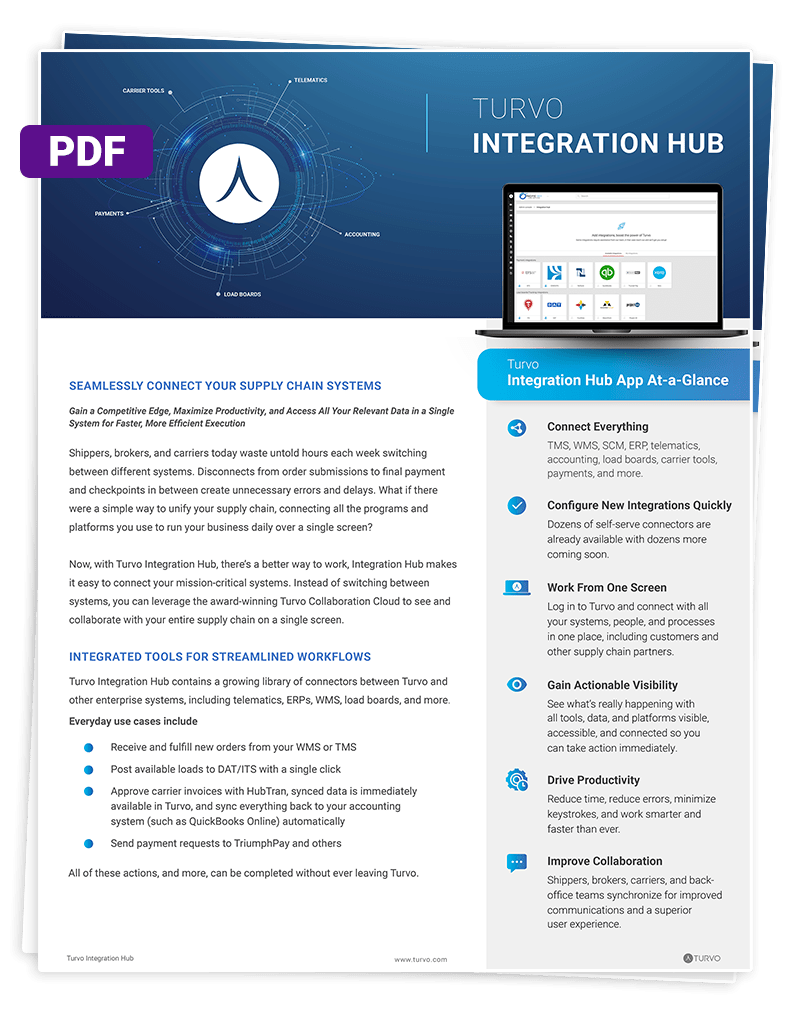
The Turvo Integration Hub supports that approach with pre-built integrations, public APIs, webhooks, and data-import tools. It connects the TMS with applications such as ERP and accounting systems, warehouse platforms, load boards, and tracking providers.
An order-system connection, for example, can supply information for shipment planning. A connection to accounting can support the transfer of information needed for financial processing. The value comes from reducing the manual work between systems that remain important to the business.
As customer requirements change, the logistics provider can develop its wider technology stack around Turvo. New tools can support the operation without automatically creating another separate process for employees to maintain.
4. Direct Attention to Shipments That Need Intervention
Transportation teams need to distinguish routine progress from a developing service problem. Reviewing every shipment through calls, tracking portals, and message threads makes that harder as the operation grows.
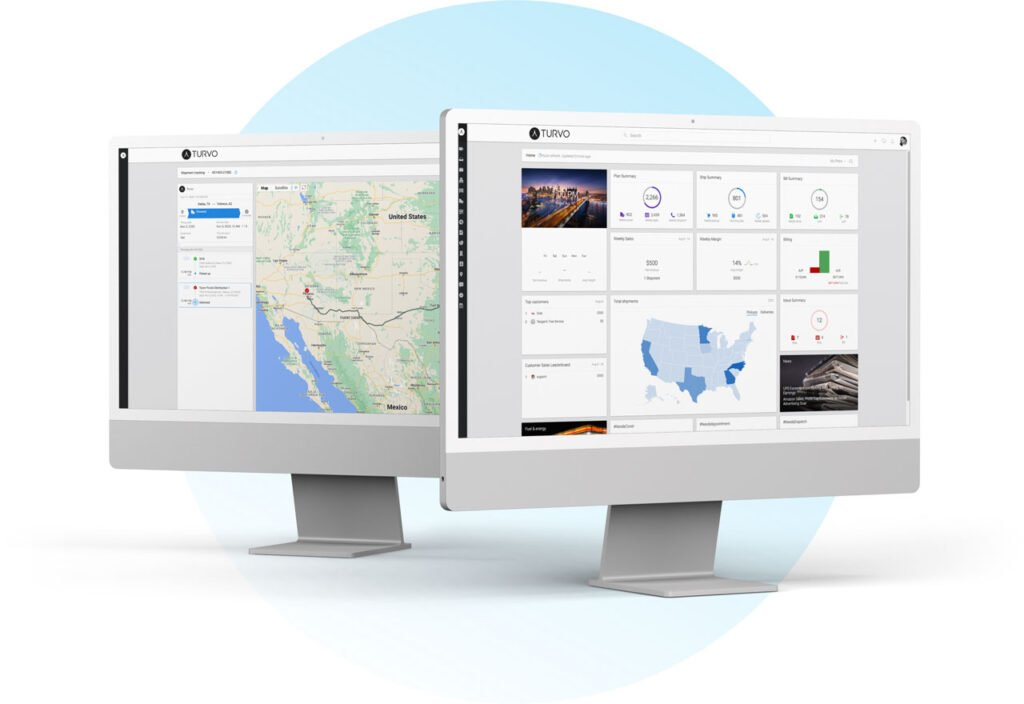
Turvo combines shipment visibility with alerts and the surrounding operational record. Teams can review shipment status alongside conversations, documents, and workflow details, then coordinate the response from the same environment.
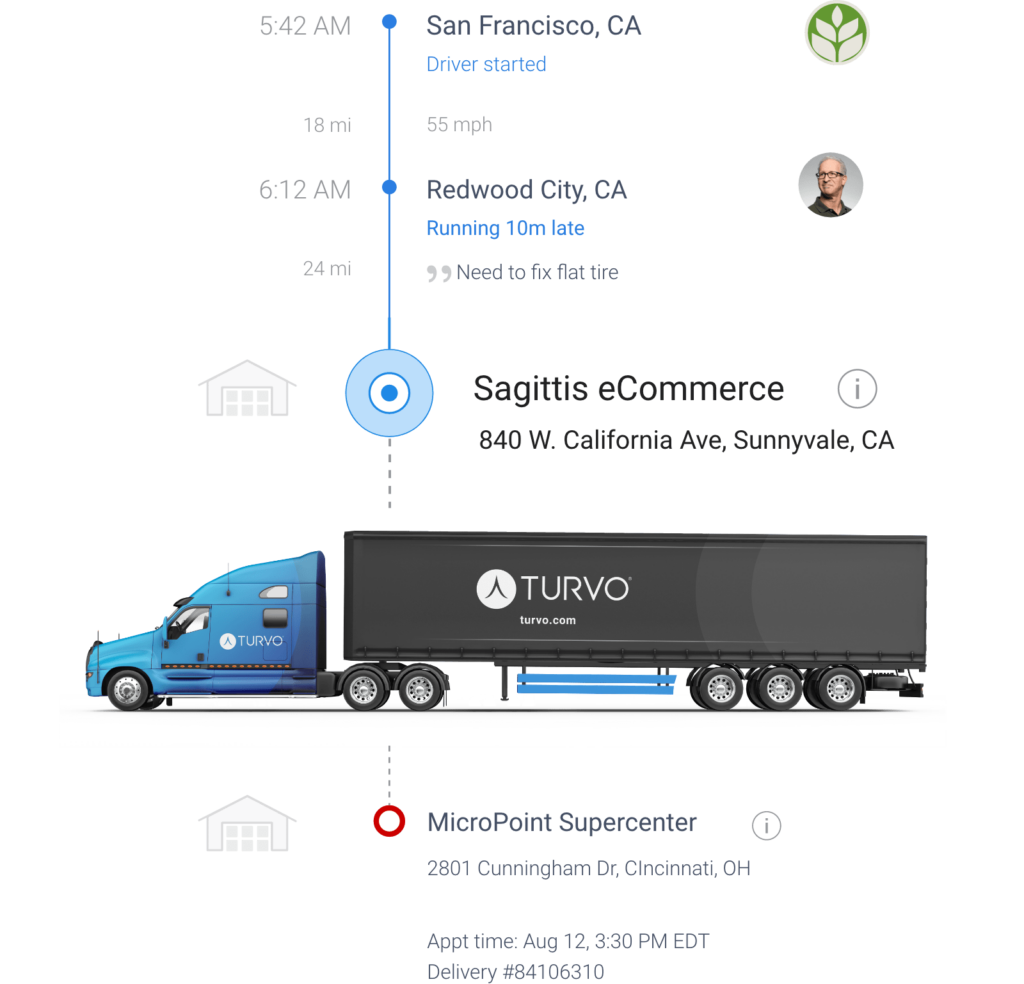
The Driver App and telematics or ELD integrations provide location and status information closer to the movement itself. This reduces reliance on manual check-ins and gives operators more context when a shipment needs attention.
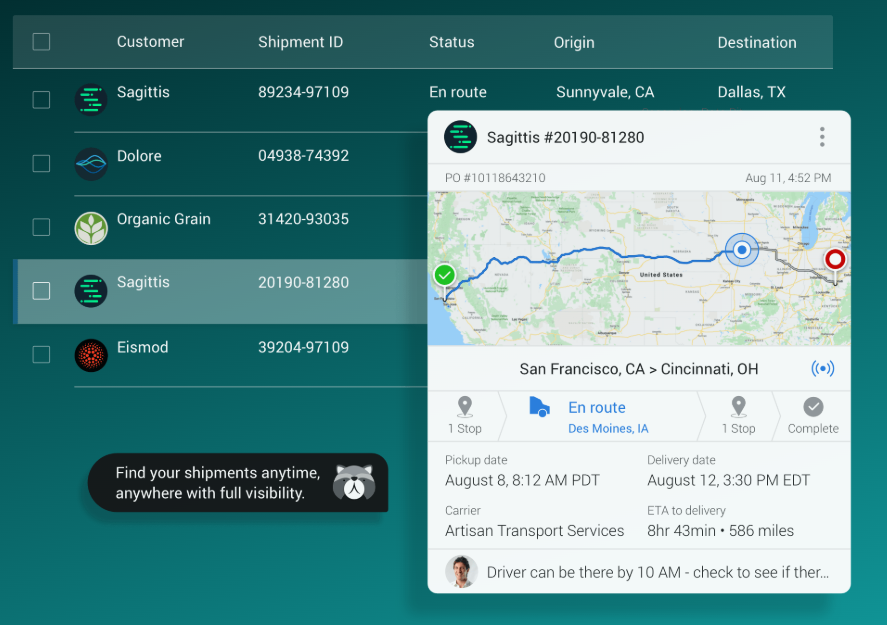
For instance, a delayed arrival may require a conversation with the carrier, a facility adjustment, and an update to the customer. Keeping those actions connected to the shipment helps the team respond with a clearer understanding of the issue and its consequences.
5. Identify Where Transportation Performance Can Improve
Transportation data becomes useful when it helps a manager decide what to change. A recurring service issue on a lane, an underperforming carrier, or a customer with weak margins each calls for a different response.
Turvo Analytics provides customizable dashboards, reports, and scorecards covering operational and financial performance. Teams can review customers, carriers, and lanes, examine trends, and bring that evidence into business reviews.
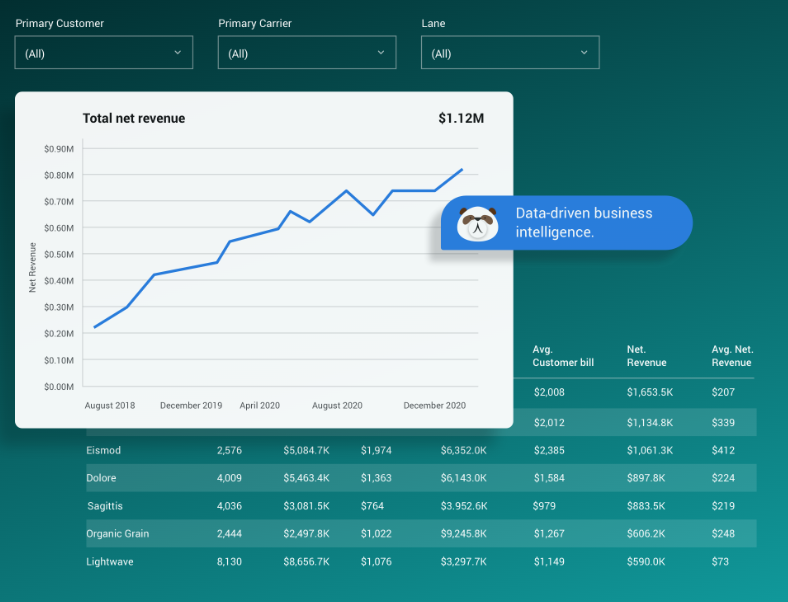
An operations leader can use the findings to investigate inconsistent service. An account manager can prepare a more specific customer discussion, while the leadership team can assess where growth is contributing to profitability.
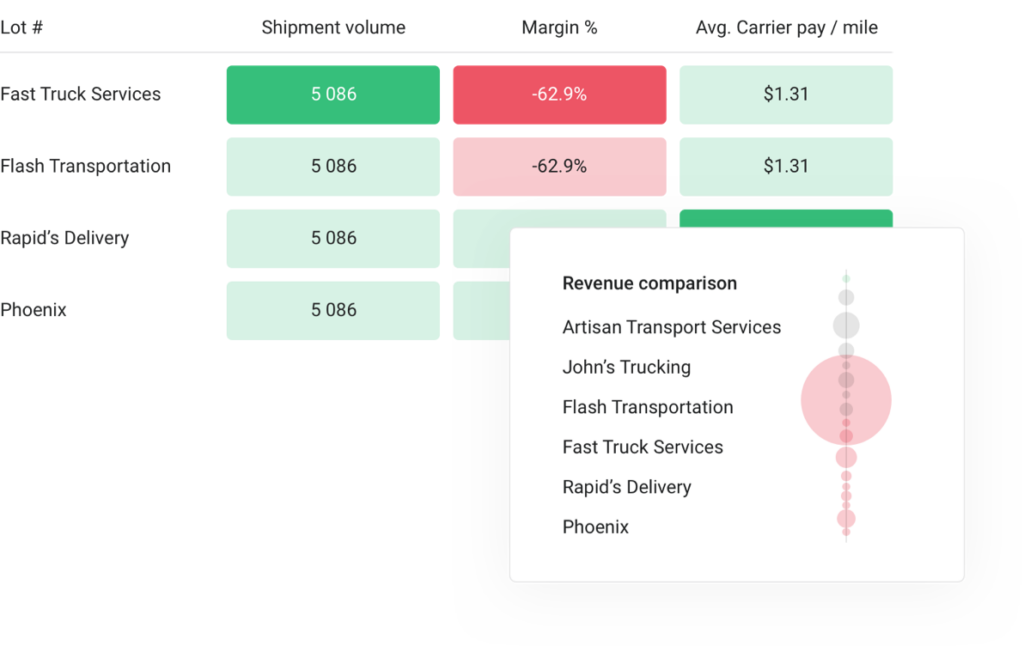
This connects decisions about the business to the work recorded in the TMS. The same shipment activity used to run the operation also helps teams identify where processes, partner relationships, or commercial priorities need attention.
6. Keep Facility Schedules Aligned With Freight Movements
Appointment coordination works better when the schedule reflects what is happening on the road. A booking that remains unchanged after a truck is delayed can leave carriers, receiving teams, and transportation staff working to different plans.
Turvo Appointment Scheduling associates appointment slots with order, shipment, customer, and carrier information. Truck-status updates and arrival and departure information give teams more context for managing facility activity.
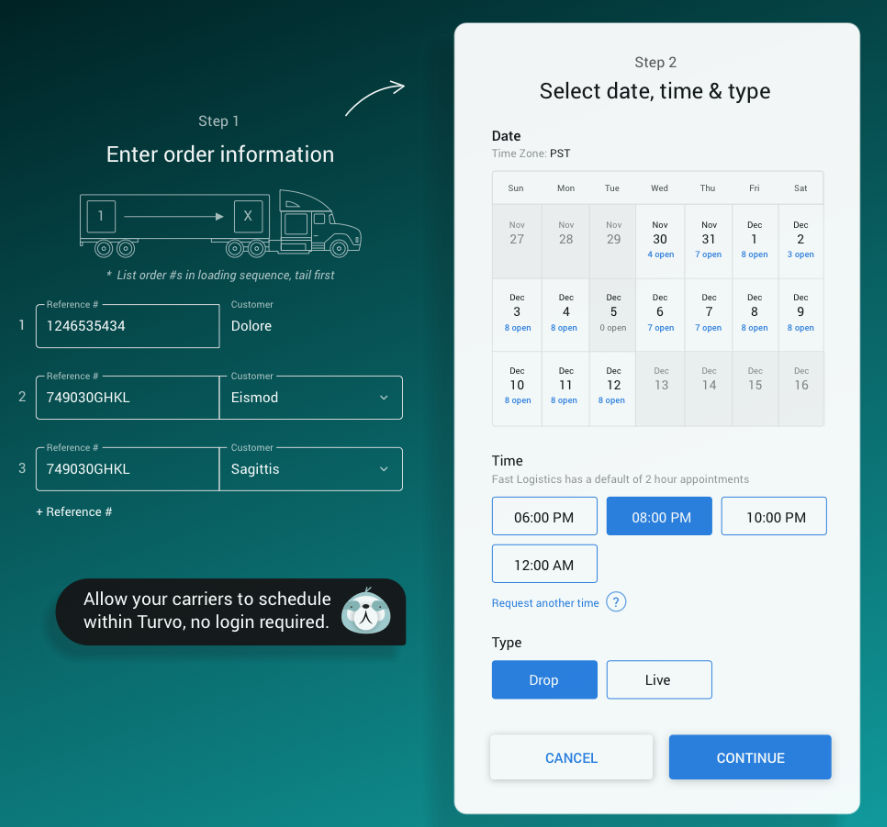
Self-service booking allows partners to participate directly in scheduling. When plans change, teams can review the shipment and appointment together and communicate the adjustment through shared information.
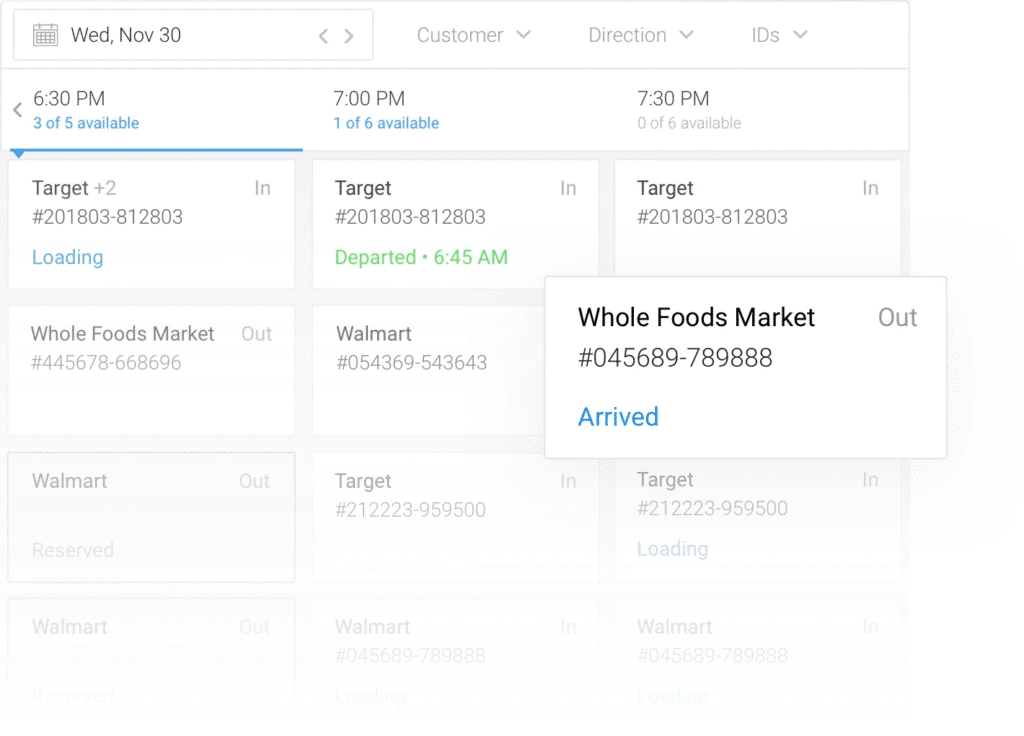
For a 3PL or brokerage coordinating pickups and deliveries across facilities, this reduces the effort spent checking schedules and relaying changes. It also helps keep transportation execution and facility expectations aligned as the day develops.
7. Make Shipment Planning More Repeatable Across Your Team
Different employees should be able to move similar orders through a consistent planning process. When each person relies on a separate spreadsheet or an informal sequence of steps, the operation becomes harder to supervise and scale.
Turvo’s order-to-shipment planning supports building one or multiple orders into shipments with the relevant routes, dimensions, capacity requirements, and cost allocations. Routing guides add rules for offering shipments to carriers, carrier groups, and bid boards.
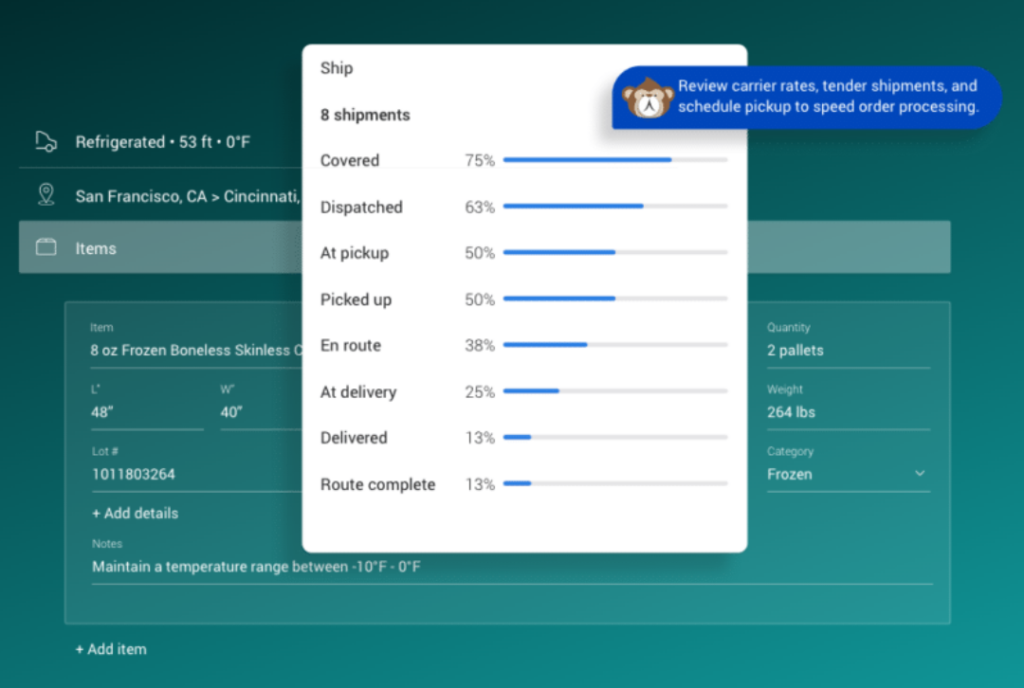
Configurable roles support the work of operations, carrier sales, customer service, tracking, and finance. Together, these capabilities give the business a more structured way to organize shipment handling and the responsibilities around it.
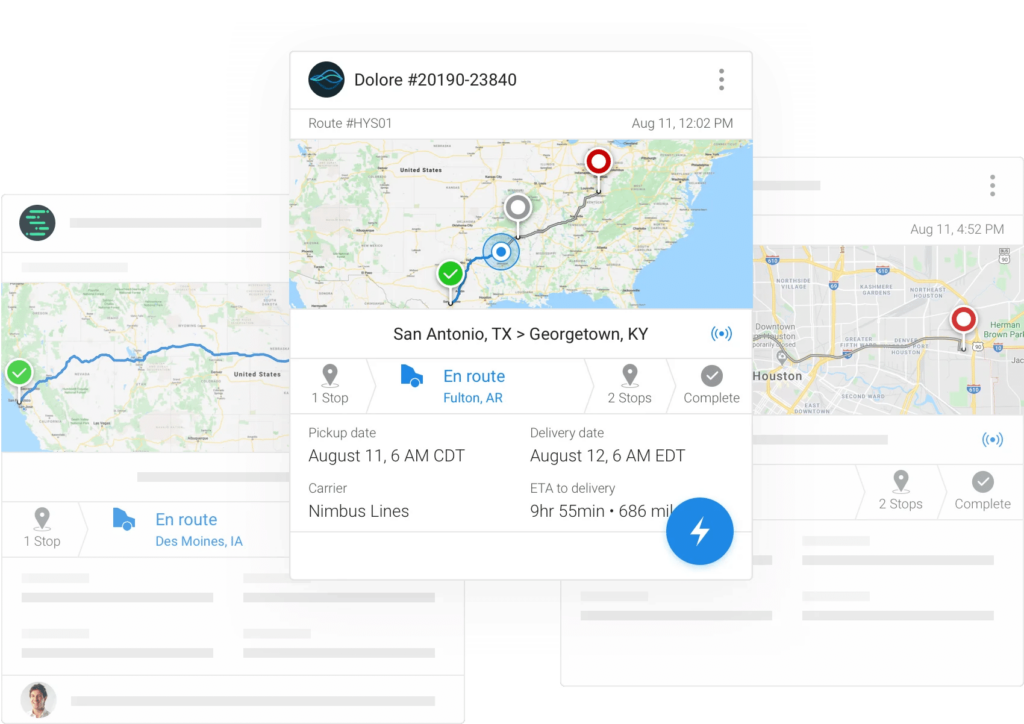
The benefit is greater consistency as teams and shipment volumes grow. Employees can follow an established operating process while retaining the flexibility to handle freight that requires individual attention.
8. Keep Delivery Evidence Available for the Work That Follows
A proof of delivery serves several people: the customer checking completion, the operator closing out the movement, and the finance team preparing settlement. Capturing it within the shipment workflow reduces the number of times someone has to request or forward it.
The Turvo Driver App supports shipment updates, communication, and document capture, including bills of lading and proof of delivery. Drivers can contribute information from the road that remains connected to the transportation record.
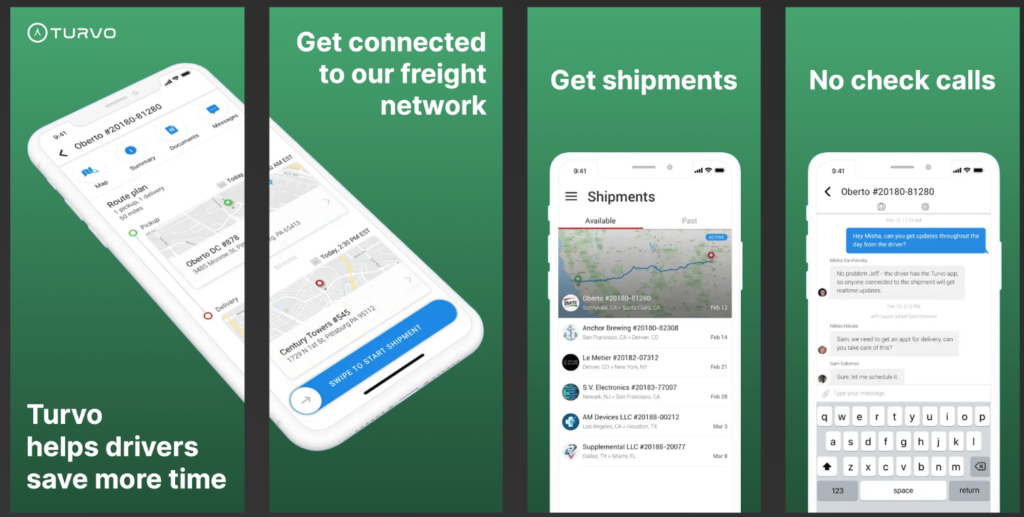
This helps employees access the supporting documents as their work progresses from delivery into customer service and financial processing. Accounting integrations can support the next handoff to the systems used for settlement.
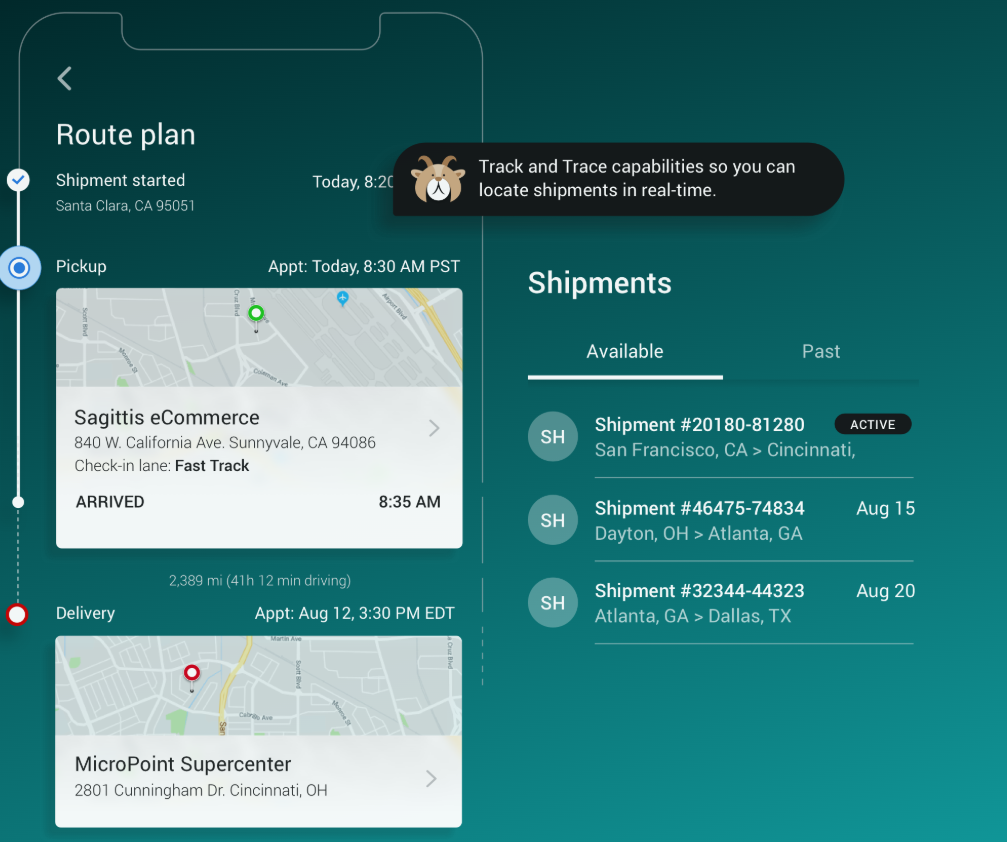
For brokers and 3PLs, the operational value is less paperwork chasing after the freight has moved. Information collected during execution continues to support the remaining work on the shipment.
Turvo Pricing
Turvo offers two pricing tiers, with the standard TMS plan starting at $5,000 per month and Enterprise pricing available upon request.
| Plan | Best for/focus | Pricing | Included support & services |
| Turvo TMS | Plan, execute, and settle freight | Starts at $5,000/month | Dedicated onboarding manager, virtual training, data migration, Support Center, Turvo Community & Academy |
| Turvo Enterprise | Collaboration and visibility across the supply chain | Available upon request | Dedicated onboarding manager, virtual training, data migration, Support Center, Turvo Community & Academy, dedicated customer success manager, quarterly business reviews |
Where Turvo Shines
- Transportation management that includes external partners: Customers and carriers can participate in relevant shipment workflows, helping logistics providers coordinate execution and deliver a more transparent service.
- A practical fit for modernizing brokers and 3PLs: Turvo combines transportation workflows with a modern interface, shared context, and integrations, addressing several common reasons businesses outgrow their existing TMS.
- Continuity across operational and financial work: Planning, shipment activity, communication, and documents remain connected as work passes between teams, reducing the need to recreate the shipment’s history at each stage.
- Room to retain specialist applications: Its integration approach allows companies to connect the accounting, warehouse, carrier, and visibility tools that suit their operation, with the TMS serving as the transportation system of record.
- Support for making the system part of daily work: Migration assistance, onboarding, training, hypercare, and ongoing resources help employees and managers establish usable processes around the platform.
Turvo Customer Reviews
Trevor H., Logistics Sales Representative, said, “Love it. I work in many other companies’ TMS portals, and there is nothing interesting or fun about them. It’s just data. Turvo, on top of being extremely functional and effective, is also cool and fun for my ADHD brain, which helps keep me engaged and complete my tasks.”
Ojasvi A., Logistics Coordinator, said, “Easy to use for load tracking. It offers a number of features, such as managing company revenue, and helps me provide good customer service to my clients. It’s a quick way to create loads and implement them. My frequency of using this app was continuously for eight hours a week. Ease of integration.”
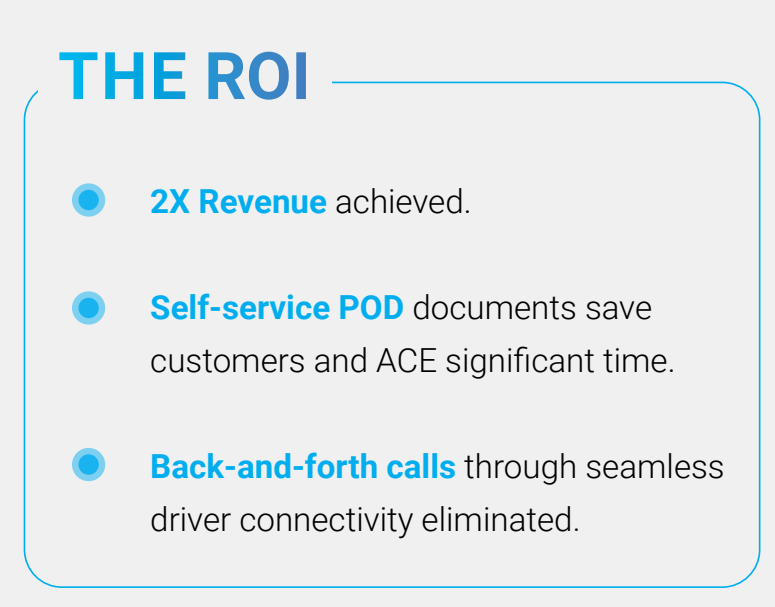
Chris Babcock, ACE Forwarding, said, “Turvo greatly assisted with the growth of our brokerage during ACE Forwarding’s second year of business. During that period, Turvo more than doubled our revenue.”
Rick Grubb II, Chief Information Officer, North America & Europe at RPM, said, “At RPM, our technology drives us forward. It maintains and extends our foothold in the market, allowing us to create custom logistics solutions and making us a premier partner in the shipping and carrier spaces.”
Who Turvo Is Best For
- Freight brokers replacing fragmented or dated systems: Teams can bring transportation execution, customer communication, and supporting tools into a more connected daily workflow.
- 3PLs coordinating freight across customers and partners: Providers managing multiple relationships can connect shipment information, facility appointments, documents, and shared visibility around the movements they oversee.
- Growing logistics businesses seeking more capacity from existing teams: Organizations weighed down by repeat data entry, routine check-ins, and document forwarding can reduce the administrative effort surrounding each shipment.
- Startups and agent spinouts establishing their own operation: Businesses ready to invest in a TMS can build structured workflows, integrations, and a professional customer experience from the outset.
- Brokers and 3PLs that want flexibility in their technology choices: Teams using specialist carrier, tracking, warehouse, or accounting tools can evaluate Turvo as the platform connecting those systems to transportation execution.
Bring a typical shipment workflow to a Turvo demo and see how planning, partner coordination, visibility, and settlement connect for your operation. Book a demo now.
2. McLeod Software: Best for Carrier-Heavy and Hybrid Transportation Operations
McLeod Software takes a more transportation-industry-specific approach than many broad enterprise TMS platforms. Its two core TMS products address different sides of the market: LoadMaster is built for asset-based carriers, while PowerBroker supports freight brokers and 3PLs, and companies running both businesses can use the systems together.
Across those products, McLeod combines transportation execution with accounting, EDI, automation, carrier and driver workflows, reporting, document management, and a large ecosystem of integrations.
Key Capabilities and Benefits
- Dispatch and planning: Supports load planning, dispatching, carrier assignment, shipment monitoring, and execution workflows across carrier and brokerage operations.
- Integrated accounting: Includes transportation-specific general ledger, accounts receivable, accounts payable, billing, and other financial-management capabilities.
- Native EDI: Exchanges tenders, shipment statuses, invoices, and other transportation data with customers and trading partners.
- Workflow automation: FlowLogix and related automation tools allow teams to build rules and processes around repetitive transportation tasks.
- Reporting and analytics: Connects operational and financial data with customizable reporting and dashboard tools.
Pricing
McLeod does not publish standard prices for LoadMaster or PowerBroker. Organizations need to contact McLeod for pricing based on their selected products, deployment, and operational requirements.
| Offering | Starting Price | Pricing Structure |
| McLeod LoadMaster / PowerBroker | Not publicly listed | Custom quote |
Where McLeod Software Shines
- Transportation industry depth: McLeod is built specifically around trucking, logistics, brokerage, and related transportation businesses rather than serving transportation as one component of a general business suite.
- Hybrid business support: Companies running both asset-based and brokerage operations can connect LoadMaster and PowerBroker rather than maintaining completely separate operational environments.
- Integration ecosystem: McLeod supports more than 260 off-the-shelf integrations backed by over 140 certified partners, covering areas such as tracking, load boards, pricing, carrier monitoring, payments, and AI tools.
- Deployment flexibility: Organizations can run McLeod software on-premises, in their own cloud environment, or through McLeod-managed hosting.
Where McLeod Software Falls Short
- Industry specialization: Companies looking for a global shipper-oriented TMS spanning complex international modes may find McLeod more focused on trucking, carrier, and brokerage operations.
- Product selection: Organizations running different transportation business models may need to determine how LoadMaster, PowerBroker, DocumentPower, analytics, and other McLeod components should fit together.
Customer Reviews
A Verified User in Logistics and Supply Chain wrote on G2, “McLeod is a software that does good with integrating with the industry tech. We are on a hosted setup, which can be pricey, but the performance is much better since we do not run in house.”
Bryan A., a Team Leader, wrote, “While the platform is powerful and reliable, a more modern design and streamlined navigation would make everyday tasks faster.”
Who McLeod Software Is Best For
- Asset-based carriers: Trucking companies that need transportation execution, driver operations, finance, and fleet-related workflows.
- Freight brokers and 3PLs: Logistics providers that can use PowerBroker for carrier, customer, load, and back-office management.
- Hybrid transportation companies: Businesses operating both brokerage and asset-based divisions.
- Integration-heavy operations: Transportation companies that depend on a large ecosystem of specialized logistics technologies.
3. Infios Transportation Management (Formerly MercuryGate): Best for Enterprise Multimodal Transportation
Infios Transportation Management (TM), formerly MercuryGate TMS, is an enterprise TMS built for transportation networks spanning multiple modes, geographies, currencies, and business units. Körber Supply Chain Software completed its acquisition of MercuryGate in 2024 before rebranding as Infios in March 2025, bringing the transportation platform into a broader order, warehouse, and transportation execution portfolio.
Infios TM now combines multimodal planning and execution with AI-assisted decision-making, visibility, optimization, and transportation analytics for organizations managing significant operational complexity.
Key Capabilities and Benefits
- Multimodal optimization: Plans transportation across modes while balancing rates, capacity, service requirements, and other operating constraints.
- AI-assisted execution: Uses predictive, generative, conversational, and agentic AI for transportation risks, documents, carrier decisions, and exception workflows.
- Rate management: Supports complex rates across carriers, modes, currencies, regions, and transportation scenarios.
- Shipment visibility: Tracks transportation activity and exceptions across the shipment lifecycle to support more proactive execution.
- Transportation analytics: Provides KPI tracking and operational insights for evaluating transportation performance and network activity.
Pricing
Infios does not publish standard Transportation Management prices. Pricing is provided based on an organization’s deployment and requirements.
| Offering | Starting Price | Pricing Structure |
| Infios Transportation Management | Not publicly listed | Custom quote |
Where Infios Transportation Management Shines
- Global operating scope: Multi-currency capabilities and support for complex cross-border transportation make it suitable for organizations operating beyond a single domestic freight network.
- Enterprise scalability: High transaction capacity and an architecture designed for increasing transportation complexity give larger organizations room to expand.
- Connected supply chain execution: Infios can connect transportation with its order and warehouse management products for companies that want execution processes to work across multiple supply chain functions.
- 3PL flexibility: Multi-tenant capabilities can support logistics providers managing distinct customers and operating requirements within the same broader platform.
Where Infios Transportation Management Falls Short
- Smaller-team fit: Companies with straightforward domestic transportation workflows may not need the breadth of an enterprise multimodal TMS.
- Reporting complexity: Some recent users report that certain reporting workflows can be difficult to configure or require more technical knowledge than expected.
- Platform breadth: Organizations looking only for a lightweight transportation execution tool may need to evaluate more functionality and configuration than they actually require.
Customer Reviews
Director of Data and Analytics wrote, “Their execution platform is great, and the visibility the system provides is a key feature.”
Software Developer wrote, “Infios TMS helps logistics teams move from reactive firefighting to proactive transportation planning.”
Who Infios Transportation Management Is Best For
- Global shippers: Enterprises coordinating domestic and international transportation across regions and currencies.
- Large 3PLs: Logistics providers managing multiple customers, modes, and operating requirements.
- Multimodal networks: Organizations that need sophisticated planning across more than a single freight mode.
- Enterprise supply chains: Companies that want transportation to connect with broader order and warehouse execution processes.
How We Ranked the Best Transportation Management Systems
We evaluated each platform based on the factors that matter when choosing technology to manage transportation efficiently and support future growth.
- Customer fit: Suitability for freight brokers, 3PLs, carriers, hybrid operators, and shippers.
- Workflow coverage: Support for planning, execution, tracking, exceptions, documents, billing, and settlement.
- Ecosystem connectivity: Integrations with ERP, WMS, accounting, load boards, tracking, telematics, carrier tools, APIs, and EDI.
- Automation: Ability to reduce repetitive entry, follow-up, document handling, and other manual transportation work.
- Visibility and collaboration: How effectively teams, customers, carriers, and partners can share information and coordinate action.
- Usability and implementation: Ease of adoption, configuration, migration, training, and everyday use.
- Scalability: Ability to support increasing shipment volume, users, modes, locations, integrations, and operational complexity.
How to Choose the Right Transportation Management Platform
Choosing a transportation management system is not just about finding software that can book and track freight. The stronger fit is the platform that improves how your team makes transportation decisions, manages exceptions, connects systems, and measures performance as operations become more complex.
1. Identify Which Transportation Decisions Need Better Control
Start with the decisions your current process makes difficult or unnecessarily slow.
That might include choosing carriers, comparing rates, deciding how orders should become shipments, finding trucking capacity, responding to delays, adjusting appointments, or determining when a load is ready for settlement.
Then identify what information employees need to make each decision and where that information currently lives. If planners have to check several applications, spreadsheets, emails, or carrier portals before acting, the problem may be less about missing functionality and more about fragmented operational context.
During evaluation, ask each vendor to demonstrate how its platform supports the decisions that matter most to your team rather than working through a generic product tour.
2. Test the Complete Transportation Workflow
A TMS should connect the transportation lifecycle rather than provide a collection of isolated features.
Ask vendors to demonstrate realistic scenarios from order receipt and shipment planning through carrier coordination, tracking, exception handling, document collection, and settlement.
Watch for points where information needs to be entered again, employees leave the platform, or context gets lost between departments.
For freight brokers and 3PLs, the core transportation management job is to plan, execute, and settle freight, with the strongest systems keeping those stages connected rather than forcing teams to bridge them manually.
3. Check How the TMS Fits Your Existing Technology Stack
A TMS may become the transportation system of record, but it will rarely replace every other application in your operation.
Map the systems that need to exchange information with it, including ERP, WMS, accounting, load boards, telematics, tracking providers, carrier-vetting tools, and payment platforms.
Go beyond asking whether an integration exists. Confirm what data moves between systems, whether updates can flow in both directions where required, what needs custom development, and how additional technologies can be connected later.
Turvo’s Integration Hub supports pre-built integrations, public APIs, webhooks, and data-import tools for connecting transportation workflows with the wider logistics technology stack.
Download the Integration Hub Brief
4. Evaluate Visibility, Collaboration, and the Customer Experience
Transportation visibility becomes more useful when the people involved can act on what they see.
During demonstrations, test what happens when a shipment runs late, an appointment changes, a document is missing, or a customer needs an update. Look at who receives the information, how communication is captured, and whether customers and carriers can participate without an employee manually relaying every update.
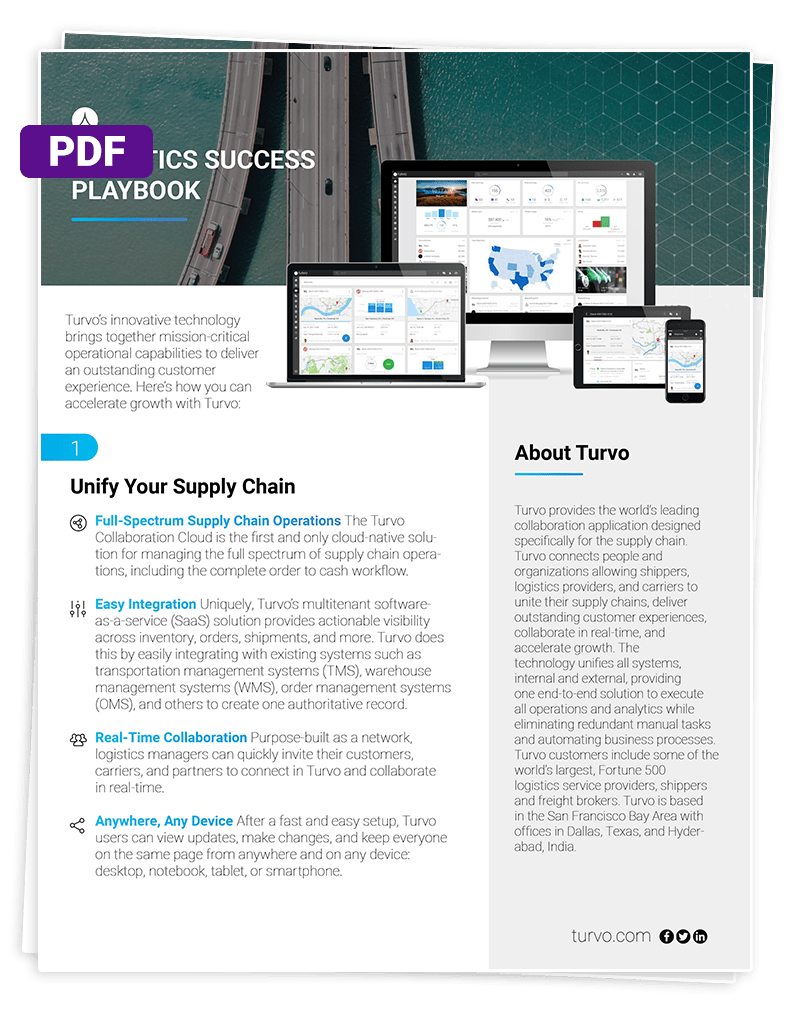
For freight brokers and 3PLs, that external experience can also become part of the service provided to customers. Turvo’s approach connects brokers, shippers, carriers, and partners around a shared shipment context rather than treating visibility as a standalone tracking function.
Get the Logistics Success Playbook
5. Check Whether the Platform Helps You Improve Operations Over Time
A TMS should not only help employees move today’s freight. It should also give managers enough information to understand where transportation performance is improving or breaking down.
Evaluate the reporting and analytics available for areas such as carrier performance, service levels, customer activity, lanes, transportation costs, exceptions, and operational trends.
Also consider how easily managers can turn that information into action. A useful platform should help teams identify recurring problems, investigate their causes, and adjust workflows rather than simply producing another dashboard.
Finally, ask how reporting evolves as customers, shipment volume, modes, and operational requirements change. That gives you a better indication of whether the platform can remain useful as transportation operations mature.
Build a More Connected Transportation Operation With Turvo
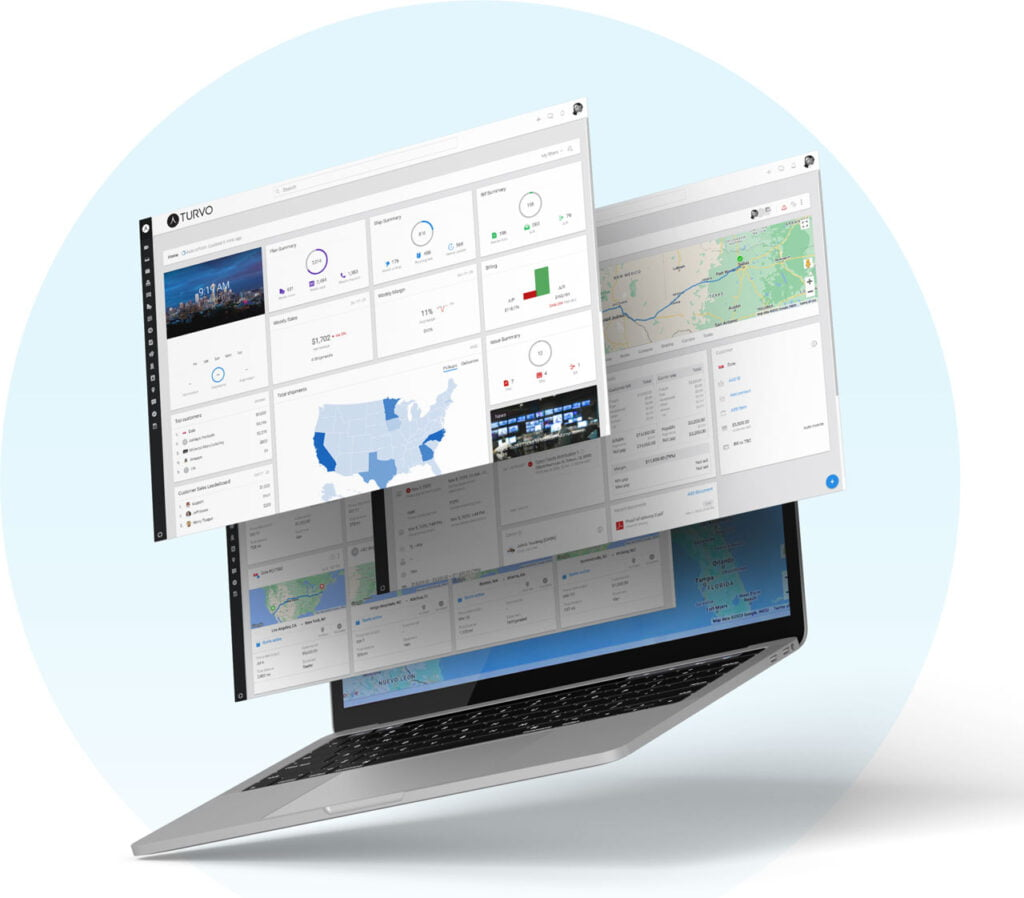
A transportation management system should make freight easier to operate as complexity grows, not simply move existing manual processes into another application.
Turvo gives freight brokers and 3PLs a transportation system of record while connecting the customers, carriers, documents, communication, visibility, and specialized technologies surrounding each shipment. That connected approach helps transportation teams carry information from planning through execution and settlement with fewer disconnected handoffs.
For teams looking to modernize transportation management while building a more connected operating environment, request a Turvo demo to see how Turvo fits your workflows.
FAQs
1. What Is a Transportation Management System?
A transportation management system (TMS) is software that helps businesses plan, execute, track, and settle freight while coordinating transportation data, carriers, customers, and related workflows.
2. What Does a Transportation Management System Do?
A TMS supports transportation planning, carrier management, shipment execution, tracking, exceptions, documentation, customer communication, analytics, billing, settlement, and connections with other logistics systems.
3. How Much Does Transportation Management Software Cost?
Costs vary by users, shipment volume, modules, integrations, and implementation. Some TMS providers publish monthly plans, while enterprise platforms typically provide customized pricing.
4. What Is the Difference Between a TMS and a Freight Management System?
The terms often overlap. TMS usually emphasizes transportation planning and execution, while freight management systems may describe a broader combination of carrier, customer, document, and financial workflows.
5. Who Should Use a Transportation Management System?
Freight brokers, 3PLs, carriers, shippers, and transportation teams can benefit when shipment volume, coordination requirements, or operational complexity become difficult to manage through spreadsheets and disconnected tools.