


Key Takeaways
- Turvo suits a fleet adding a brokerage desk or managed freight. Shippers, carriers, and the fleet’s own drivers update one shipment record on the transportation management system (TMS) Turvo hosts, and its Integration Hub connects the load boards, telematics, and accounting tools the fleet already runs.
- McLeod LoadMaster suits a fleet that wants payroll, driver settlements, IFTA, and the general ledger in the system that dispatches its trucks. It runs as a private instance that McLeod can host and upgrade.
- Infios Transportation Management (formerly MercuryGate) suits a larger fleet managing whole freight programs for shippers, from parcel and LTL to ocean, air, and rail. Infios offers payment in 168 currencies through its separate Freight Audit and Payment service.
- How each platform ranks comes down to the work a growing fleet asks of its TMS: the books and driver pay, connected tools and API access, reporting, shippers and carriers working the load, and a clean move off Rose Rocket.
Your fleet’s growth can change what you need from a transportation management system (TMS). You may need to support more complex operations, meet new accounting requirements, or find a better fit for your budget and team.
We’ll cover three Rose Rocket TMS alternatives, their pros and trade-offs, and the key factors to weigh when choosing the right one for your fleet.
1. Turvo: Best for Scaling Fleets That Broker Freight Alongside Their Own Trucks
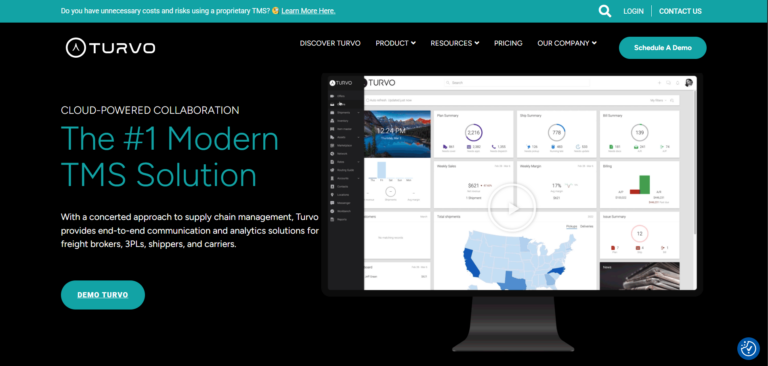
Turvo is a TMS made for freight brokers and 3PLs. For a fleet adding brokered freight, it offers a shared shipment workspace: dispatch, carrier sales, billing, and customer service read one load’s status, messages, and documents instead of passing updates between inboxes.
Shippers, carriers, and your own drivers update that same shipment, so brokered volume can grow without the same growth in status calls, re-keying, and document chasing.
Turvo’s Key Capabilities and Benefits
1. Bring Shippers and Carriers Onto the Load
Rose Rocket gives each party its own tool. Shippers track loads and pull PODs in the customer portal, brokered carriers upload documents and update ETAs in a passwordless carrier portal, and your own drivers work from the driver app.
Turvo’s Collaboration Cloud puts all of them on the same shipment instead. The dispatcher invites the shipper, the brokered carrier, and the driver to the load in one click, and you decide what each of them sees.
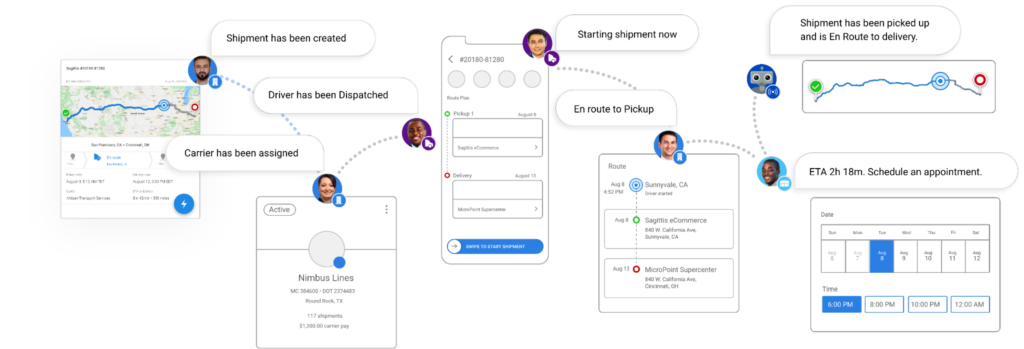
Everything anyone posts stays on that load, so the shipper’s question sits in the same thread as the carrier’s reply and the driver’s POD.
That changes who picks up the phone. A dispatcher taking over a colleague’s loads sees the whole conversation on each one, and the shipper checks the load instead of calling about it.
2. Connect Your EDI Shippers and Tools
Rose Rocket trades EDI with shippers through the Bitfreighter service bureau. Turvo also connects EDI through integration partners, Bitfreighter among them.
Turvo supports EDI 204 load tenders and EDI 214 shipment status messages through EDI integrations, so your shippers keep the tendering workflows they run today. Everything else plugs into Turvo’s Integration Hub: DAT and Truckstop.com for load boards, Parade for capacity, project44 for tracking, and MyCarrierPackets for carrier onboarding.
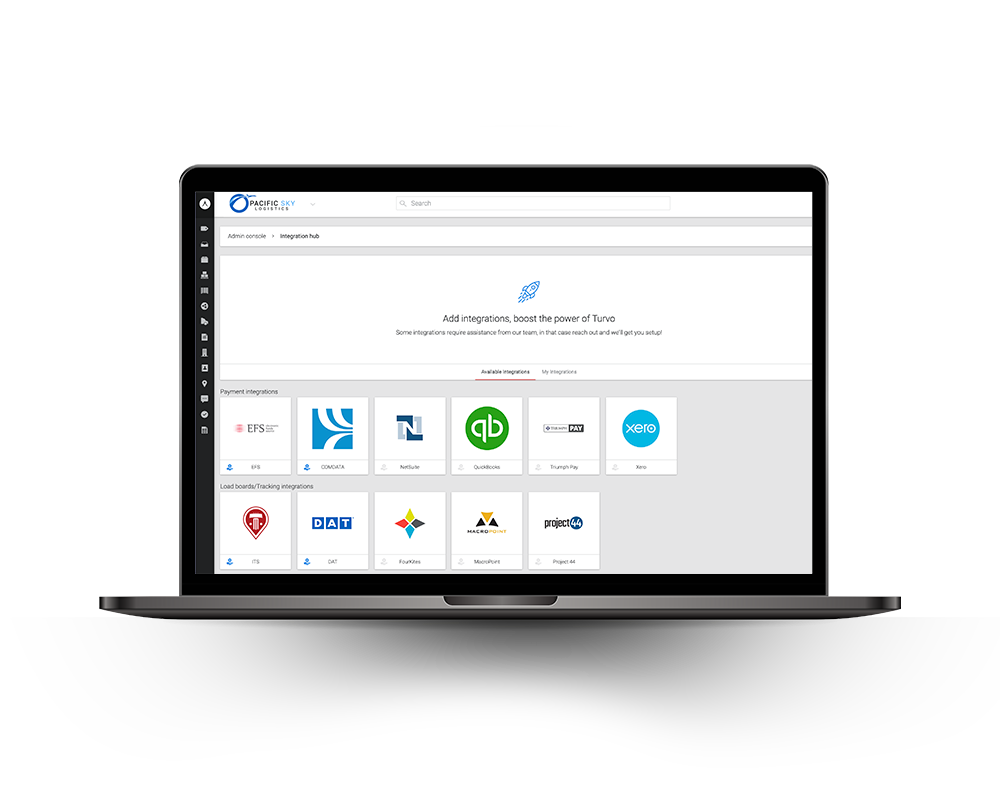
Each feed updates the shipment, so your team works one record instead of a stack of point tools that never share data. For a customer’s ERP, your team builds the link on Turvo’s public API, and webhooks send events such as a late milestone or a new POD to your other systems as they happen.
3. Track Every Truck and Capture Documents Through the Driver App
Rose Rocket’s Samsara integration maps each truck’s last known location on manifests and orders and shows driver availability and break requirements. The integration pulls real-time GPS updates automatically from the vehicle gateway.
On Turvo, a telematics position does more than mark a spot on the map. The Tracking API takes coordinates and geofence events from hardware such as Samsara and moves the shipment to its next phase with no manual clicks.
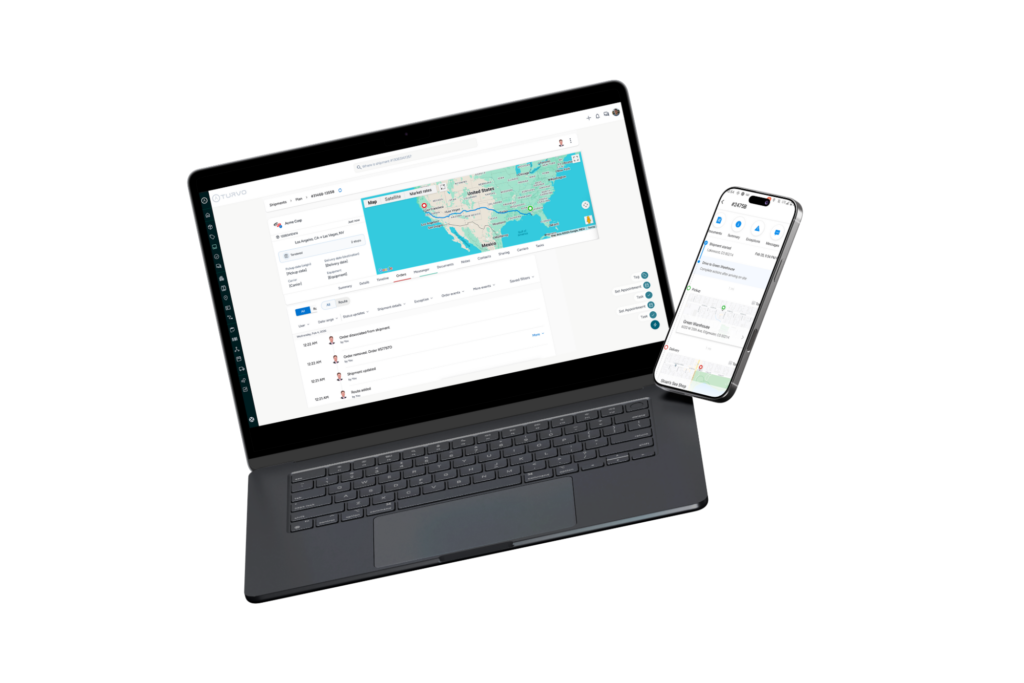
The Turvo Driver App adds the phone’s GPS, status updates, and BOL and POD photos to the same load, so dispatch sees company trucks and brokered carriers side by side.
Statuses update themselves, so dispatch spends the shift on exceptions, and billing opens the POD the minute the driver sends it. That’s load tracking that ends with the paperwork in hand. Share the load’s tracking link and your customer follows the truck on their own.
Did You Know? The Bureau of Labor Statistics expects about 214,500 openings a year for heavy and tractor-trailer drivers through 2035. A scaling fleet hires into that market, and the app a new driver gets is part of the job they’re weighing.
4. Invoice and Pay Carriers From the Shipment Record
Rose Rocket covers the billing cycle: it creates a rate confirmation when you assign the carrier, carriers submit invoices through the portal, and AP checks them or sends them to TriumphPay for audit and payment before bills sync to QuickBooks Online or Business Central.
Turvo runs the same cycle from the shipment record. Carriers bid on loads online and get rate confirmations without anyone typing one up. When the driver marks a load delivered with the POD attached, status-driven settlement creates the customer invoice and the carrier payable.
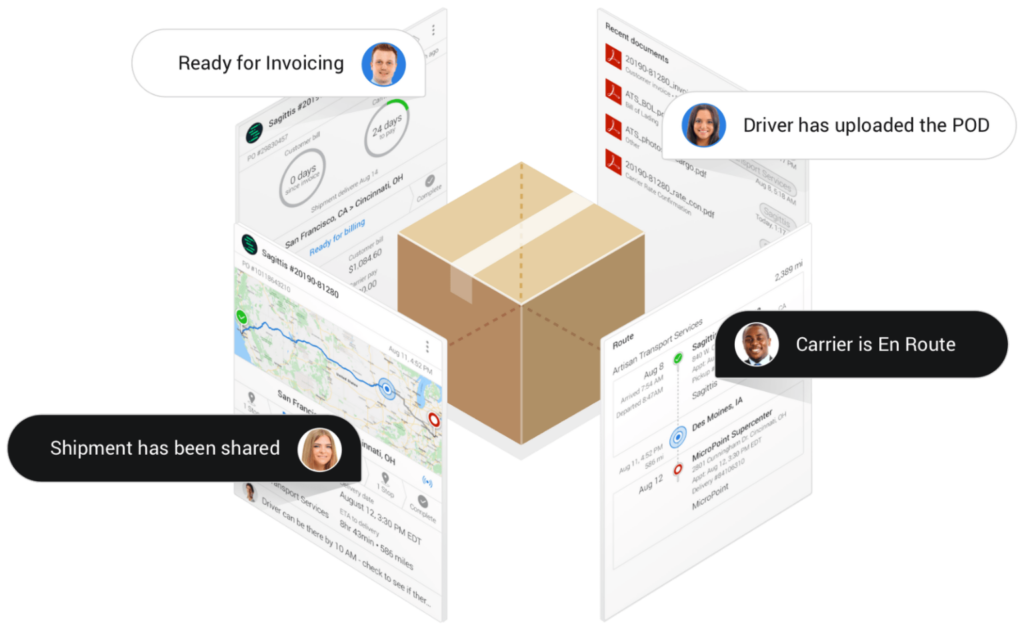
Through Denim, your team runs factored and non-factored carrier payments without leaving Turvo, and Denim writes each payment back to the shipment. Epay Manager handles carrier invoices and disputes on the same record.
However, Turvo doesn’t run driver pay, owner-operator settlements, or IFTA. If Rose Rocket’s pay templates calculate your driver pay today, that job moves to your payroll or fleet system, which connects to Turvo through the API.
5. Run Multi-Leg Moves as One Order
Rose Rocket handles multi-stop orders and splits a move into pickup and delivery legs with a carrier on each. However, according to the help center, “the BOL does not auto-split,” so someone separates the pages in a PDF editor for each leg.
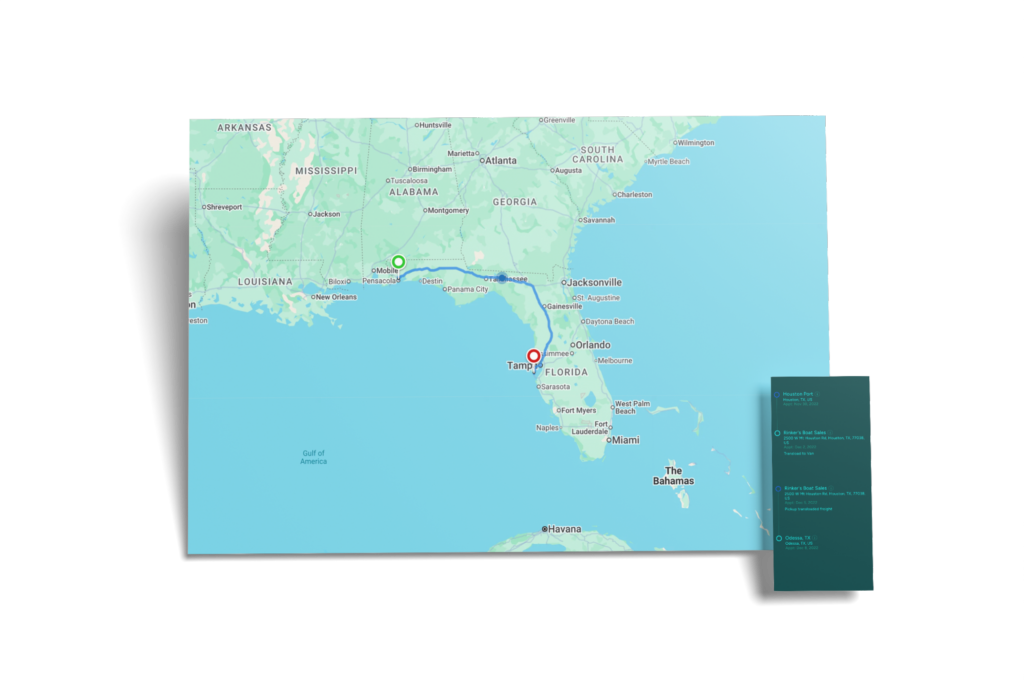
Turvo Orders plans in both directions, splitting one order across shipments or combining several orders into one, and tracks cost allocations and margin on each. A port move stays one order with a different carrier on each leg, and you tender and report on every leg separately.
For a port or transload fleet, the multi-leg move is the service it sells, so multi-leg shipment planning, tendering, and margin have to follow every leg.
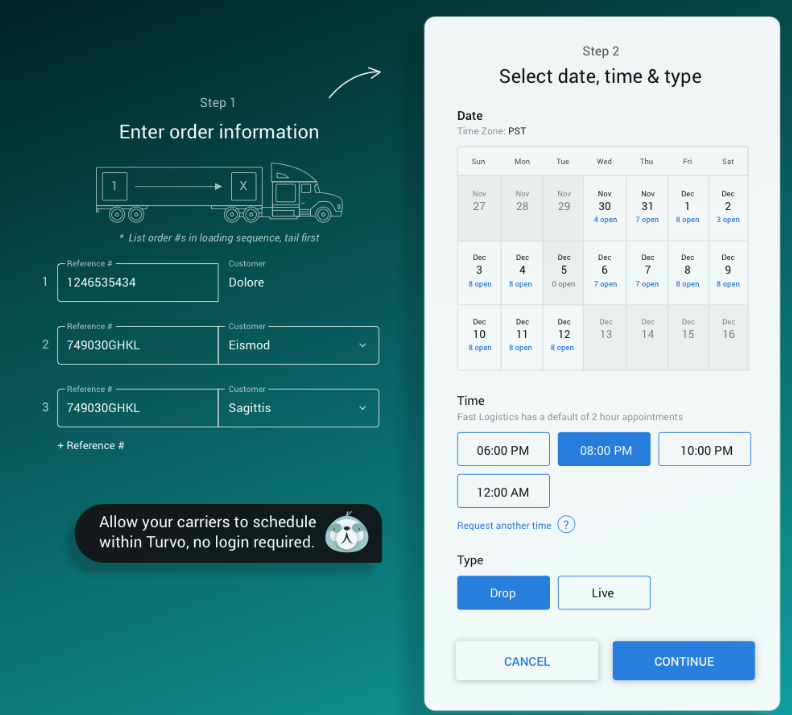
Appointment scheduling also works from the same order: shippers and receivers reserve their own dock slots inside the limits you configure, and each truck’s arrival and departure times show on the shipment.
6. Leave Rose Rocket Without Pausing Freight
Rose Rocket exports orders, invoices, customers, carriers, drivers, and assets to CSV from its boards. Your team can map those files onto Turvo Data Import (TDI) spreadsheet templates instead of retyping records, and TDI brings shipment history and loads still on the road across with them.
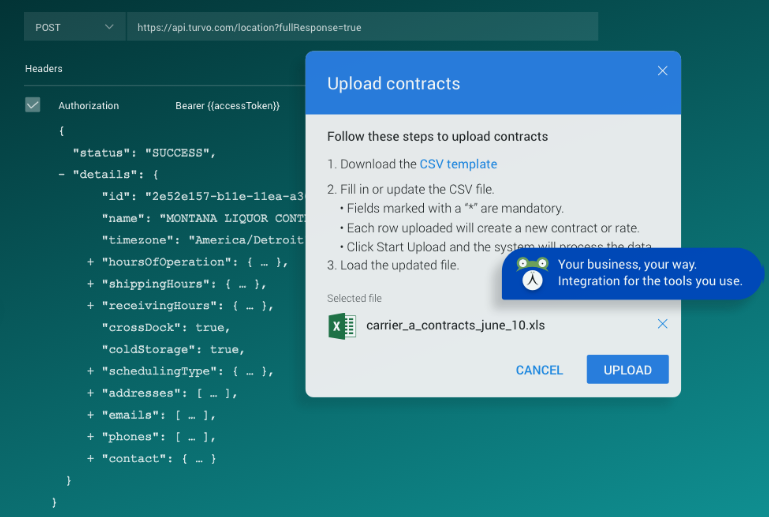
The TMS plan includes an onboarding manager, virtual training, and data migration, and after go-live, Turvo’s team stays on in hypercare, an extra-support window while dispatch learns the new screens.
This is how, after leaving an outdated server-based TMS, Veritas Logistics grew revenue per customer on Turvo by 26% and cut new-staff training and onboarding time by 75%. The cutover’s length depends on how many integrations and how much history come across.
Turvo Pricing
Turvo pricing begins at $5,000 per month on the TMS plan, which covers freight from planning through settlement. Turvo shares Enterprise pricing on request, and that plan centers on supply chain collaboration and visibility.
Where Turvo Shines
- Routing guides: You can set rules that offer each brokered load to chosen carriers, a carrier group, or a bid board. As brokered volume grows, carrier sales stops hand-picking a carrier for every load.
- Roles for each desk: Give operations, carrier sales, finance, customer service, and tracking their own roles and responsibilities, so each new hire starts with access that matches their job.
- Performance dashboards: Turvo Analytics tracks carrier performance, shipper reliability, financials, and driver app adoption, and builds QBR scorecards for your top customers, carriers, and lanes. You see which carriers and lanes to grow with.
- Inventory beside the load: If you add warehousing or transload work, see stock from your warehouse system next to each shipment in Turvo Inventory and plan loads around what’s on hand.
- Shipper security reviews: Send larger shippers Turvo’s SOC 2 Type II report, which covers security, availability, and confidentiality, when their vendor questionnaire asks for one.
Turvo Customer Reviews
Kareena B., Logistics Coordinator, said, “Turvo is an excellent time-saving tool, uniquely capable of quickly generating documents like BOLs and carrier rate confirmations. And it has its own tracking app. Tracking is the best feature I have ever seen. it allows users to monitor shipments in real time on a map, showing the exact location of drivers.”
Brad Colvin, Director of Operations at Motus Freight, said, “With Turvo, we’re moving closer and closer to ‘the perfect shipment.’ We saw the impact of unifying our supply chain and using automation to simplify our business. We’ve cut 95% of the manual work out of each connected shipment. When we had to work from home because of COVID, nothing changed. We simply logged in from home without missing a beat. With the same headcount, we’ve been able to double our business.”
The CEO of Port X Logistics said, “Without Turvo we could not have built an organization that went from zero to 120 million dollars in four years.”
Who Turvo Is Best For
- Fleets moving a brokerage desk off Rose Rocket: Brokered loads run on Turvo’s freight broker TMS with shippers and carriers updating the record, while the fleet’s own trucks report to the same board.
- Port and regional fleets with shippers who check status all day: Those customers follow the shipment link and the driver’s position on their own instead of calling dispatch.
- Fleets with a payroll or fleet system for driver pay and IFTA: Turvo takes the freight side and connects to that system through the API.
- Fleets that need their own API connections: A factor, a vetting service, or a customer’s ERP connects through Turvo’s public API.
Put brokered loads and your own trucks on one board, with shippers checking status themselves. Book a demo now to see a load go from tender to invoice on Turvo.
2. McLeod LoadMaster: Best for Fleets That Want Settlements, Fuel Tax, and the Ledger Inside the TMS
McLeod LoadMaster is the Rose Rocket alternative for a fleet that wants payroll, fuel tax, and the general ledger run inside its TMS instead of a separate accounting package.
Key Capabilities and Benefits
- Dispatch with driver data on the board: The Symphony Mobile Communications interface pulls telematics positions, hours of service, and geofenced arrivals into dispatch, driver settlement, and safety, so a driver manager plans the next load from the truck’s own data.
- Native accounting and payroll: LoadMaster keeps the general ledger, receivables, payables, office payroll, and driver settlements in the TMS, with multicompany posting for fleets running more than one operating entity.
- GPS Fuel Tax module: Position reports from the mobile communications interface become in-state mileage for IFTA reporting, and the office can exclude a position, a movement, or a tractor from the calculation.
- Driver Sidekick: McLeod’s driver app shows the current assignment and the most recent settlement amount, links scanned documents to the current load, and lets drivers rate locations so dispatch hears about problem stops.
- PowerBroker for the brokerage arm: McLeod’s broker product runs alongside LoadMaster on McLeod data, so a fleet that brokers overflow freight keeps both sides with one vendor.
Pricing
McLeod doesn’t publish LoadMaster pricing; its sales team quotes the software, and McLeod Cloud Services hosting comes as a separate quote.
Where McLeod LoadMaster Shines
- Three deployment methods: On-premises, third-party cloud, or McLeod Cloud Services, each a private, customizable instance rather than a shared tenant.
- Fuel card control: Interactive fuel interfaces with Comdata and T-Chek let the office set purchase limits, issue advances, and apply a settlement to a driver’s fuel card.
- DataFusion EDI: McLeod’s own EDI module exchanges tenders and status with shippers that trade by EDI, inside the system that dispatches the load.
- Customer and carrier portals: Shippers look up their orders, follow delivery status, and send tenders through a portal the fleet configures, while carriers take offered loads and send trip paperwork through their own.
Where McLeod LoadMaster Falls Short
- Releases arrive as upgrade projects: McLeod runs each customer on a private instance, and its cloud services page says upgrades take “only a few days at our hosted environment, rather than weeks” on-premises, so the fleet still fits each one around its own calendar.
- Each telematics link is a licensed project: Samsara’s setup guide for LoadMaster lists McLeod’s Symphony module, a MobileComm Interface license for Samsara, and an implementation statement of work as prerequisites, so a fleet bringing its Samsara feed over from Rose Rocket buys and schedules that connection before dispatch sees a truck.
Customer Reviews
Dakotah C., Dispatcher/Driver Manager, shares, “LoadMaster is easy to use once you learn. There are so many tasks you can do, including dispatch, track ETA’s, locate tractors and trailers, track drivers’ HOS, billing info, etc. The possibilities are endless.”
Ashley B., Accounting Specialist, says, “I dislike that it’s hard to search for anything, that it’s hard to correct something once it’s posted, and that it sucks if you accidently post all your vouchers instead of just the one you wanted.”
Who McLeod LoadMaster Is Best For
- Fleets moving the back office into the TMS: Settlements, payroll, IFTA, and the ledger run in the system that dispatches the load, with multicompany posting once the fleet adds a second operating company.
- Fleets with IT capacity for a private instance: Teams that can schedule releases and licensed integrations themselves, or that pay McLeod Cloud Services to host and apply them.
3. Infios Transportation Management (Formerly MercuryGate): Best for Fleets Running Shippers’ Multimodal Freight Programs

Infios Transportation Management, formerly sold as MercuryGate TMS, fits a larger fleet whose managed-transportation team plans, rates, and pays for every load a shipper hands over, from parcel and LTL to ocean, air, and rail.
Key Capabilities and Benefits
- Multimodal planning and rating: Infios puts inbound, outbound, domestic, and international freight in one plan and rates it automatically across modes, currencies, and geographies.
- Freight audit and payment: Infios’s Freight Audit and Payment (FAP) offering runs standalone or alongside the TMS, with analyst-run audits and payment in 168 currencies.
- AI agents for check calls and order entry: Infios’s Driver Status Update agent chases location and ETA when a carrier goes quiet, and its Automated Order Entry agent keys in high order volumes, leaving dispatch the exceptions.
- Prebuilt ERP connectors: More than 70 integrations ship ready, among them Oracle, SAP, Dynamics, and NetSuite, alongside WMS, OMS, EDI, API, SFTP, and webhook connections.
- Claims management: Cargo incidents become claims in the same system that audited the invoice, whichever party files them.
Pricing
Infios sells 12-month contracts quoted per customer, with the plan set by the modules chosen and the fleet’s annual freight spend.
Where Infios Transportation Management Shines
- Vehicle Routing and Optimization: Infios’s routing module serves LTL carriers and private fleets with dispatch, driver messaging, and electronic POD in one place, and a Direct Store Delivery module sits beside it.
- Shipment and Order Visibility: Push alerts and order-level tracking offers shippers order visibility in supply chain, and a control tower view covers every mode at once.
- ISO 27001 and SOC reports: Infios holds ISO 27001 certification and SOC 1 and SOC 2 Type 2 reports, which cover the security review large shippers run on vendors.
- Global trade: A Global Trade module handles customs and compliance for international moves within the same platform.
Where Infios Transportation Management Falls Short
- Driver pay and fuel tax stay elsewhere: Infios’s TMS page says nothing about paying company drivers or filing IFTA, so payroll and fuel tax for the fleet’s own trucks keep running in another system.
- Fleet-side connections go unnamed: Infios’s integration list covers ERP, WMS, and OMS systems such as SAP and NetSuite, plus EDI, API, SFTP, and webhook links, but names no ELD, load board, or carrier vetting partner, three connections a fleet leaving Rose Rocket already runs.
Customer Reviews
A Director of Supply Chain said, “Infios TMS has been a great fit for our 3PL operation. The level of customization available at a per-customer and per-division level is something that isn’t common in the marketplace. This was crucial in our decision while switching from a proprietary in-house TMS to an off-the-shelf solution.”
A VP of Sales shared, “First, the platform’s analytics capabilities are quite limited. While core operational functionality is strong, the lack of robust, built-in reporting and advanced analytics restricts high-level visibility and often requires supplemental tools or manual effort to achieve meaningful insights.”
Who Infios Transportation Management Is Best For
- Fleets running shippers’ freight programs on contract: Managed-transportation teams that plan and rate a shipper’s freight across every mode.
- Fleets growing into a multi-client 3PL: Infios supports multi-tenant operations, so several shippers’ programs run on one platform.
How We Chose These Rose Rocket Alternatives
Gartner predicts that 60% of supply chain digital adoption efforts will fail to deliver their promised value by 2028, due to too little investment in training. So we scored each platform on the jobs a growing fleet ends up running outside Rose Rocket, and on how each vendor gets dispatch and billing working in the new system.
- The books, driver pay, and fuel tax: Whether the platform runs them itself or hands them to the accounting and fleet systems that do. Every truck a fleet adds grows its settlement run and its quarterly IFTA return, so those jobs need a clear home.
- Integrations and API access by plan: The ELDs, load boards, carrier vetting services, and accounting tools that connect out of the box, and the plan tier where API access starts.
- Who works the load: Whether shippers and carriers update the shipment directly or view it through a portal that refreshes from it.
- Reporting without a data team: How much reporting the office can build and export without a warehouse, an analyst, or a consultant.
- One board for company and brokered trucks: How positions from the fleet’s telematics and from brokered carriers reach a single dispatch screen.
- Modes and currencies: How far beyond truckload and LTL each platform plans, rates, and pays carriers.
- The move off Rose Rocket: Which records and loads in transit each vendor brings across, and the training and support it commits to once the fleet goes live.
How to Choose a Rose Rocket Alternative for a Scaling Fleet
Rose Rocket earns its reviews with unlimited users and no per-seat fees, a 90-day go-live, a driver app, a customer portal, and AI agents that turn emails into orders.
Growing fleets tend to hit its limits in six places, so here are some reasons to switch from this TMS.
1. Where the Ledger, Settlements, and Fuel Tax Live
Rose Rocket handles invoicing and freight audit, and its Payroll module builds each driver’s pay stub from pay templates, deductions included. Its IFTA Reporting also calculates fuel tax from the miles and jurisdictions on each manifest. When picking an alternative to Rose Rocket, decide where driver pay and the IFTA return will run after the switch.
List the finance jobs Rose Rocket runs for you today and the ones that already sit in payroll or accounting software. Note who handles each one and how many hours the weekly settlement run takes. That list tells you which jobs the new TMS must take over and which can stay where they are.
In each demo, follow one delivered load from its POD to the driver’s pay stub, the ledger entry, and the state-by-state miles on the IFTA report. Any spreadsheet the vendor opens along the way is work your office keeps after the switch.
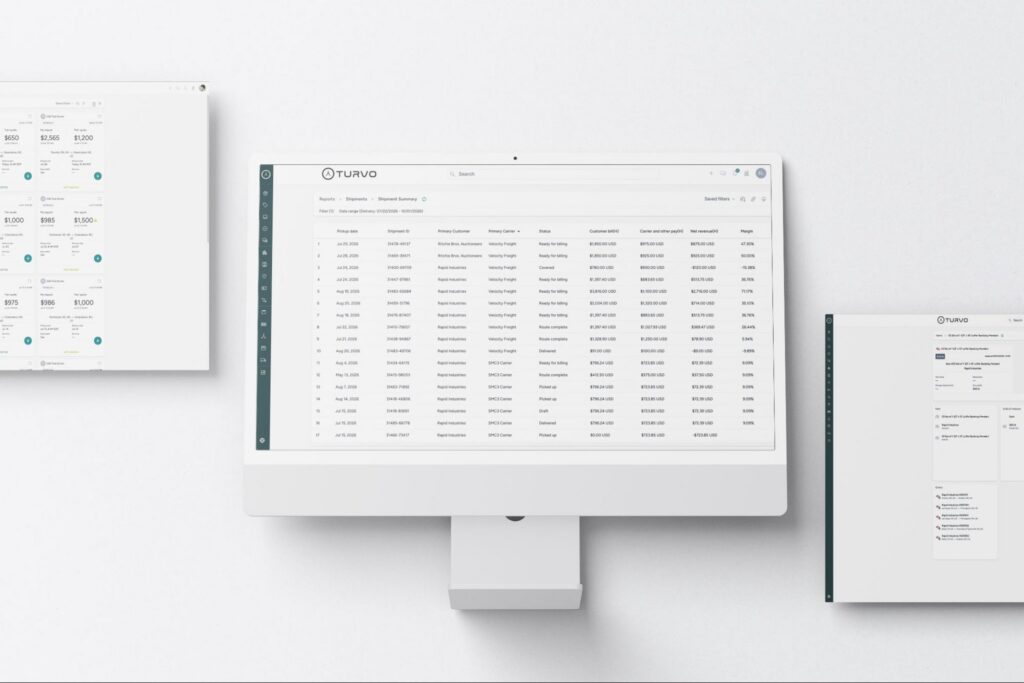
Turvo posts the shipment’s invoice and carrier bill from the shipment record to your accounting system or ERP, and its API connects whichever payroll or fleet system takes over driver pay and IFTA.
2. Integrations and API Access in the Subscription
Rose Rocket’s Full Service Platform plan includes access to 40+ integrations for ELDs, accounting, and EDI, while unlimited API access and custom integrations come with its Enterprise plan. RMIS syncs one way into Rose Rocket, and the Comdata page calls its driver advance connection “groundwork only today.”
So, list the tools your fleet connects today, from load boards and ELDs to a factoring company or a customer’s ERP. Circle the ones no vendor has built yet, since those become your team’s project.
In the demo, have the vendor switch on one of your connections from the admin screen and show another built on the API, then confirm the tier for each. A connection priced by quote is work that starts after go-live.
Turvo connects your load boards, telematics, vetting, and accounting to the shipment through its Integration Hub, and its public API covers the rest.
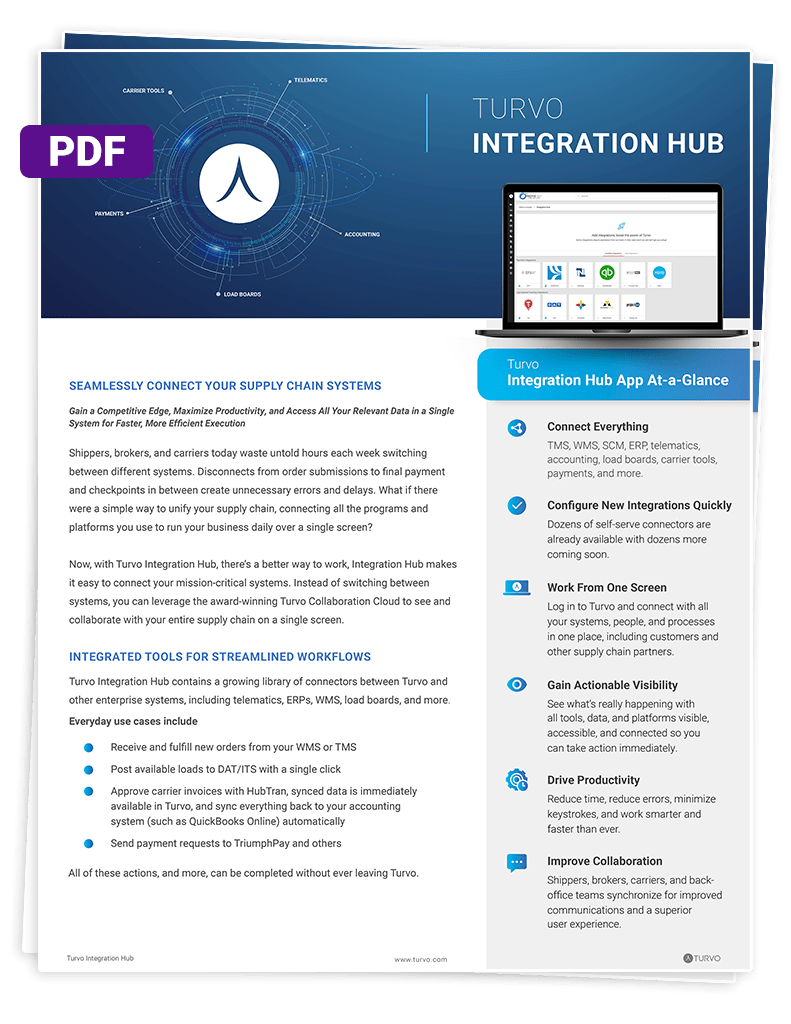
Download the Integration Hub Brief to see which connector categories Turvo supports and what its API covers.
3. Reports Your Office Builds
Reporting on Rose Rocket runs on dashboards with column math and formula fields and on-demand exports, with scheduled email reports on its Analytics Tier 2. For anything deeper, its data pipeline syncs your records out of the TMS into a warehouse such as Snowflake or BigQuery.
Gather the five reports your managers ask for most, such as revenue per truck, margin by lane, empty miles, and driver utilization. Note how long each takes to produce today. Any report that depends on one analyst or an outside database slows the pricing and carrier calls that rely on it.
During the demo, pick one of those reports and ask the vendor to build it from scratch, then have a dispatcher on your team change a filter and export it. If your dispatcher needs the vendor’s help, your office will too.

Turvo Analytics builds configurable reports and team dashboards inside the TMS, so anyone with access can pull margin by lane, customer, and carrier without a data team. That’s how Taimen Transport saved $100,000 in labor with its carrier scorecards.
4. Shippers and Carriers Working the Load, Not Waiting on a Refresh
Rose Rocket’s customer portal covers the basics, and its shared boards and public order links give a shipper a view-only link to a load’s status, no login needed.
Before the demos, have dispatch log five working days of status requests from shippers who already have a portal login. That tally is the work a portal hasn’t taken off your desk.
In the demo, change a load’s ETA and time how long the shipper’s view and the carrier’s screen take to show it. Watch whether anyone at the fleet has to pass the news along because any update your team still forwards by hand is a call you’ll keep taking.
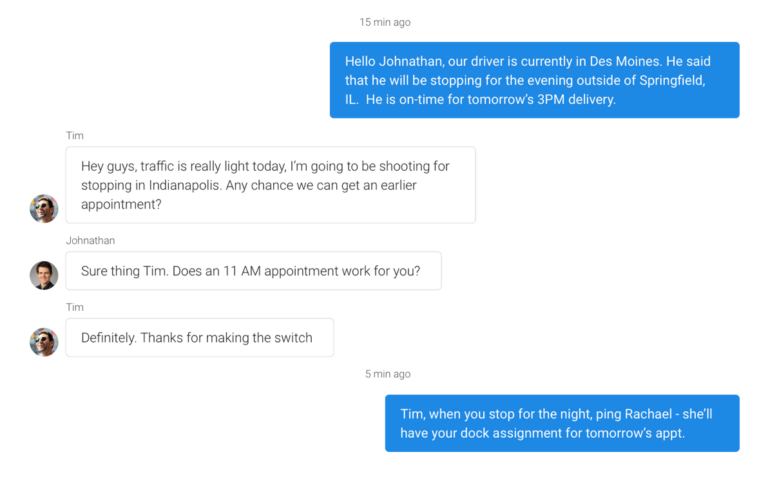
Turvo’s Collaboration Cloud gives the shipper and the carrier a seat on the shipment itself, with messages and documents kept on the load. A collaborative TMS works that way, while a portal only mirrors the record.
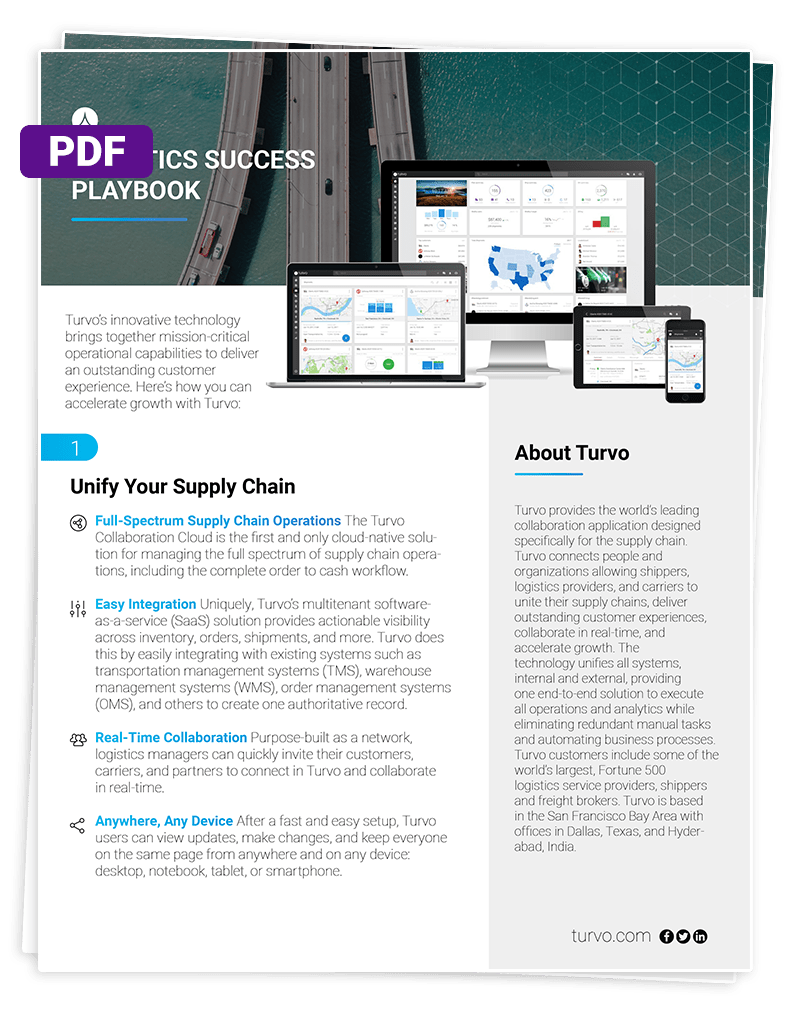
Download the Logistics Success Playbook; it includes a checklist for running loads with shippers and carriers.
5. Company Trucks and Brokered Loads on One Board
Rose Rocket refreshes company-truck positions from most ELD integrations every 15 minutes, and from Geotab every 5. Brokered carriers’ drivers share location through a texted link, and other loads report through tracking services such as MacroPoint and Trucker Tools.
Count the screens your dispatchers keep open in a shift, such as the ELD portal, the TMS board, the load board, and a tracking app. Then note how many brokered loads each week still need a check call to find the truck.
Ask each vendor to put one of your company trucks and one brokered truck on a single screen, say how often each position refreshes, then upload a POD from a phone into that load. If the demo needs a second screen, your 6 a.m. shift will too.
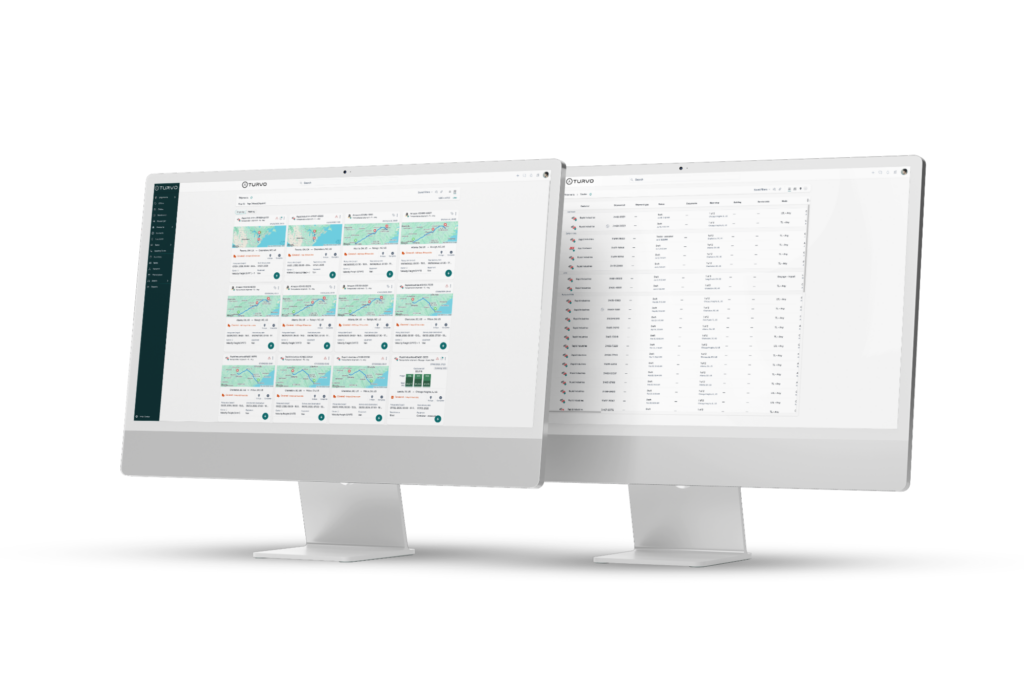
Turvo puts phone and telematics positions from your trucks and brokered carriers on one shipment visibility board, with each load’s documents attached.
6. Migration and Support From Rose Rocket
Freight keeps moving during a TMS change, so the cutover has to carry live loads. List what must move from Rose Rocket before you talk to vendors: customer and carrier records, lane and rate history, unpaid invoices, and every load on the road the day you switch.
Ask each vendor for a written migration plan. It should name which records come across by template, how the vendor finishes loads already rolling, who runs the cutover, and how long extra support lasts after launch. Gaps in carrier records cost the most early, while your team is still getting used to a new TMS.
Turvo’s onboarding manager runs the import through TDI templates, covering accounts, carriers, history, and loads in transit, and its team stays close through hypercare after go-live. The timeline depends on your integrations and how much history you move.
Run Your Brokerage Arm on One Record With Turvo
Pick McLeod LoadMaster if the ledger and IFTA belong inside your TMS, and Infios if you manage shippers’ freight across every mode.
For a fleet growing a brokerage desk beside its trucks, Turvo gives shippers, carriers, and drivers one hosted shipment.
Request a Turvo demo to see your Rose Rocket accounts and live loads come across with hypercare.
FAQs
1. What Is the Best Rose Rocket TMS Alternative for SMB and Mid-Market Fleets?
It depends on what your fleet is adding. A fleet building a brokerage desk next to its trucks gets the most from Turvo, where shippers and carriers update the same load as your drivers. A fleet that wants its back office inside the TMS fits McLeod LoadMaster, and one managing large shippers’ freight across modes fits Infios Transportation Management.
2. Which TMS Has More Automation Than Rose Rocket?
Each platform automates a different step: Rose Rocket’s TED agent turns emails into orders, and Turvo automates the carrier cycle with rules, from routing guides to automatic rate confirmations and status-driven settlement. Infios uses AI agents for check calls and order entry, while McLeod sells MPact.RespondAI separately.
Compare them on the task that eats the most office hours.
3. Which Rose Rocket TMS Alternative Can Scale With My Growing Fleet?
McLeod LoadMaster grows with trucks, terminals, and operating companies through multicompany accounting, while Infios grows with modes and shipper programs.
Turvo grows with loads per employee, since shippers and carriers do their own updating on the record.
4. What Should I Check Before Changing TMS Platforms?
Confirm which records the vendor migrates, loads in transit on switch day included, and which of your integrations reconnect at your plan tier versus which you’ll build. Settle where driver settlements and IFTA will run afterward. Then get the post-launch support commitment in writing, because missing carrier data does the most damage in the first weeks.
5. How Do I Choose the Right Rose Rocket TMS Alternative?
List the work your fleet already runs outside Rose Rocket, whether that’s the ledger, payroll, API connections, reporting, or shipper updates. Run each demo on one of your own delayed loads and count the manual steps between the alert and settlement. Then confirm the plan you’re quoted includes the integrations and API access you need.